Create API and Lambda function
In this section, we will add three Lambda functions (Register, Confirm, Login) to the existing SAM project and expose them through API Gateway.
Overview of what we will build:
- Register — calls
cognito_idp.sign_up()to create a new user in Cognito. - Confirm — calls
cognito_idp.confirm_sign_up()to verify the email confirmation code. - Login — calls
cognito_idp.initiate_auth()to authenticate a user and return JWT tokens.
All three functions are connected to API Gateway resources and use the Cognito Client ID and Client secret you recorded in Section 2.
Step 1 — Add Cognito Parameters to template.yaml
Open the template.yaml file located in the root of the SAM project (fcaj-book-shop/).
The Parameters section is at the top of template.yaml, just below the AWSTemplateFormatVersion and Transform lines. Add the two new parameters after the existing parameters (e.g., after stage).
Add the following two parameters to the
Parameterssection.cognitoClientID: Type: String Default: APP_CLIENT_ID cognitoClientSecret: Type: String Default: APP_CLIENT_SECRETReplace
APP_CLIENT_IDandAPP_CLIENT_SECRETwith the actual Client ID and Client secret values you recorded from the Cognito App Client in Section 2.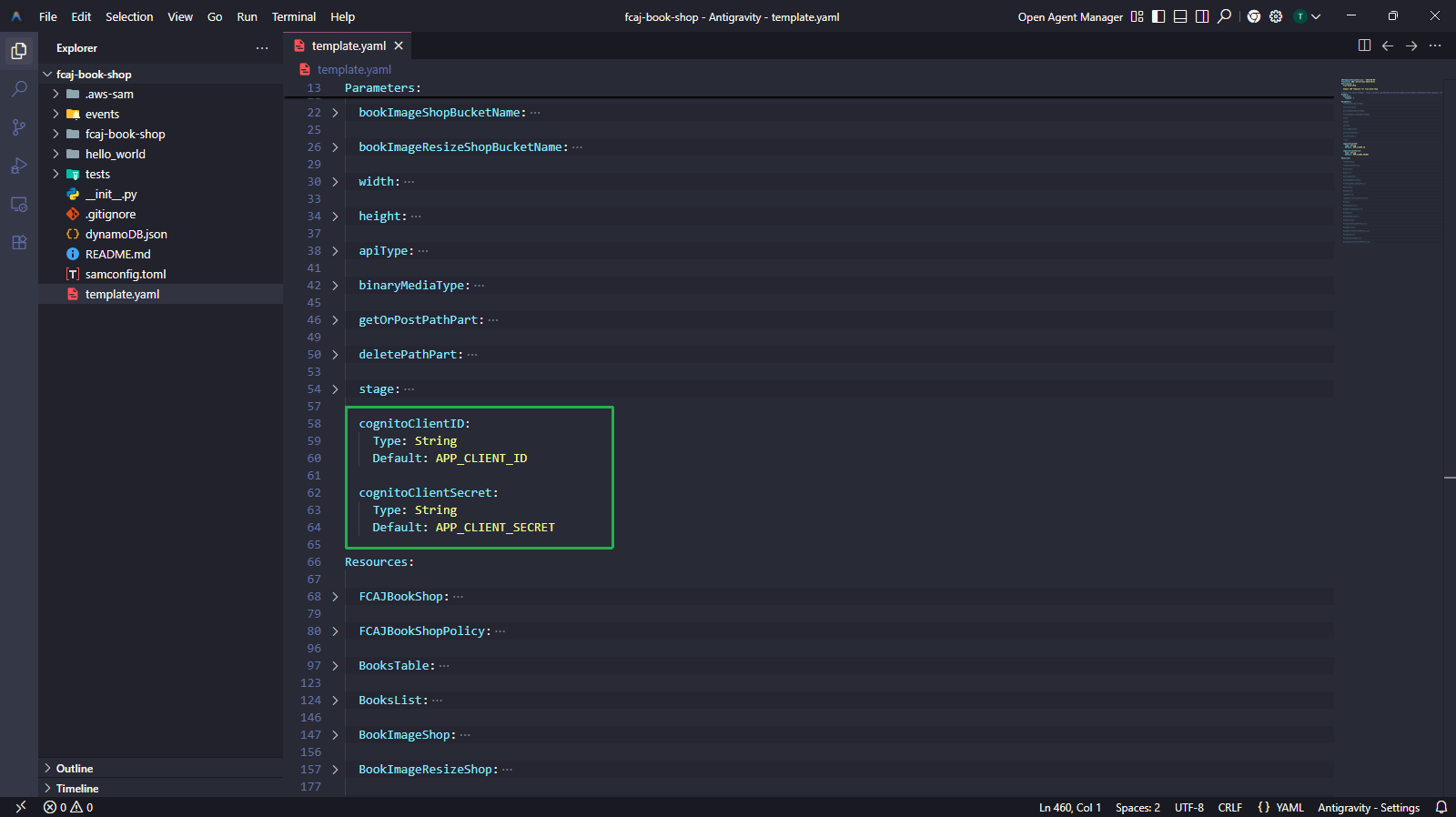
Step 2 — Comment out BookApiDeployment and BookApiStage (Initial Deploy)
Before adding new API resources, we need to do an initial deploy with BookApiDeployment and BookApiStage commented out. This is because SAM/CloudFormation requires all methods referenced in DependsOn to exist before creating the Deployment resource.
Why comment out first?
The BookApiDeployment resource has a DependsOn that lists RegisterApi, ConfirmApi, and LoginApi. These resources don’t exist yet in this step. If you don’t comment them out, sam deploy will fail with a dependency error.
Comment out the
BookApiDeploymentandBookApiStageresource blocks intemplate.yamlas shown below.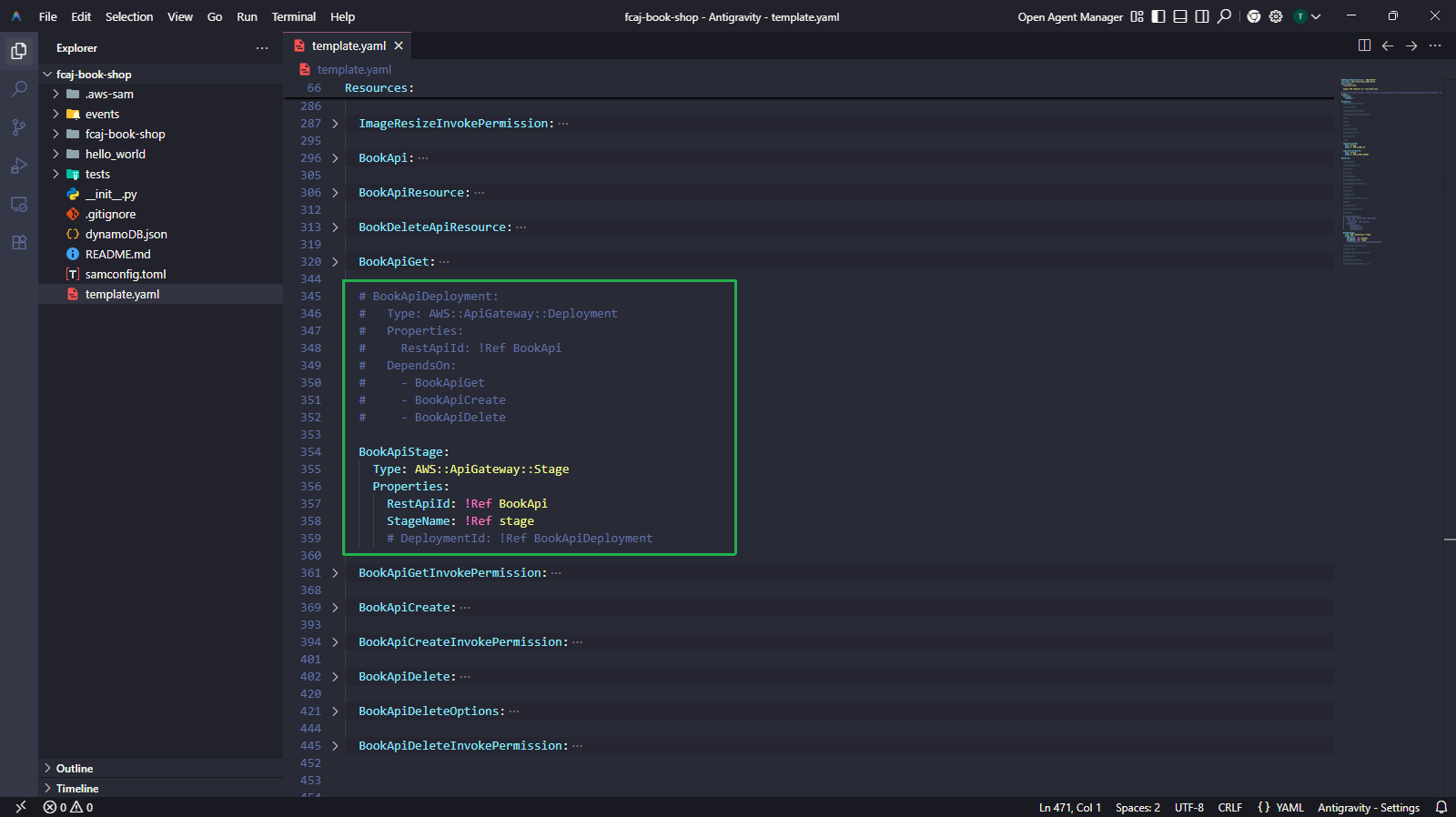
Run the following commands to validate, build, and deploy.
sam validate
sam build
sam deploy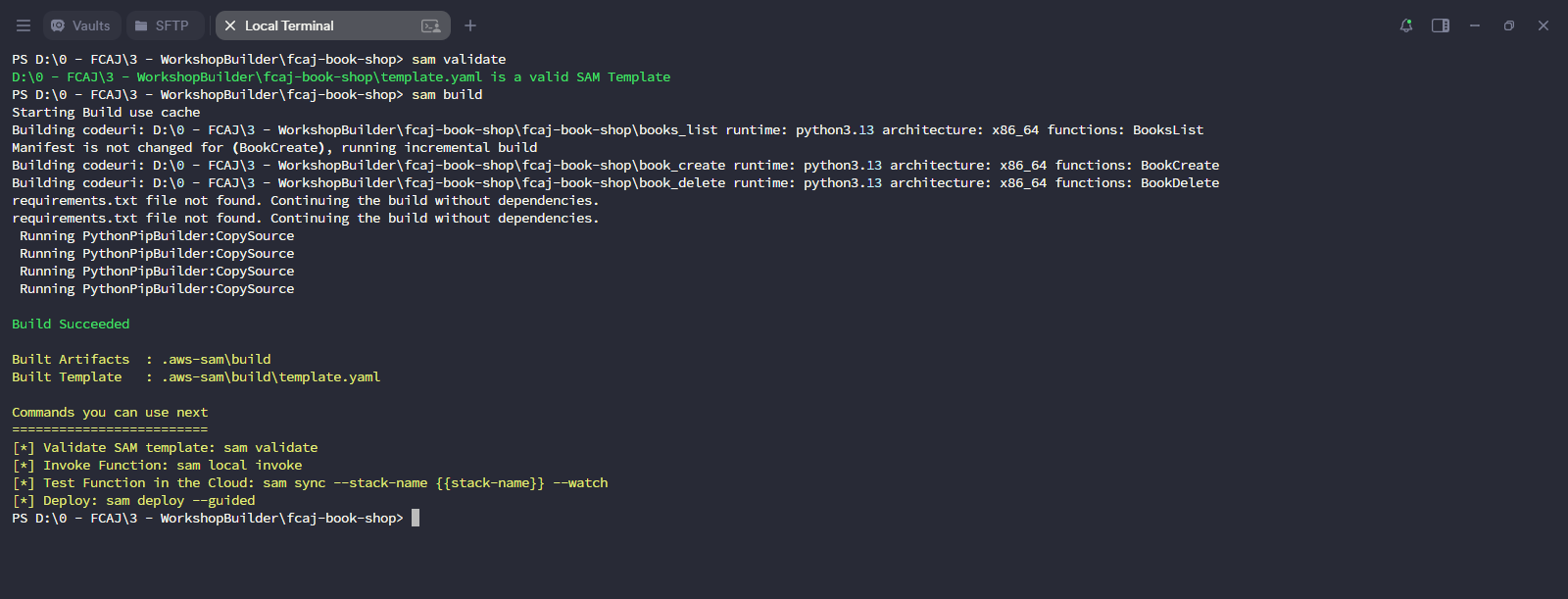
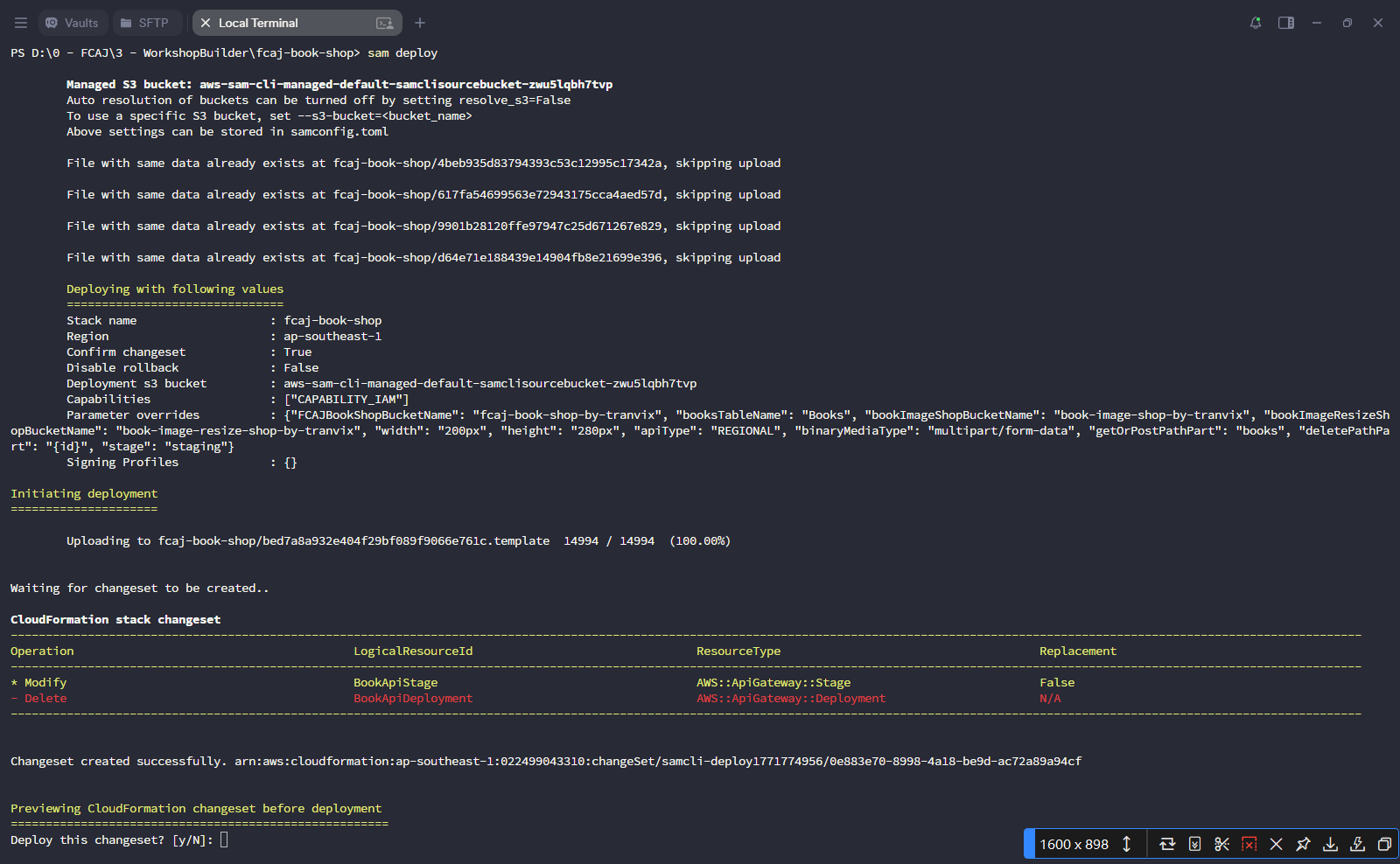
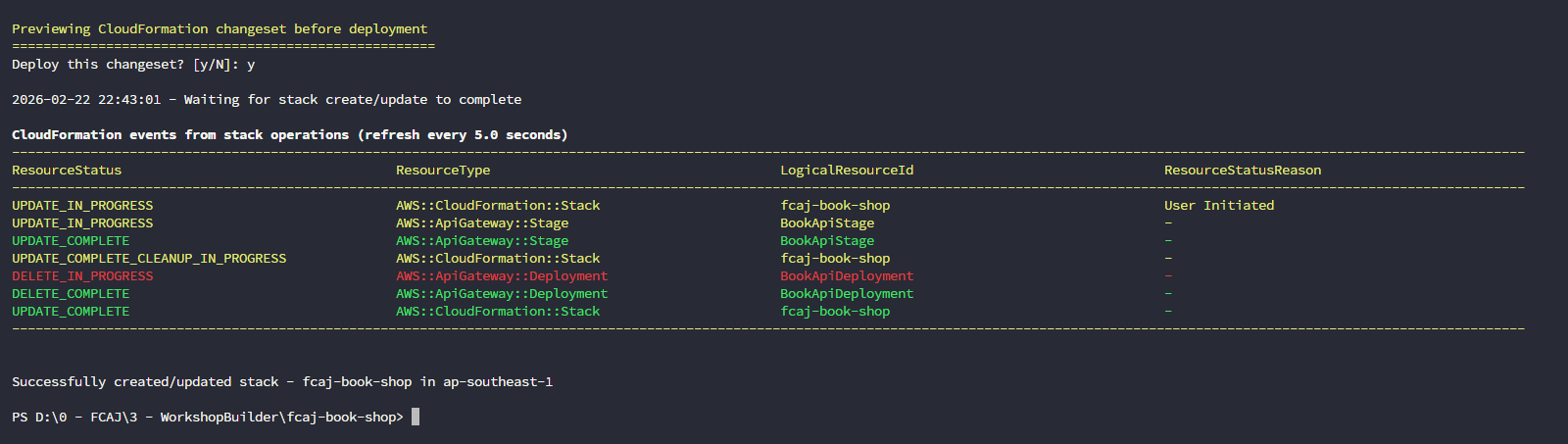
Since this is not the first deploy, SAM uses the existing
samconfig.tomland does not require--guided. Simply press Enter to accept defaults, then enteryto confirm the changeset.
Step 3 — Create the Register Function
All changes in this step are made to template.yaml and a new Python source file.
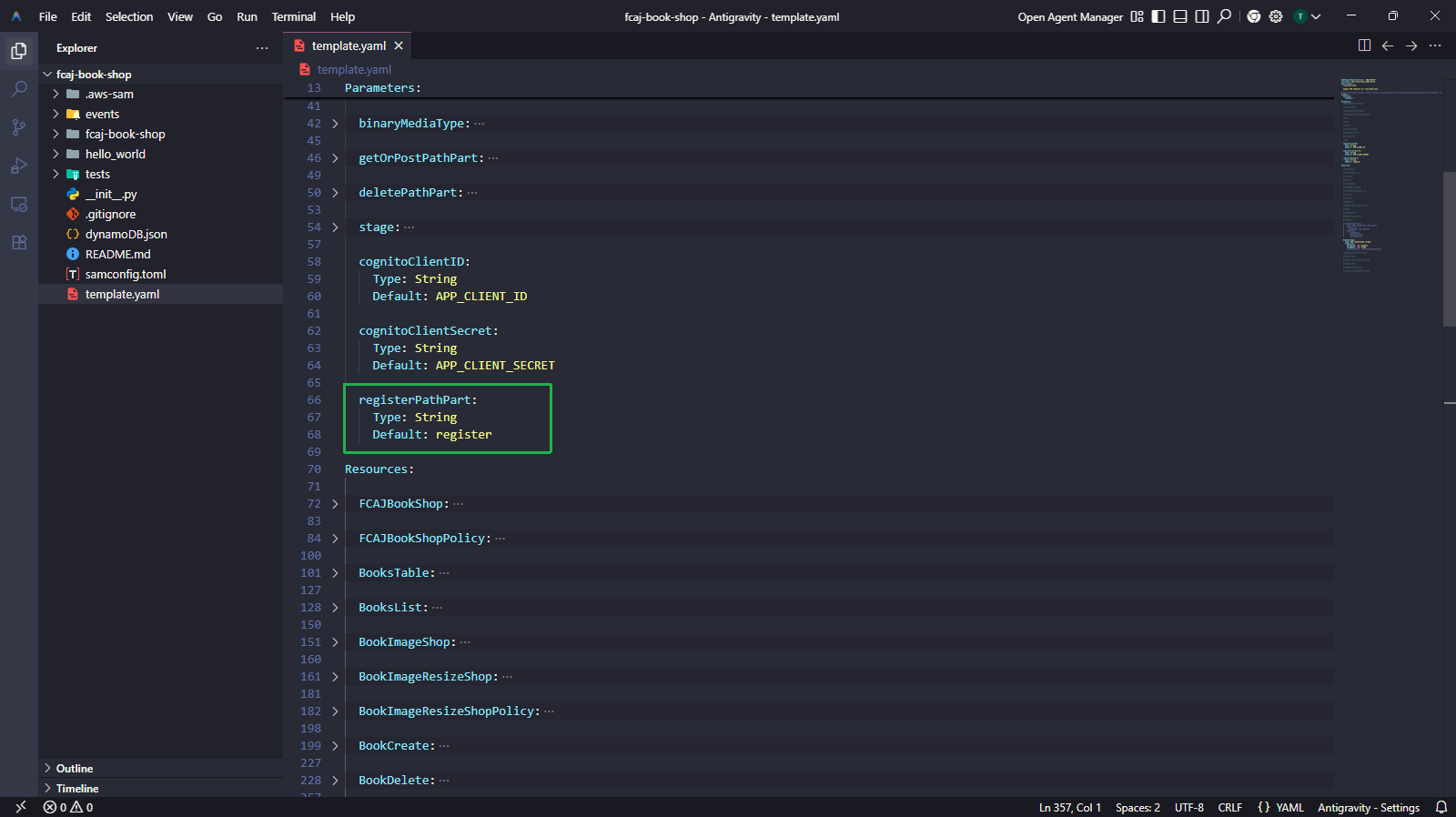
3.1 — Add the registerPathPart parameter
Add the following parameter to the Parameters section (alongside the other path parameters).
registerPathPart:
  Type: String
  Default: register
3.2 — Add Register resources to template.yaml
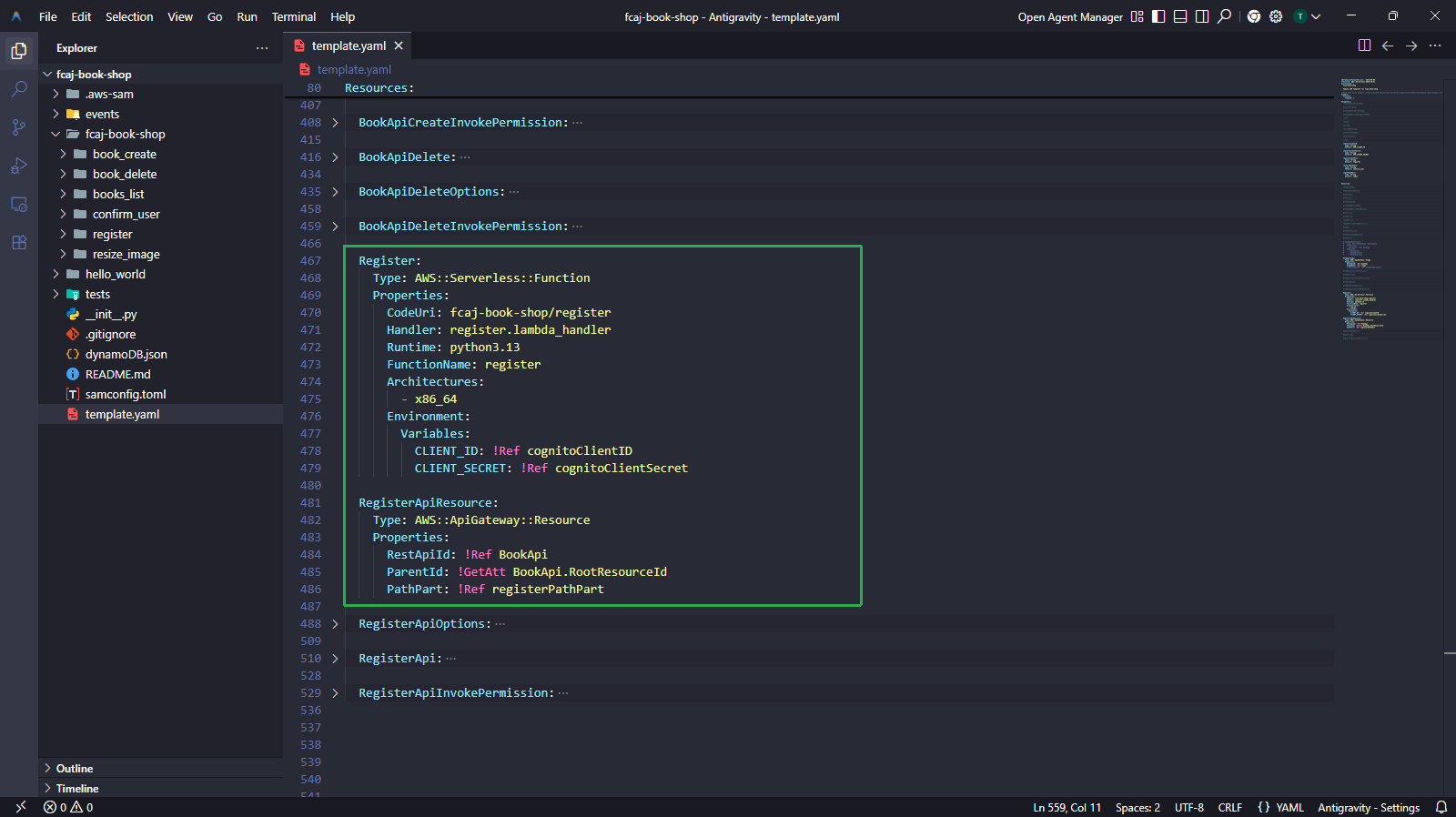
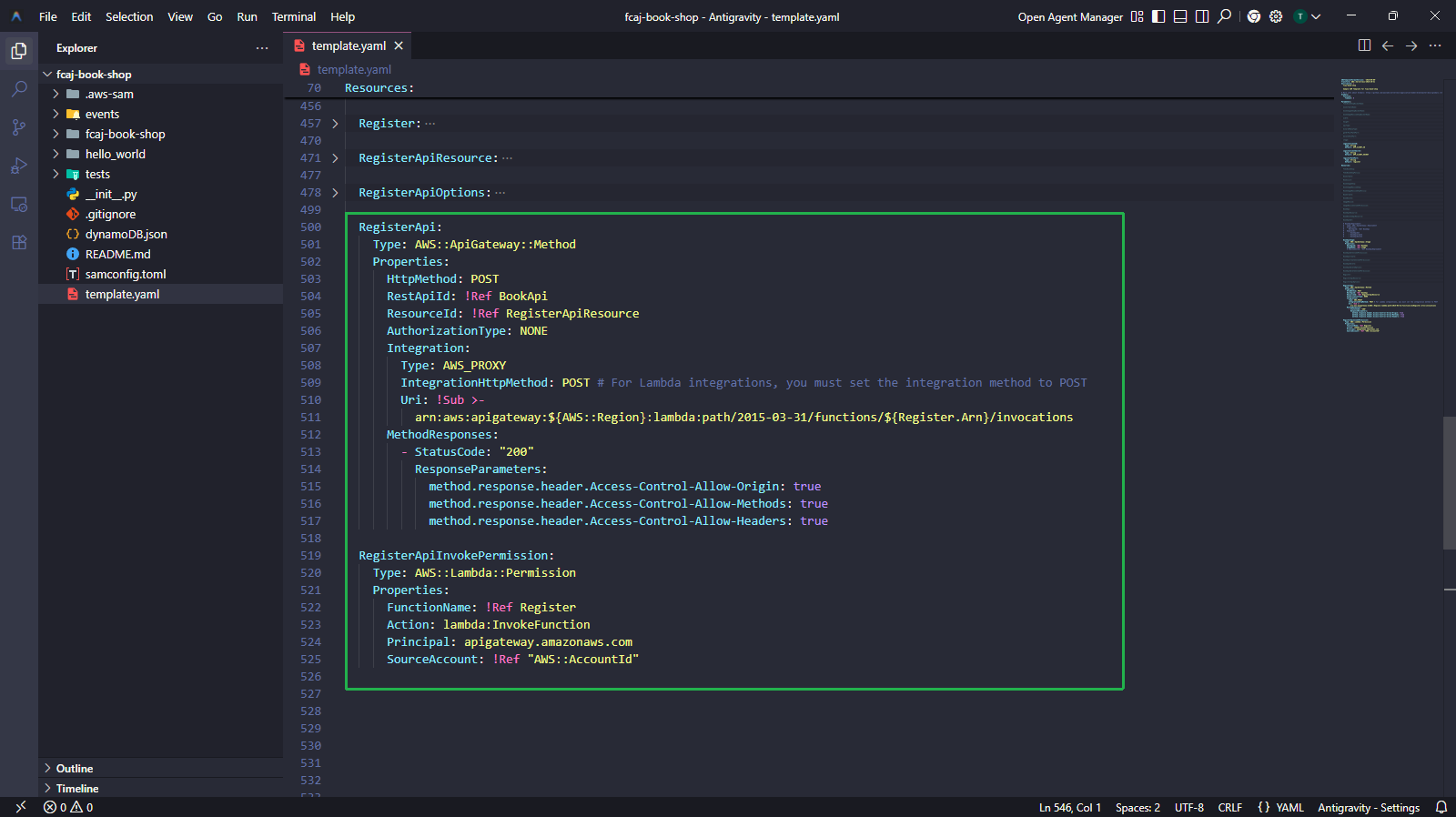
Add the following resource blocks to the Resources section at the bottom of the file (before the commented-out BookApiDeployment).
Register:
  Type: AWS::Serverless::Function
  Properties:
    CodeUri: fcaj-book-shop/register
    Handler: register.lambda_handler
    Runtime: python3.13
    FunctionName: register
    Architectures:
      - x86_64
    Environment:
      Variables:
        CLIENT_ID: !Ref cognitoClientID
        CLIENT_SECRET: !Ref cognitoClientSecret

RegisterApiResource:
  Type: AWS::ApiGateway::Resource
  Properties:
    RestApiId: !Ref BookApi
    ParentId: !GetAtt BookApi.RootResourceId
    PathPart: !Ref registerPathPart

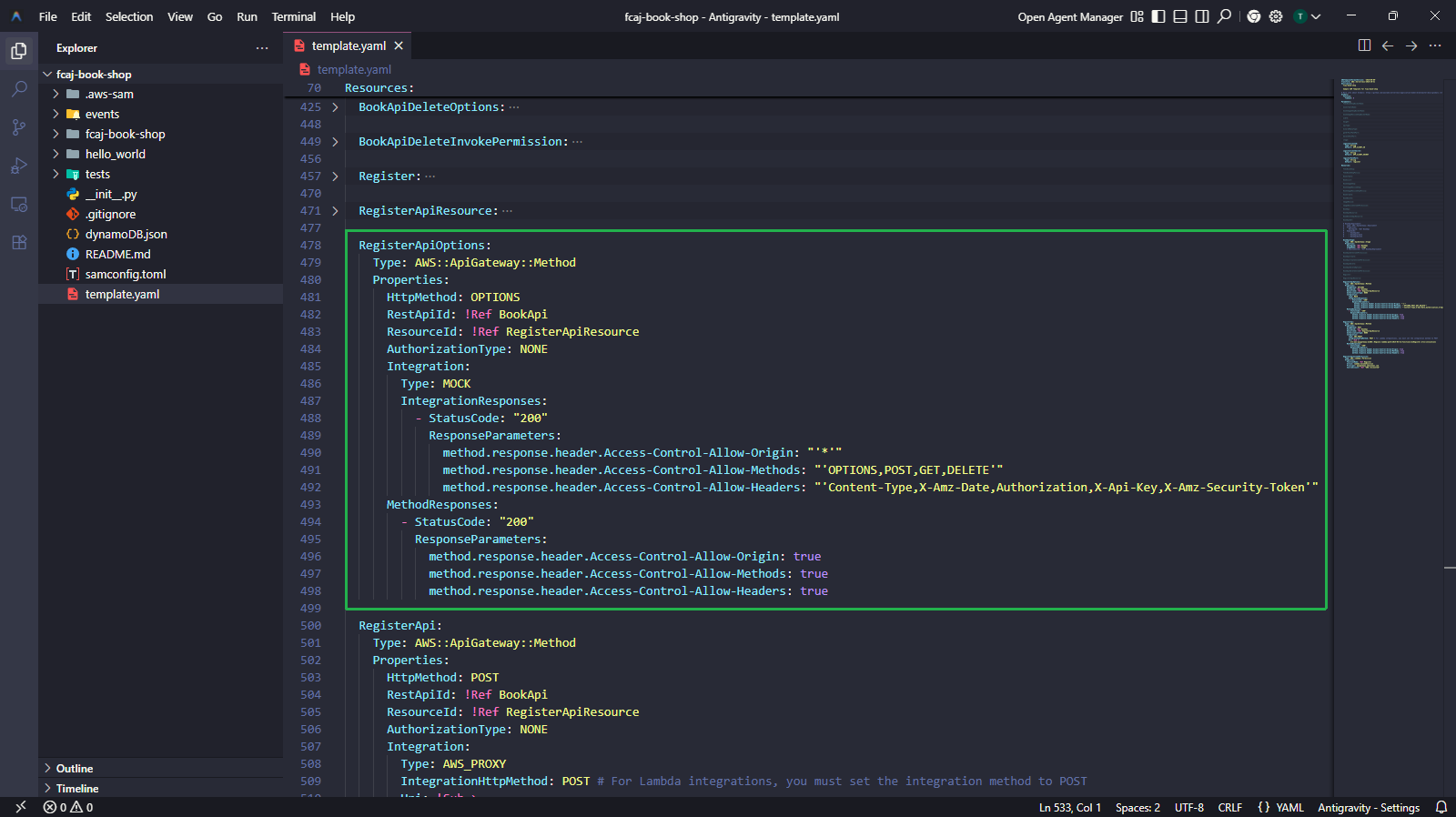
RegisterApiOptions:
  Type: AWS::ApiGateway::Method
  Properties:
    HttpMethod: OPTIONS
    RestApiId: !Ref BookApi
    ResourceId: !Ref RegisterApiResource
    AuthorizationType: NONE
    Integration:
      Type: MOCK
      IntegrationResponses:
        - StatusCode: "200"
          ResponseParameters:
            method.response.header.Access-Control-Allow-Origin: "'*'"
            method.response.header.Access-Control-Allow-Methods: "'OPTIONS,POST,GET,DELETE'"
            method.response.header.Access-Control-Allow-Headers: "'Content-Type,X-Amz-Date,Authorization,X-Api-Key,X-Amz-Security-Token'"
    MethodResponses:
      - StatusCode: "200"
        ResponseParameters:
          method.response.header.Access-Control-Allow-Origin: true
          method.response.header.Access-Control-Allow-Methods: true
          method.response.header.Access-Control-Allow-Headers: true

RegisterApi:
  Type: AWS::ApiGateway::Method
  Properties:
    HttpMethod: POST
    RestApiId: !Ref BookApi
    ResourceId: !Ref RegisterApiResource
    AuthorizationType: NONE
    Integration:
      Type: AWS_PROXY
      IntegrationHttpMethod: POST
      Uri: !Sub >-
        arn:aws:apigateway:${AWS::Region}:lambda:path/2015-03-31/functions/${Register.Arn}/invocations
    MethodResponses:
      - StatusCode: "200"
        ResponseParameters:
          method.response.header.Access-Control-Allow-Origin: true
          method.response.header.Access-Control-Allow-Methods: true
          method.response.header.Access-Control-Allow-Headers: true

RegisterApiInvokePermission:
  Type: AWS::Lambda::Permission
  Properties:
    FunctionName: !Ref Register
    Action: lambda:InvokeFunction
    Principal: apigateway.amazonaws.com
    SourceAccount: !Ref "AWS::AccountId"
RegisterApiOptionshandles CORS preflight requests (HTTP OPTIONS). Browsers send OPTIONS requests before POST/GET/DELETE to check if CORS is allowed.RegisterApiInvokePermissiongrants API Gateway the permission to invoke the Lambda function.IntegrationHttpMethod: POSTmust always bePOSTfor Lambda proxy integrations, regardless of the API method’sHttpMethod.
3.3 — Create the register Lambda source file
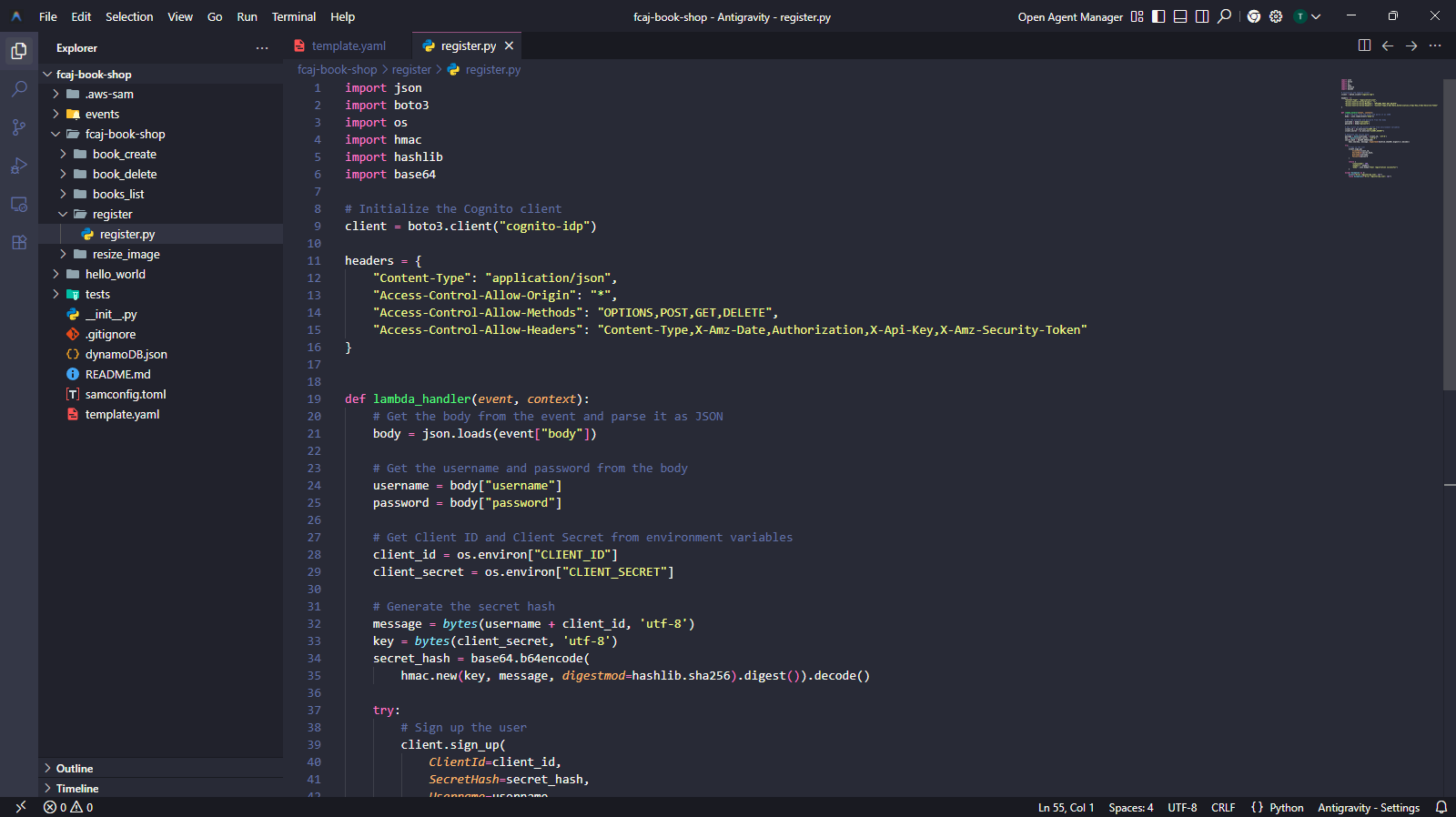
The directory structure should look like this:
fcaj-book-shop/
├── fcaj-book-shop/
│   ├── register/
│   │   └── register.py        ← create this
│   ├── books_list/
│   ├── book_create/
│   └── book_delete/
└── template.yaml
- Create the
register/folder insidefcaj-book-shop/fcaj-book-shop/. - Create
register.pywith the following content.
import json
import boto3
import os
import hmac
import hashlib
import base64

# Initialize the Cognito client
client = boto3.client("cognito-idp")

headers = {
    "Content-Type": "application/json",
    "Access-Control-Allow-Origin": "*",
    "Access-Control-Allow-Methods": "OPTIONS,POST,GET,DELETE",
    "Access-Control-Allow-Headers": "Content-Type,X-Amz-Date,Authorization,X-Api-Key,X-Amz-Security-Token"
}


def lambda_handler(event, context):
    # Parse the JSON body from the API Gateway event
    body = json.loads(event["body"])

    username = body["username"]
    password = body["password"]

    # Read Cognito credentials from environment variables
    client_id = os.environ["CLIENT_ID"]
    client_secret = os.environ["CLIENT_SECRET"]

    # Compute the SECRET_HASH required when Client Secret is enabled
    message = bytes(username + client_id, "utf-8")
    key = bytes(client_secret, "utf-8")
    secret_hash = base64.b64encode(
        hmac.new(key, message, digestmod=hashlib.sha256).digest()
    ).decode()

    try:
        client.sign_up(
            ClientId=client_id,
            SecretHash=secret_hash,
            Username=username,
            Password=password
        )

        return {
            "statusCode": 200,
            "headers": headers,
            "body": json.dumps("User registration successful")
        }

    except Exception as e:
        print(f"Error registering user: {e}")
        raise Exception(f"Error registering user: {e}")
The SECRET_HASH is required by Cognito whenever an App Client has a Client Secret configured. It is an HMAC-SHA256 hash of username + client_id, signed with client_secret. Cognito uses this to verify the request came from a trusted server.
Step 4 — Create the Confirm Function
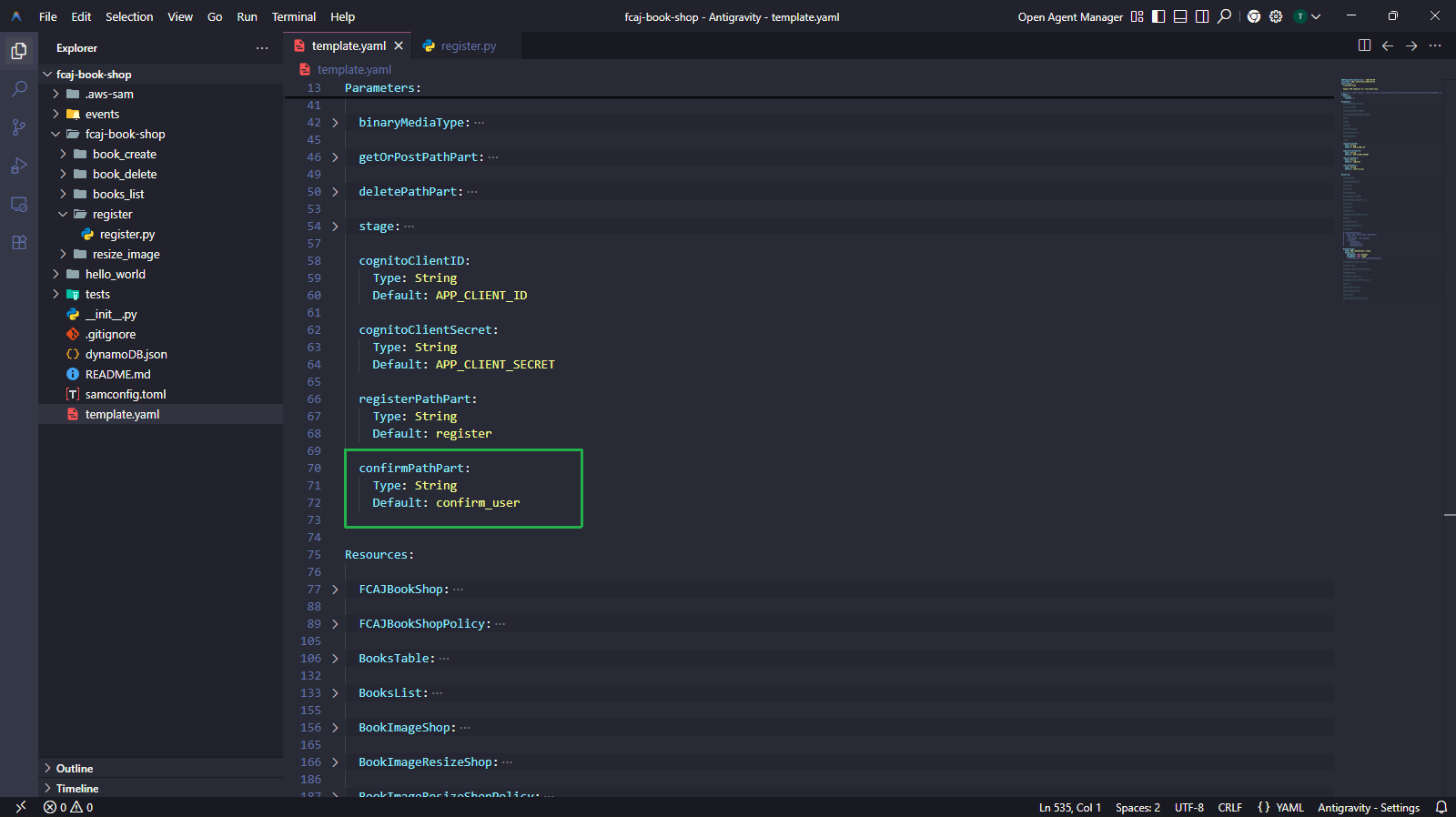
4.1 — Add the confirmPathPart parameter
confirmPathPart:
  Type: String
  Default: confirm_user
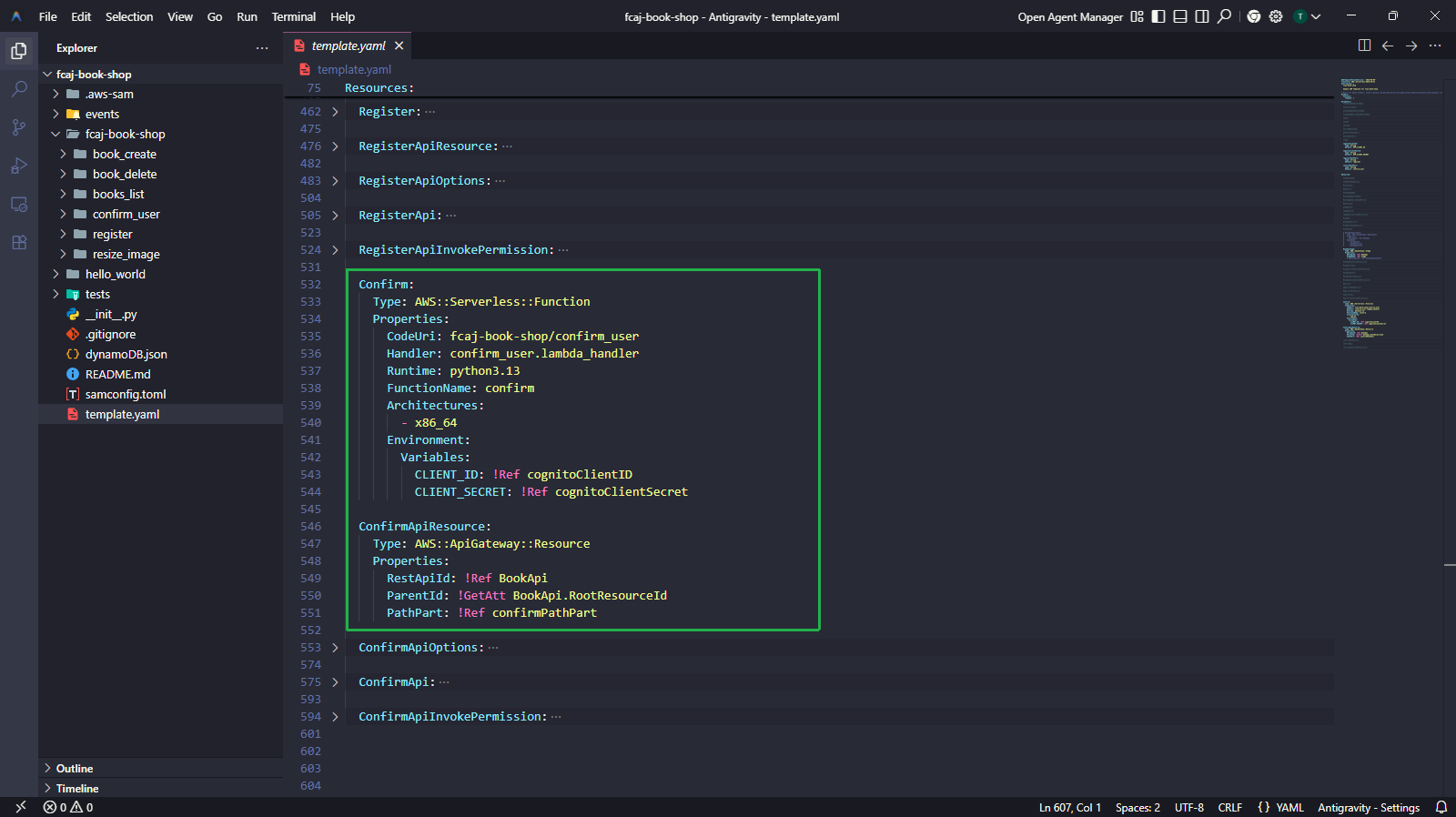
4.2 — Add Confirm resources to template.yaml
Confirm:
  Type: AWS::Serverless::Function
  Properties:
    CodeUri: fcaj-book-shop/confirm_user
    Handler: confirm_user.lambda_handler
    Runtime: python3.13
    FunctionName: confirm
    Architectures:
      - x86_64
    Environment:
      Variables:
        CLIENT_ID: !Ref cognitoClientID
        CLIENT_SECRET: !Ref cognitoClientSecret

ConfirmApiResource:
  Type: AWS::ApiGateway::Resource
  Properties:
    RestApiId: !Ref BookApi
    ParentId: !GetAtt BookApi.RootResourceId
    PathPart: !Ref confirmPathPart

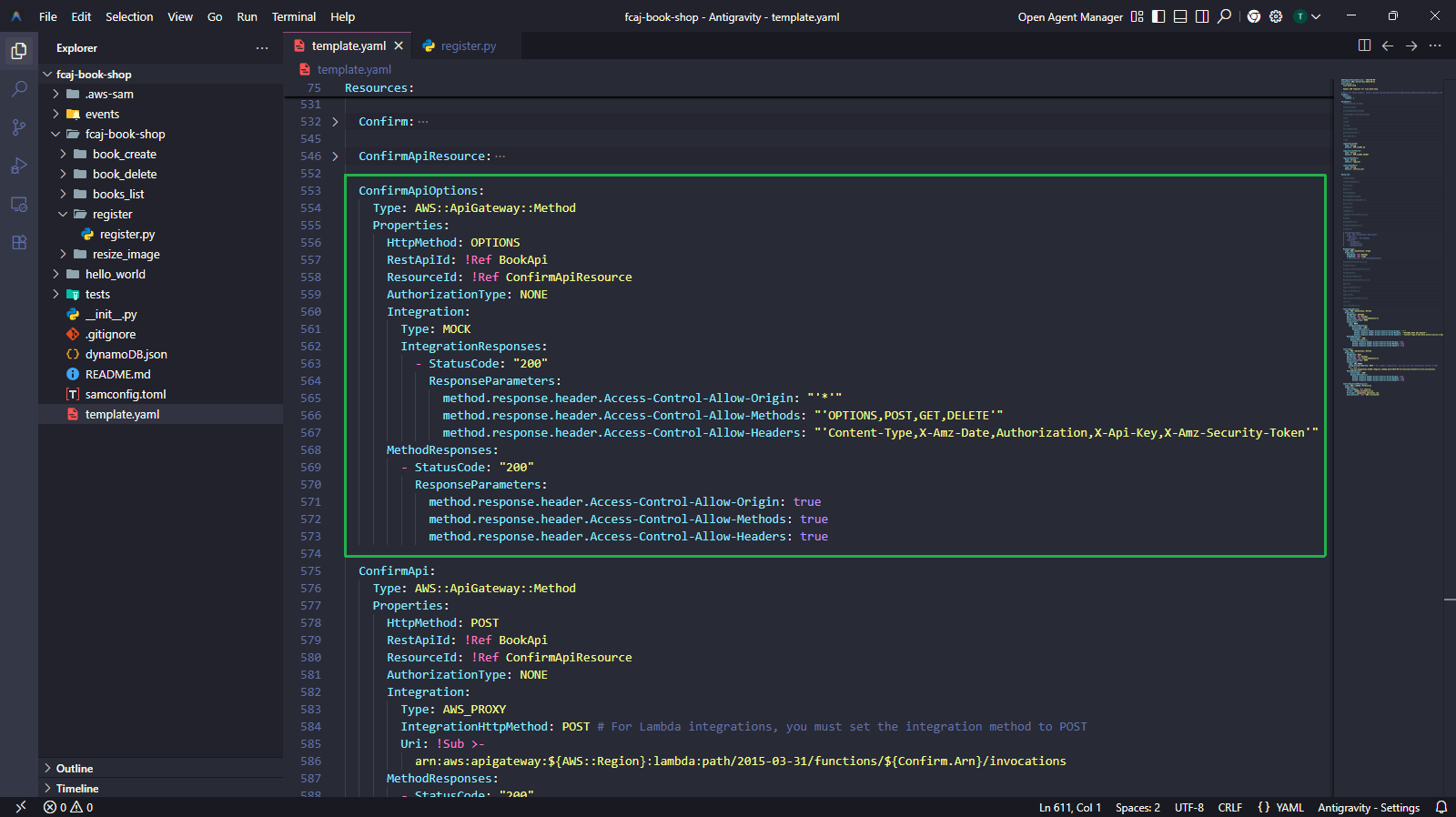
ConfirmApiOptions:
  Type: AWS::ApiGateway::Method
  Properties:
    HttpMethod: OPTIONS
    RestApiId: !Ref BookApi
    ResourceId: !Ref ConfirmApiResource
    AuthorizationType: NONE
    Integration:
      Type: MOCK
      IntegrationResponses:
        - StatusCode: "200"
          ResponseParameters:
            method.response.header.Access-Control-Allow-Origin: "'*'"
            method.response.header.Access-Control-Allow-Methods: "'OPTIONS,POST,GET,DELETE'"
            method.response.header.Access-Control-Allow-Headers: "'Content-Type,X-Amz-Date,Authorization,X-Api-Key,X-Amz-Security-Token'"
    MethodResponses:
      - StatusCode: "200"
        ResponseParameters:
          method.response.header.Access-Control-Allow-Origin: true
          method.response.header.Access-Control-Allow-Methods: true
          method.response.header.Access-Control-Allow-Headers: true

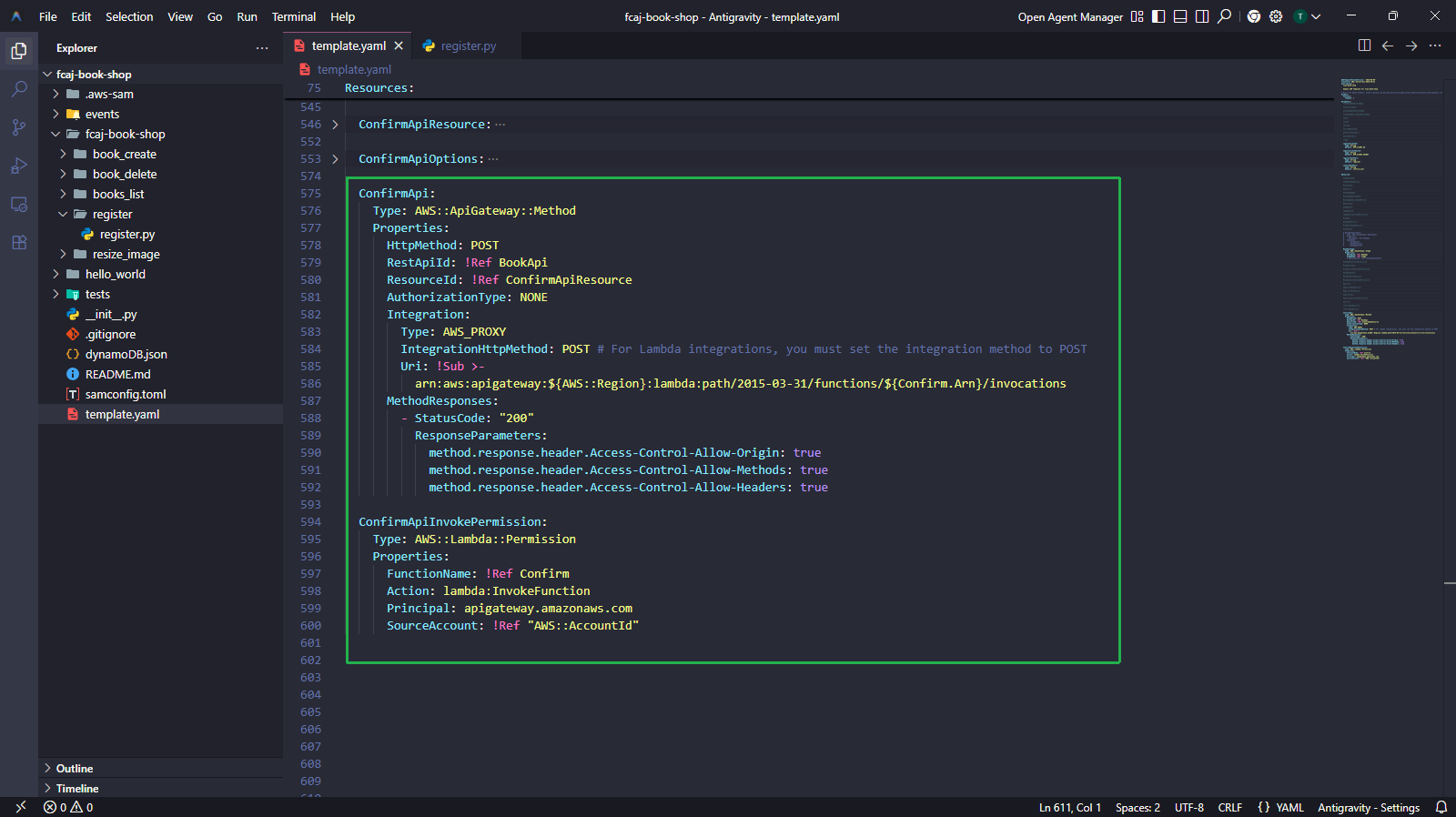
ConfirmApi:
  Type: AWS::ApiGateway::Method
  Properties:
    HttpMethod: POST
    RestApiId: !Ref BookApi
    ResourceId: !Ref ConfirmApiResource
    AuthorizationType: NONE
    Integration:
      Type: AWS_PROXY
      IntegrationHttpMethod: POST
      Uri: !Sub >-
        arn:aws:apigateway:${AWS::Region}:lambda:path/2015-03-31/functions/${Confirm.Arn}/invocations
    MethodResponses:
      - StatusCode: "200"
        ResponseParameters:
          method.response.header.Access-Control-Allow-Origin: true
          method.response.header.Access-Control-Allow-Methods: true
          method.response.header.Access-Control-Allow-Headers: true

ConfirmApiInvokePermission:
  Type: AWS::Lambda::Permission
  Properties:
    FunctionName: !Ref Confirm
    Action: lambda:InvokeFunction
    Principal: apigateway.amazonaws.com
    SourceAccount: !Ref "AWS::AccountId"
4.3 — Create the confirm_user Lambda source file
fcaj-book-shop/
├── fcaj-book-shop/
│   ├── register/
│   ├── confirm_user/
│   │   └── confirm_user.py    ← create this
│   └── ...
└── template.yaml
- Create the
confirm_user/folder insidefcaj-book-shop/fcaj-book-shop/. - Create
confirm_user.pywith the following content.
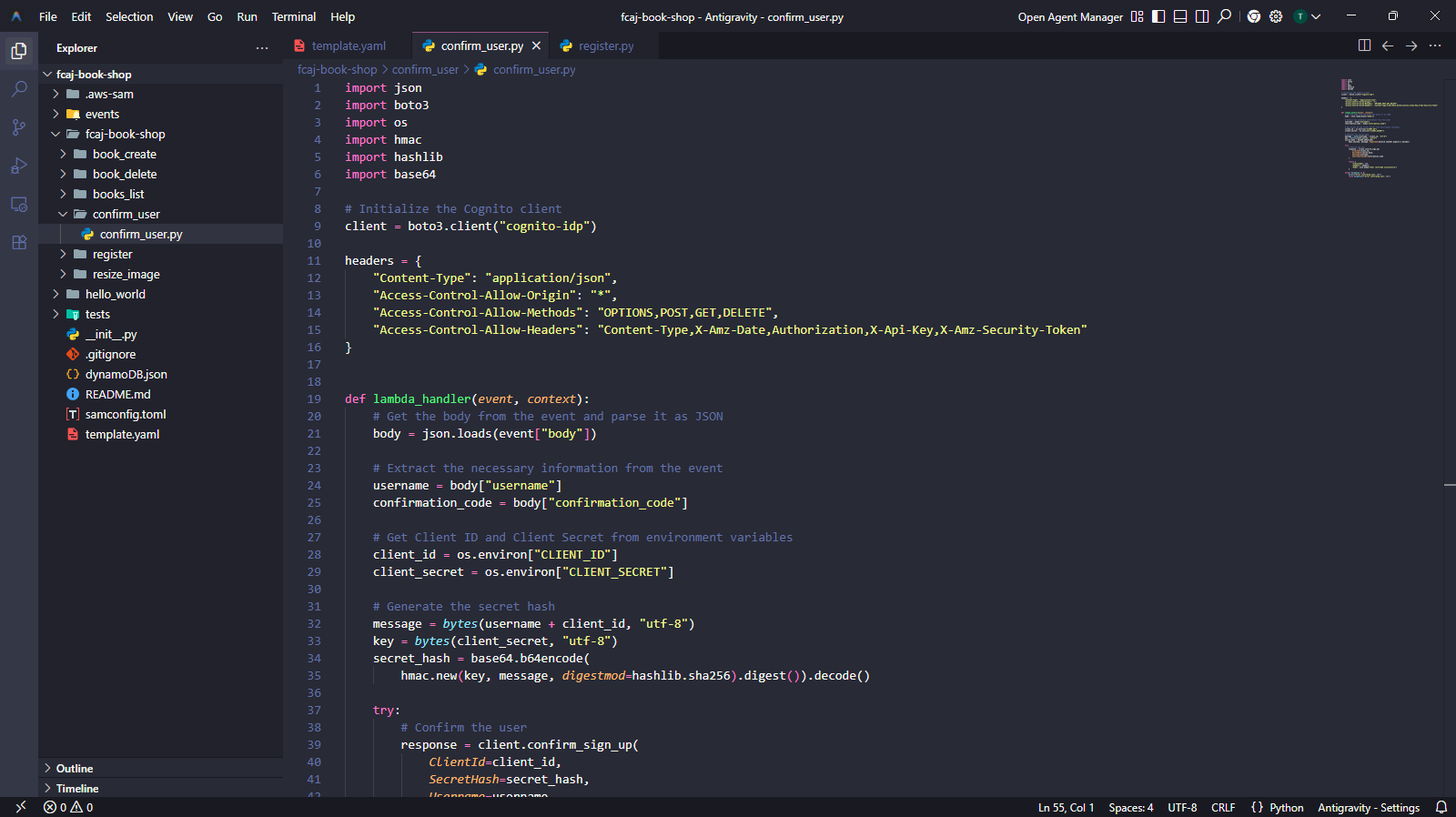
import json
import boto3
import os
import hmac
import hashlib
import base64

# Initialize the Cognito client
client = boto3.client("cognito-idp")

headers = {
    "Content-Type": "application/json",
    "Access-Control-Allow-Origin": "*",
    "Access-Control-Allow-Methods": "OPTIONS,POST,GET,DELETE",
    "Access-Control-Allow-Headers": "Content-Type,X-Amz-Date,Authorization,X-Api-Key,X-Amz-Security-Token"
}


def lambda_handler(event, context):
    body = json.loads(event["body"])

    username = body["username"]
    confirmation_code = body["confirmation_code"]

    client_id = os.environ["CLIENT_ID"]
    client_secret = os.environ["CLIENT_SECRET"]

    message = bytes(username + client_id, "utf-8")
    key = bytes(client_secret, "utf-8")
    secret_hash = base64.b64encode(
        hmac.new(key, message, digestmod=hashlib.sha256).digest()
    ).decode()

    try:
        client.confirm_sign_up(
            ClientId=client_id,
            SecretHash=secret_hash,
            Username=username,
            ConfirmationCode=confirmation_code
        )

        return {
            "statusCode": 200,
            "headers": headers,
            "body": json.dumps("User confirmed successfully")
        }

    except Exception as e:
        print(f"Error confirming user: {e}")
        raise Exception(f"Error confirming user: {e}")
After a user registers successfully, Cognito automatically sends a confirmation code to their email address. The user must provide this code to the /confirm_user endpoint to activate their account.
Step 5 — Create the Login Function
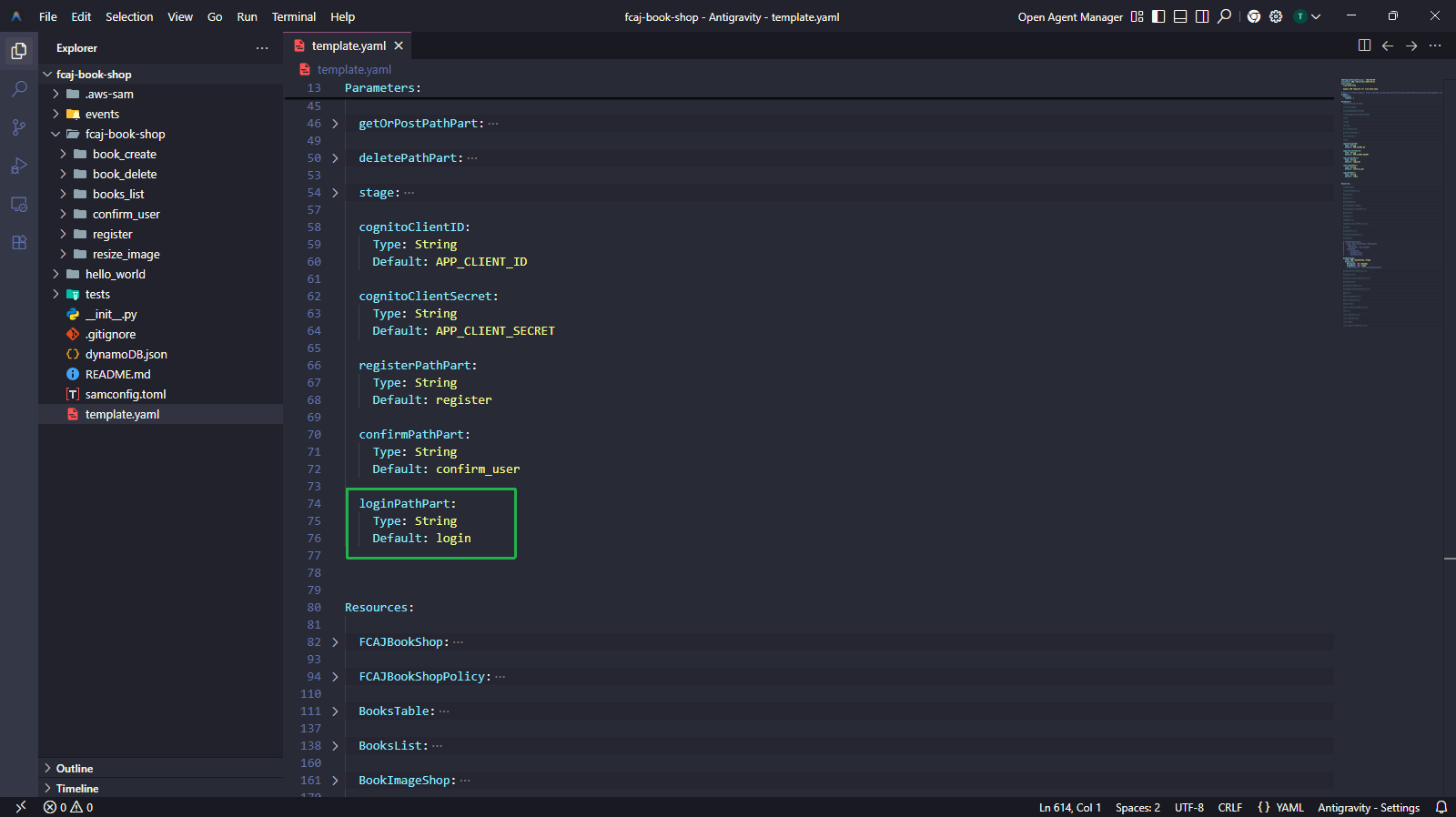
5.1 — Add the loginPathPart parameter
loginPathPart:
  Type: String
  Default: login
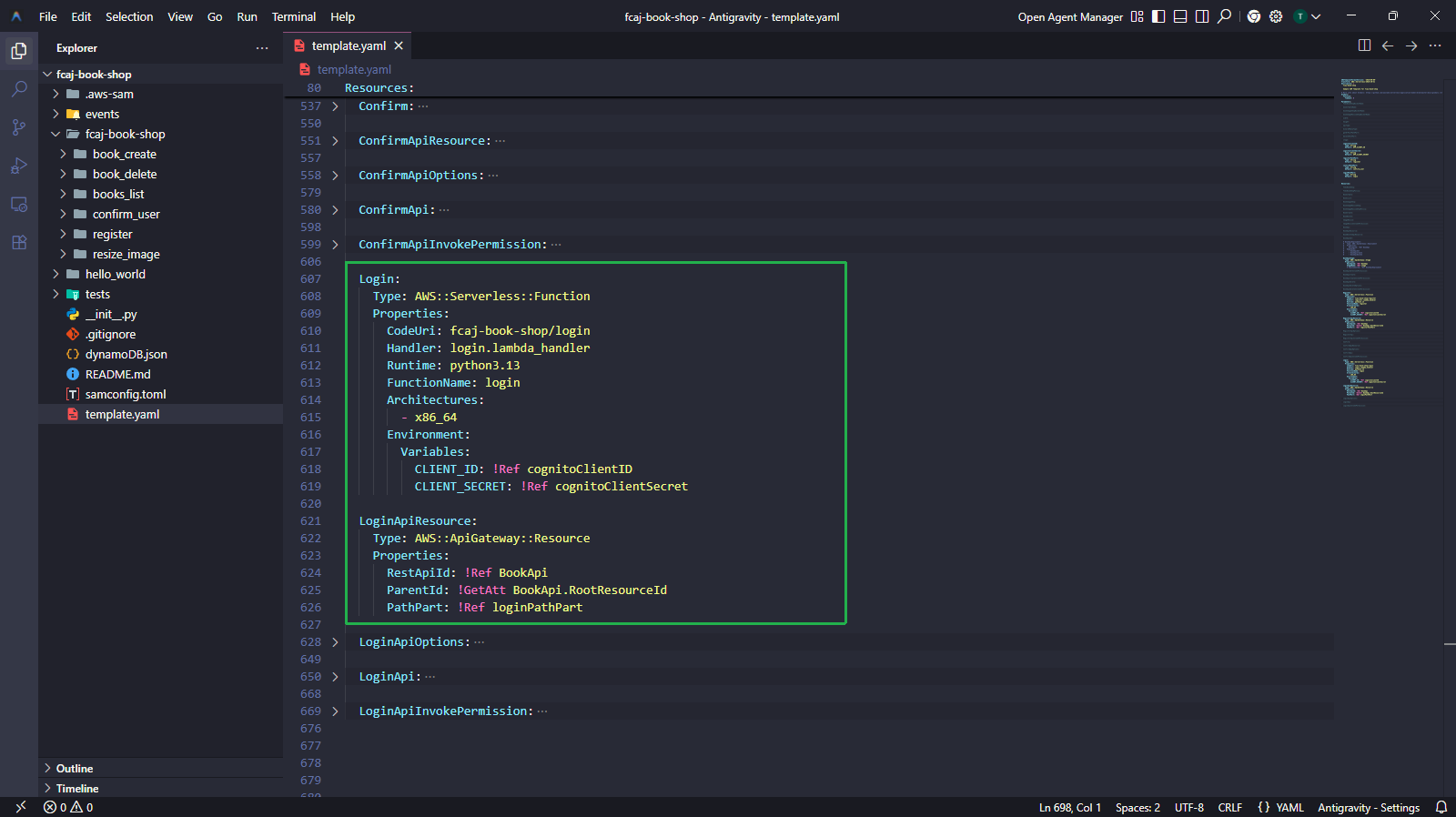
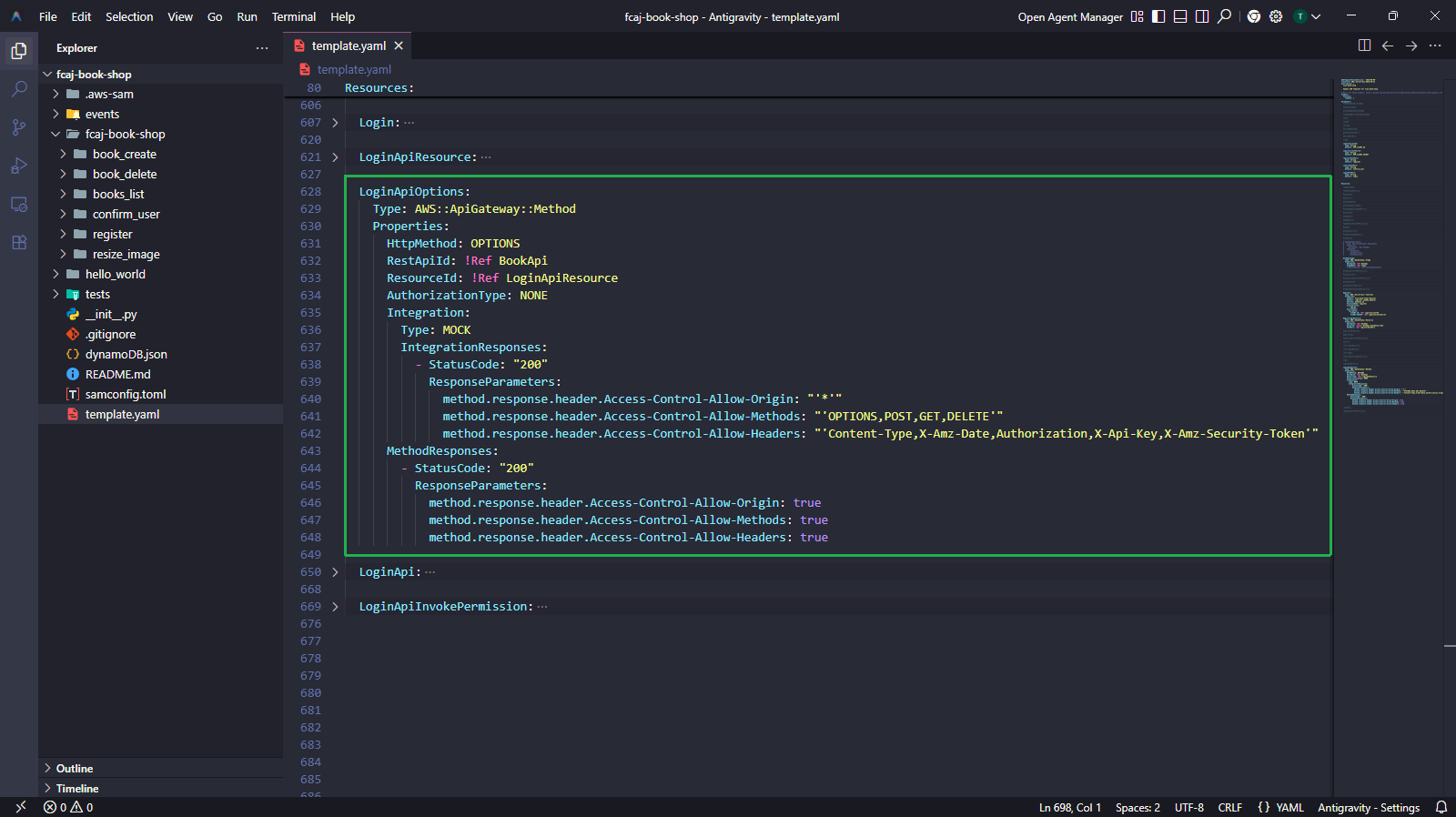
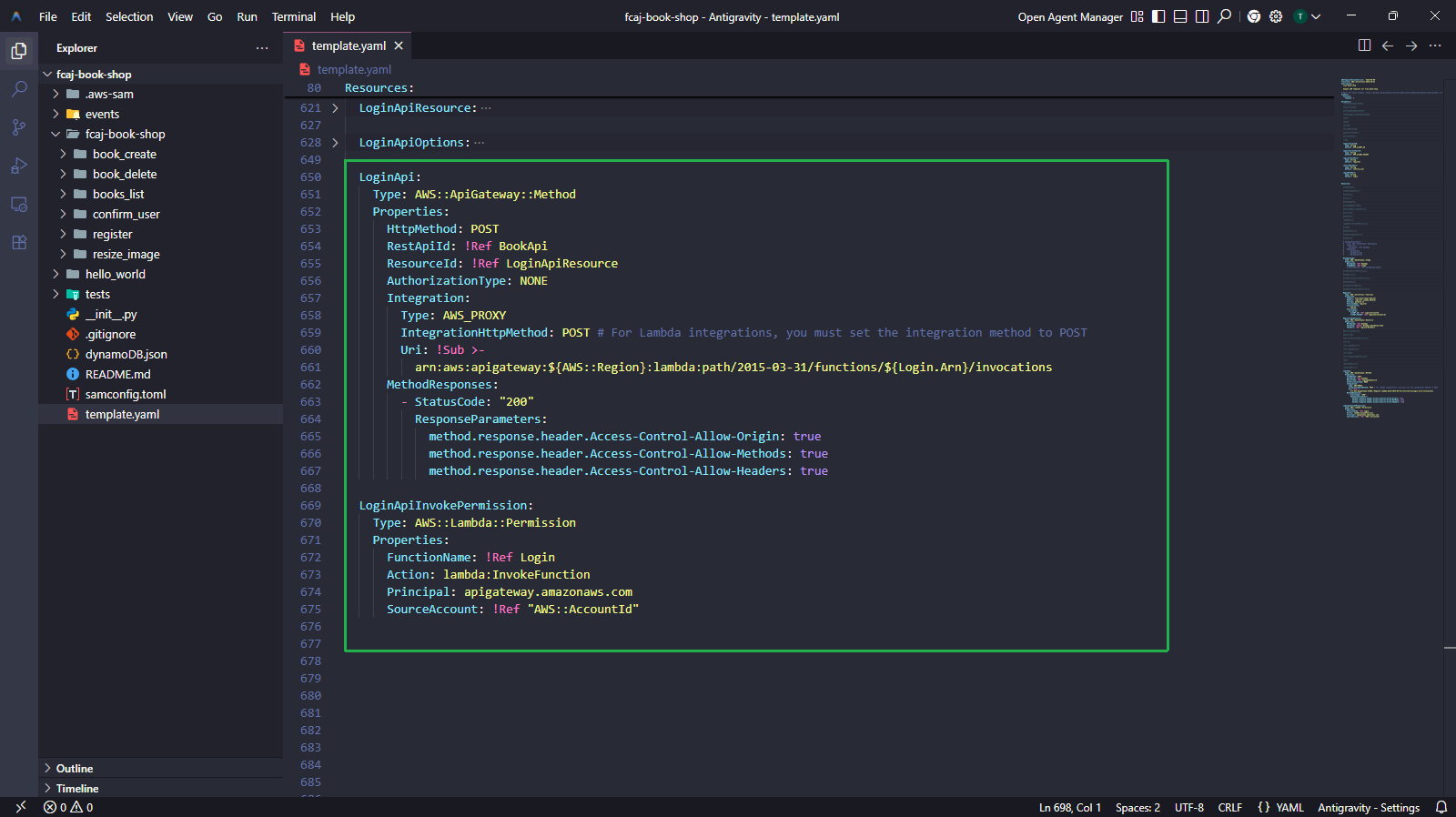
5.2 — Add Login resources to template.yaml
Login:
  Type: AWS::Serverless::Function
  Properties:
    CodeUri: fcaj-book-shop/login
    Handler: login.lambda_handler
    Runtime: python3.13
    FunctionName: login
    Architectures:
      - x86_64
    Environment:
      Variables:
        CLIENT_ID: !Ref cognitoClientID
        CLIENT_SECRET: !Ref cognitoClientSecret

LoginApiResource:
  Type: AWS::ApiGateway::Resource
  Properties:
    RestApiId: !Ref BookApi
    ParentId: !GetAtt BookApi.RootResourceId
    PathPart: !Ref loginPathPart

LoginApiOptions:
  Type: AWS::ApiGateway::Method
  Properties:
    HttpMethod: OPTIONS
    RestApiId: !Ref BookApi
    ResourceId: !Ref LoginApiResource
    AuthorizationType: NONE
    Integration:
      Type: MOCK
      IntegrationResponses:
        - StatusCode: "200"
          ResponseParameters:
            method.response.header.Access-Control-Allow-Origin: "'*'"
            method.response.header.Access-Control-Allow-Methods: "'OPTIONS,POST,GET,DELETE'"
            method.response.header.Access-Control-Allow-Headers: "'Content-Type,X-Amz-Date,Authorization,X-Api-Key,X-Amz-Security-Token'"
    MethodResponses:
      - StatusCode: "200"
        ResponseParameters:
          method.response.header.Access-Control-Allow-Origin: true
          method.response.header.Access-Control-Allow-Methods: true
          method.response.header.Access-Control-Allow-Headers: true

LoginApi:
  Type: AWS::ApiGateway::Method
  Properties:
    HttpMethod: POST
    RestApiId: !Ref BookApi
    ResourceId: !Ref LoginApiResource
    AuthorizationType: NONE
    Integration:
      Type: AWS_PROXY
      IntegrationHttpMethod: POST
      Uri: !Sub >-
        arn:aws:apigateway:${AWS::Region}:lambda:path/2015-03-31/functions/${Login.Arn}/invocations
    MethodResponses:
      - StatusCode: "200"
        ResponseParameters:
          method.response.header.Access-Control-Allow-Origin: true
          method.response.header.Access-Control-Allow-Methods: true
          method.response.header.Access-Control-Allow-Headers: true

LoginApiInvokePermission:
  Type: AWS::Lambda::Permission
  Properties:
    FunctionName: !Ref Login
    Action: lambda:InvokeFunction
    Principal: apigateway.amazonaws.com
    SourceAccount: !Ref "AWS::AccountId"
5.3 — Create the login Lambda source file
fcaj-book-shop/
├── fcaj-book-shop/
│   ├── register/
│   ├── confirm_user/
│   ├── login/
│   │   └── login.py           ← create this
│   └── ...
└── template.yaml
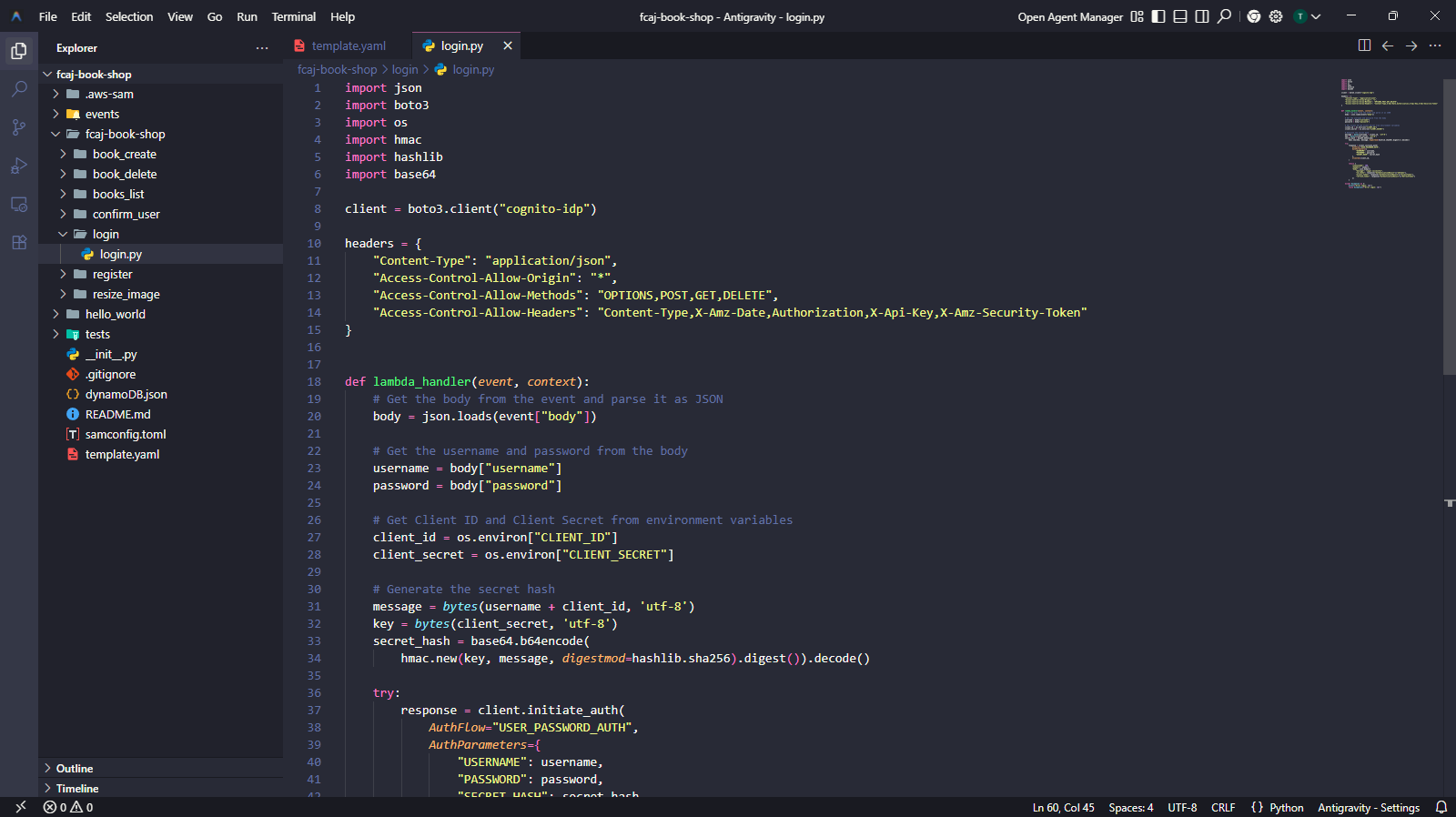
- Create the
login/folder insidefcaj-book-shop/fcaj-book-shop/. - Create
login.pywith the following content.
import json
import boto3
import os
import hmac
import hashlib
import base64

client = boto3.client("cognito-idp")

headers = {
    "Content-Type": "application/json",
    "Access-Control-Allow-Origin": "*",
    "Access-Control-Allow-Methods": "OPTIONS,POST,GET,DELETE",
    "Access-Control-Allow-Headers": "Content-Type,X-Amz-Date,Authorization,X-Api-Key,X-Amz-Security-Token"
}


def lambda_handler(event, context):
    body = json.loads(event["body"])

    username = body["username"]
    password = body["password"]

    client_id = os.environ["CLIENT_ID"]
    client_secret = os.environ["CLIENT_SECRET"]

    message = bytes(username + client_id, "utf-8")
    key = bytes(client_secret, "utf-8")
    secret_hash = base64.b64encode(
        hmac.new(key, message, digestmod=hashlib.sha256).digest()
    ).decode()

    try:
        response = client.initiate_auth(
            AuthFlow="USER_PASSWORD_AUTH",
            AuthParameters={
                "USERNAME": username,
                "PASSWORD": password,
                "SECRET_HASH": secret_hash
            },
            ClientId=client_id,
        )

        return {
            "statusCode": 200,
            "headers": headers,
            "body": json.dumps({
                "message": "Login successful",
                "id_token": response["AuthenticationResult"]["IdToken"],
                "access_token": response["AuthenticationResult"]["AccessToken"],
                "refresh_token": response["AuthenticationResult"]["RefreshToken"]
            })
        }

    except Exception as e:
        print(f"Error login: {e}")
        raise Exception(f"Error login: {e}")
On a successful login, Cognito returns three JWT tokens:
- IdToken — contains user identity information (name, email, etc.). Used by the front-end to identify the logged-in user.
- AccessToken — used to call authenticated APIs.
- RefreshToken — used to get new IdToken/AccessToken when they expire (default: 1 hour).
Step 6 — Uncomment BookApiDeployment and BookApiStage, then Deploy
Now that all three API methods (RegisterApi, ConfirmApi, LoginApi) are defined, we can safely uncomment and update the BookApiDeployment and BookApiStage resources.
6.1 — Uncomment and update the Deployment resources
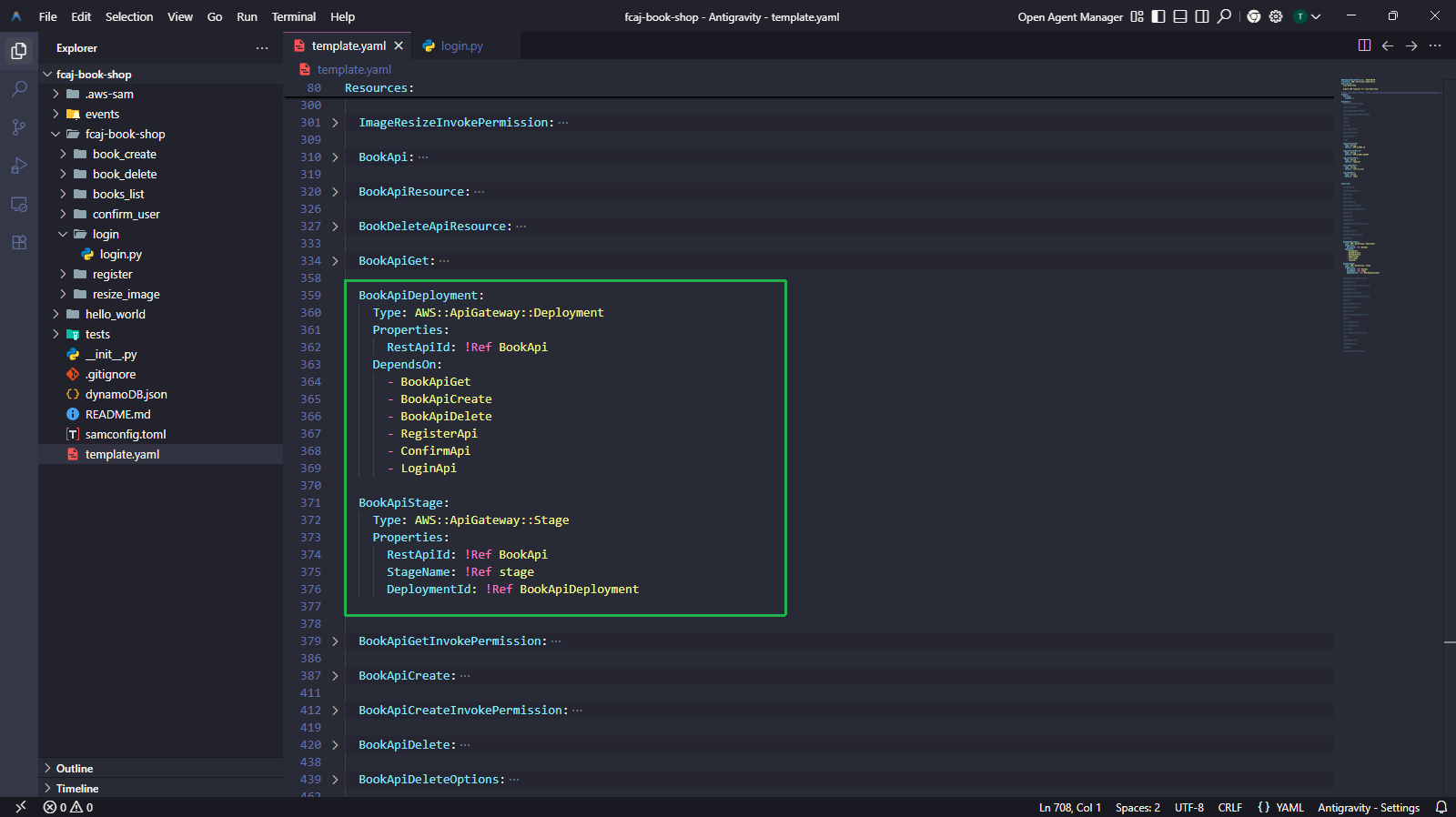
Update the BookApiDeployment and BookApiStage blocks in template.yaml as follows.
BookApiDeployment:
  Type: AWS::ApiGateway::Deployment
  Properties:
    RestApiId: !Ref BookApi
  DependsOn:
    - BookApiGet
    - BookApiCreate
    - BookApiDelete
    - RegisterApi
    - ConfirmApi
    - LoginApi

BookApiStage:
  Type: AWS::ApiGateway::Stage
  Properties:
    RestApiId: !Ref BookApi
    StageName: !Ref stage
    DeploymentId: !Ref BookApiDeployment
The DependsOn list must include all six API methods: BookApiGet, BookApiCreate, BookApiDelete, RegisterApi, ConfirmApi, and LoginApi. If any method is missing, the deployment may fail or the stage may not route to the correct methods.
6.2 — Run the final deployment
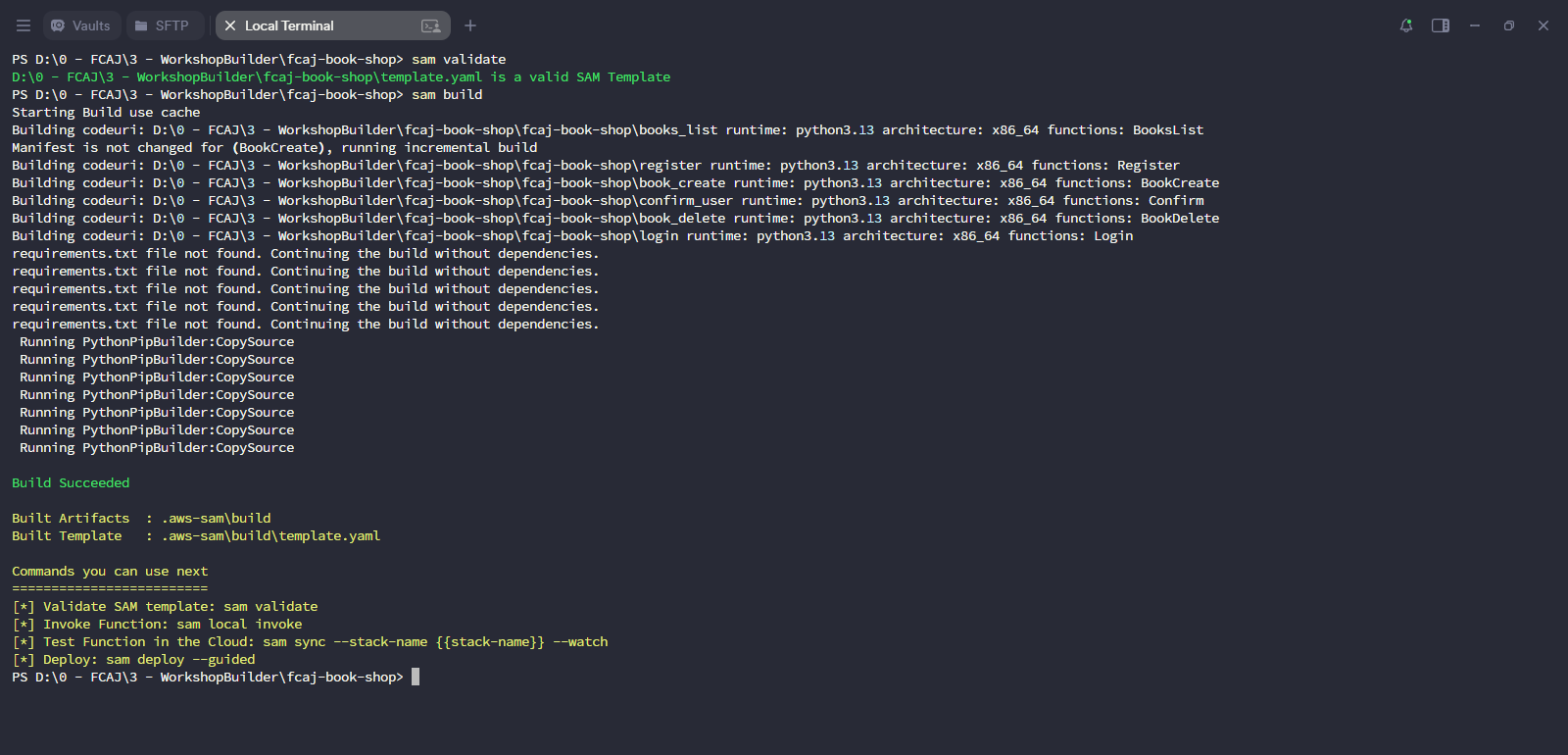
sam validate
sam build
sam deploy
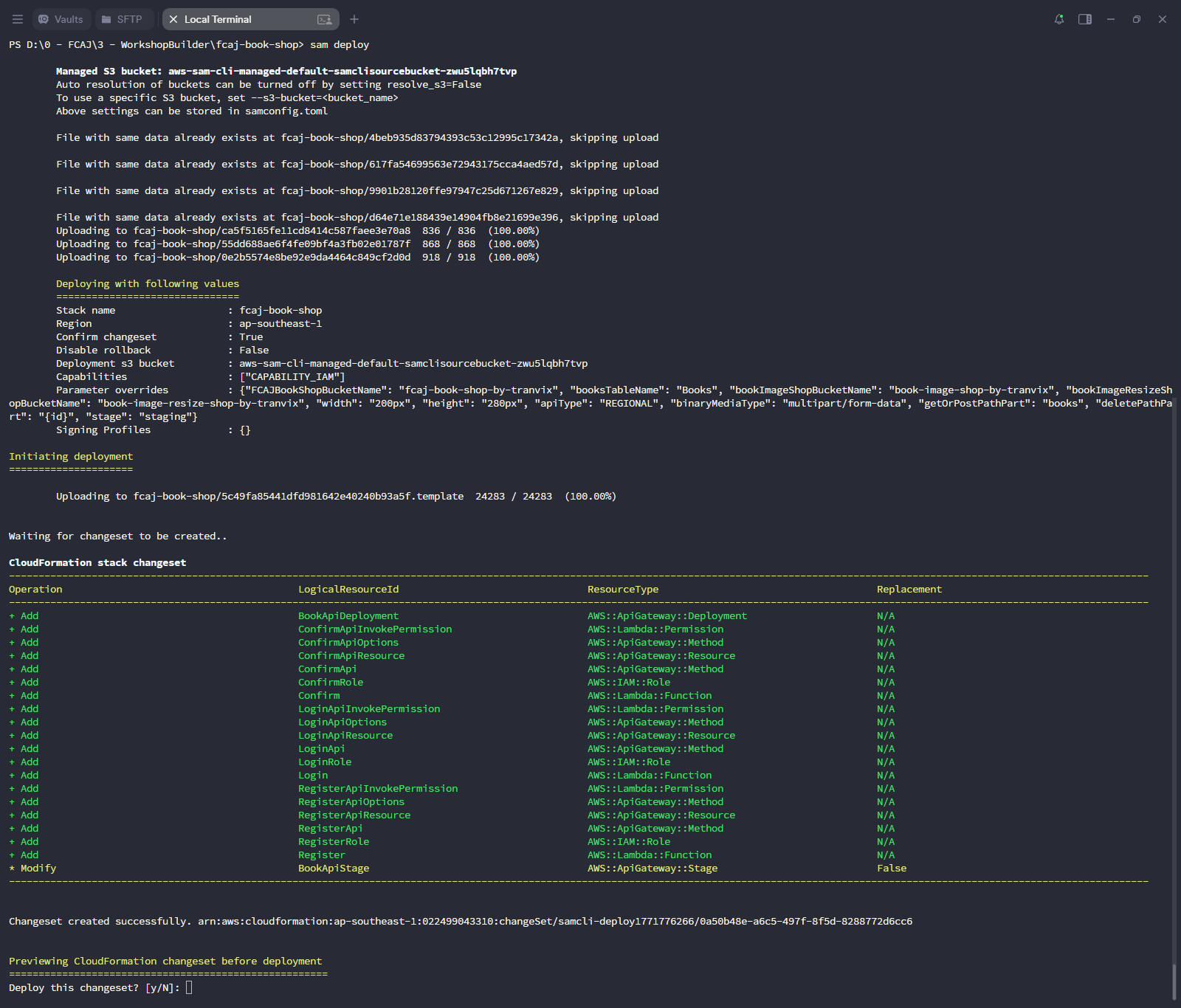
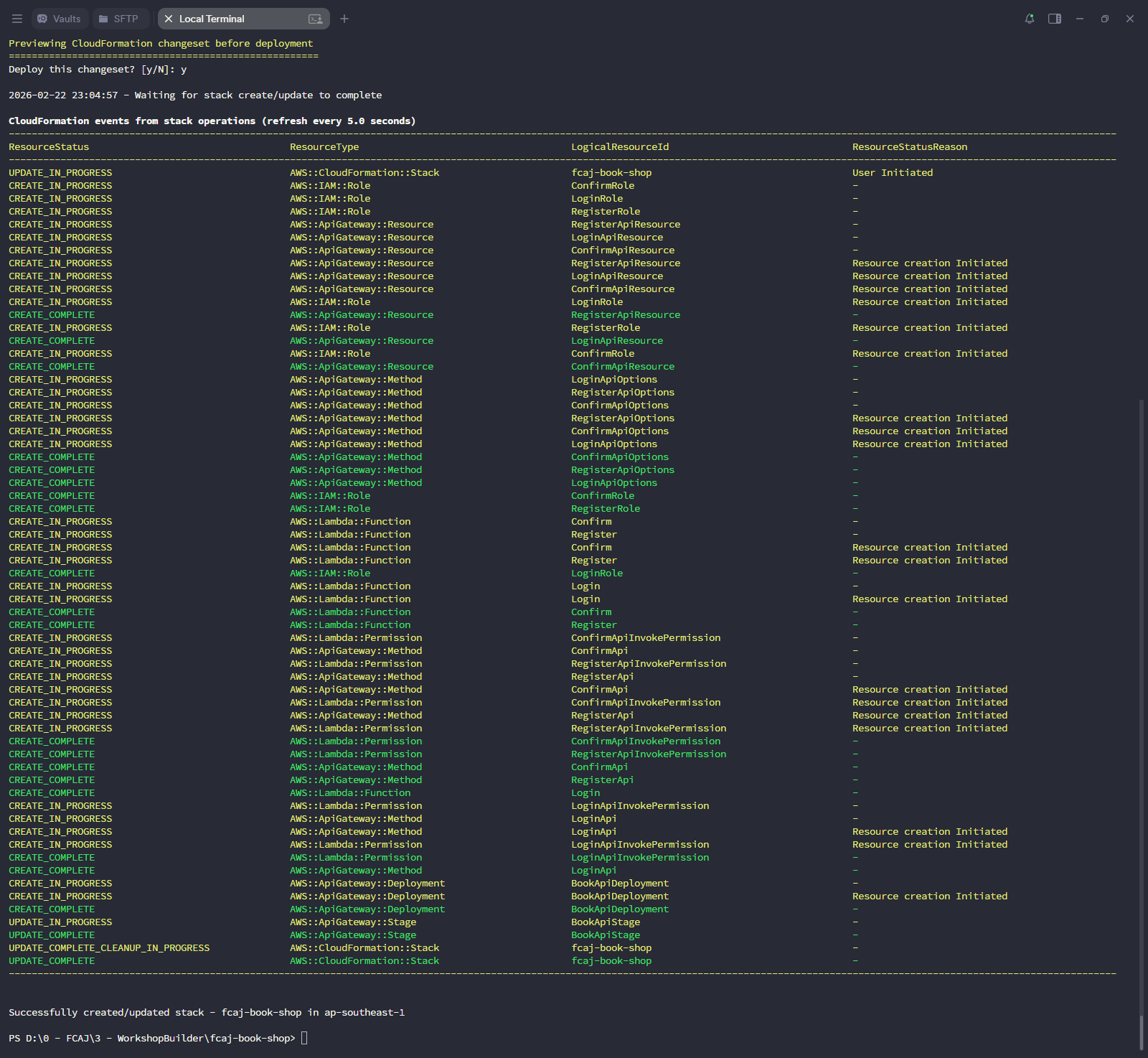
The changeset should show CREATE actions for the new Lambda functions and API Gateway resources (Register, Confirm, Login), and an UPDATE for the existing stack. If you see any FAILED status, check CloudFormation Events in the AWS Console for detailed error messages.
Step 7 — Verify on AWS Console
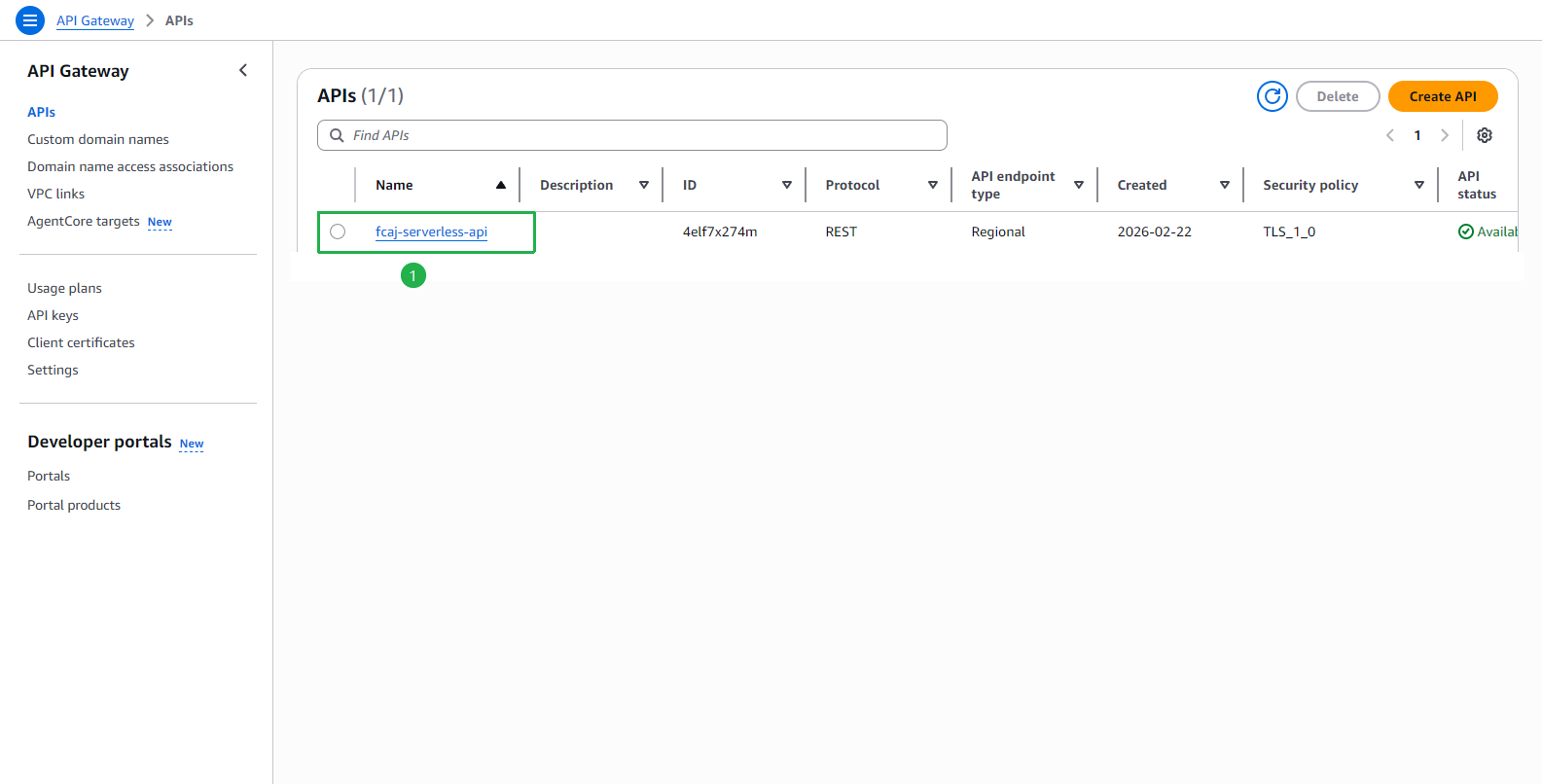
Verify that the API Gateway fcaj-serverless-api has been created.
Verify the three new resources (
/confirm_user,/login,/register) appear under Resources.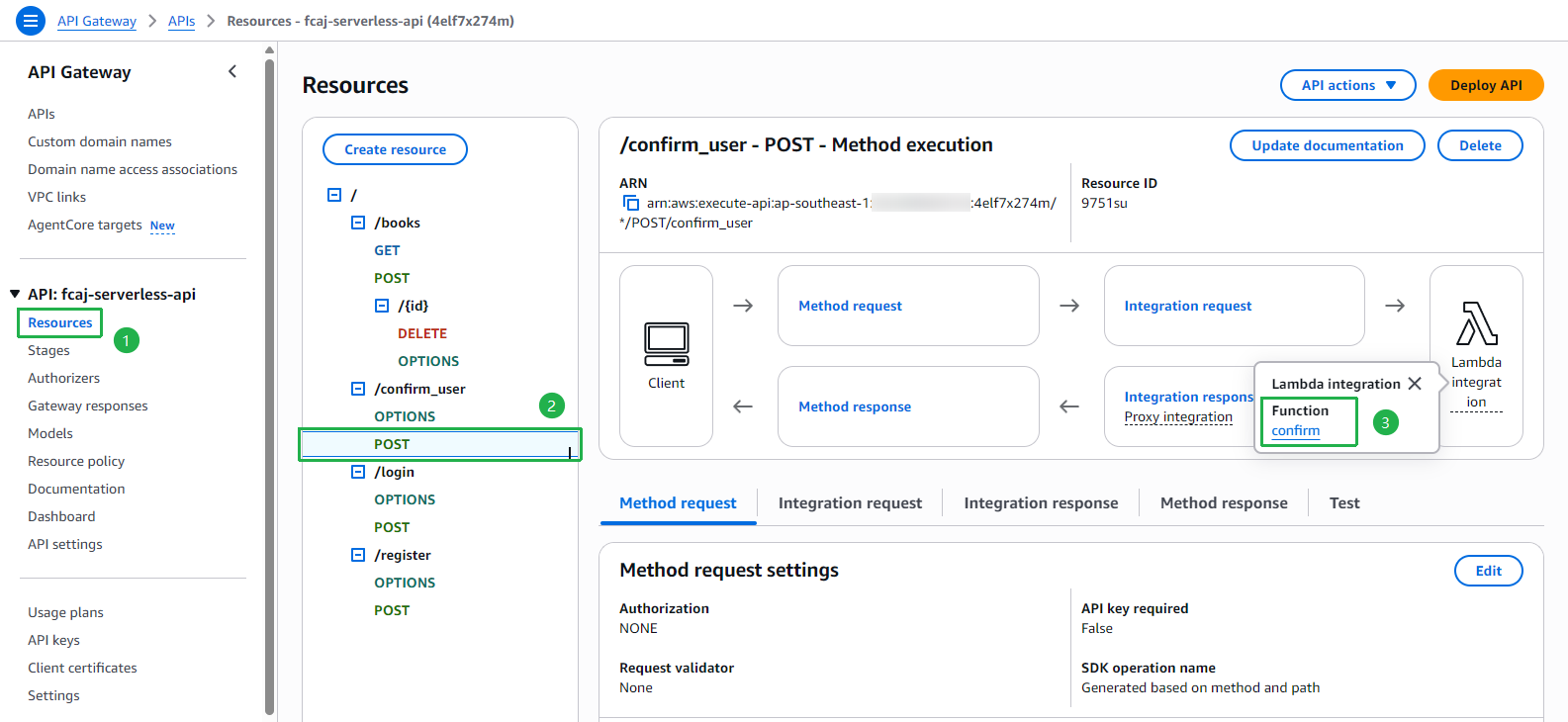
Click
/login → POSTand verify it is integrated with the login Lambda function.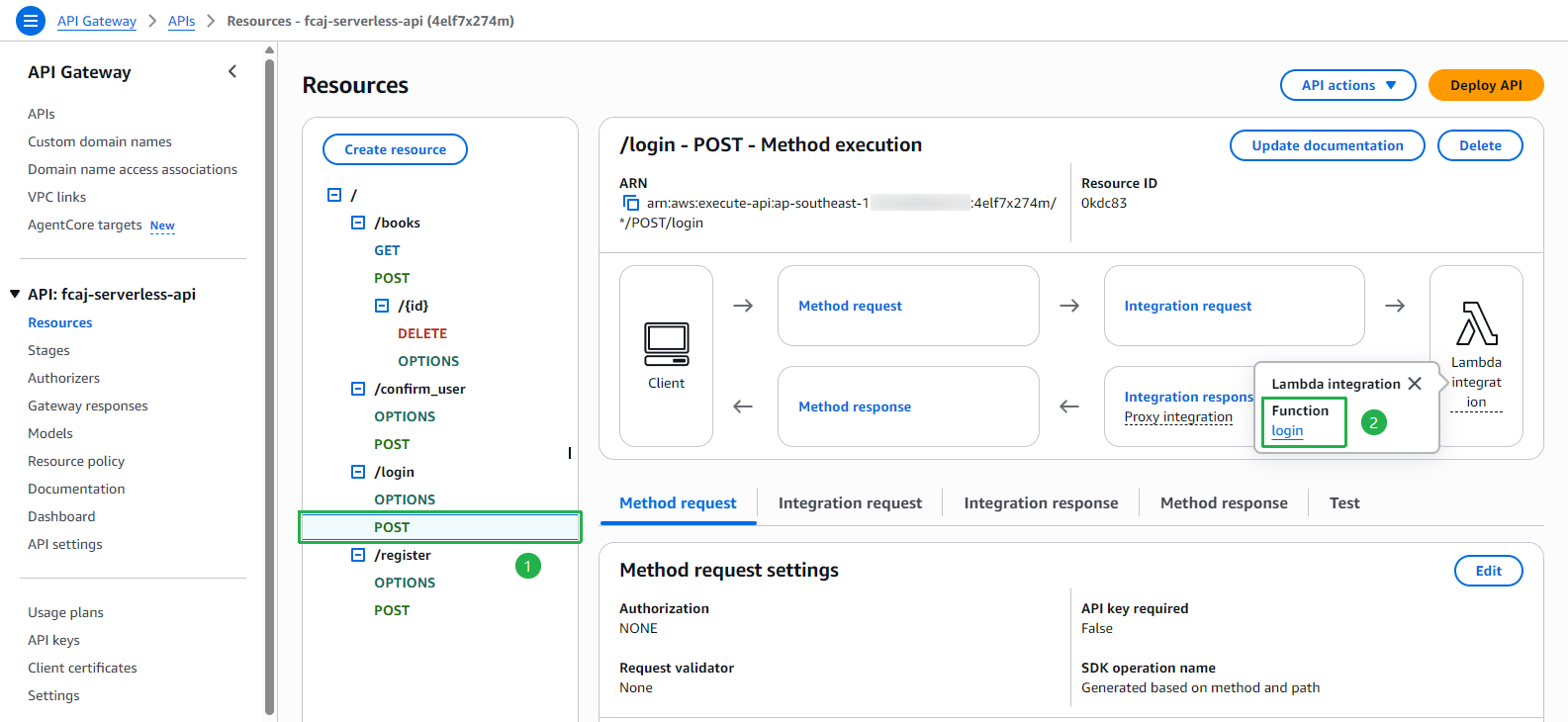
Click
/register → POSTand verify it is integrated with the register Lambda function.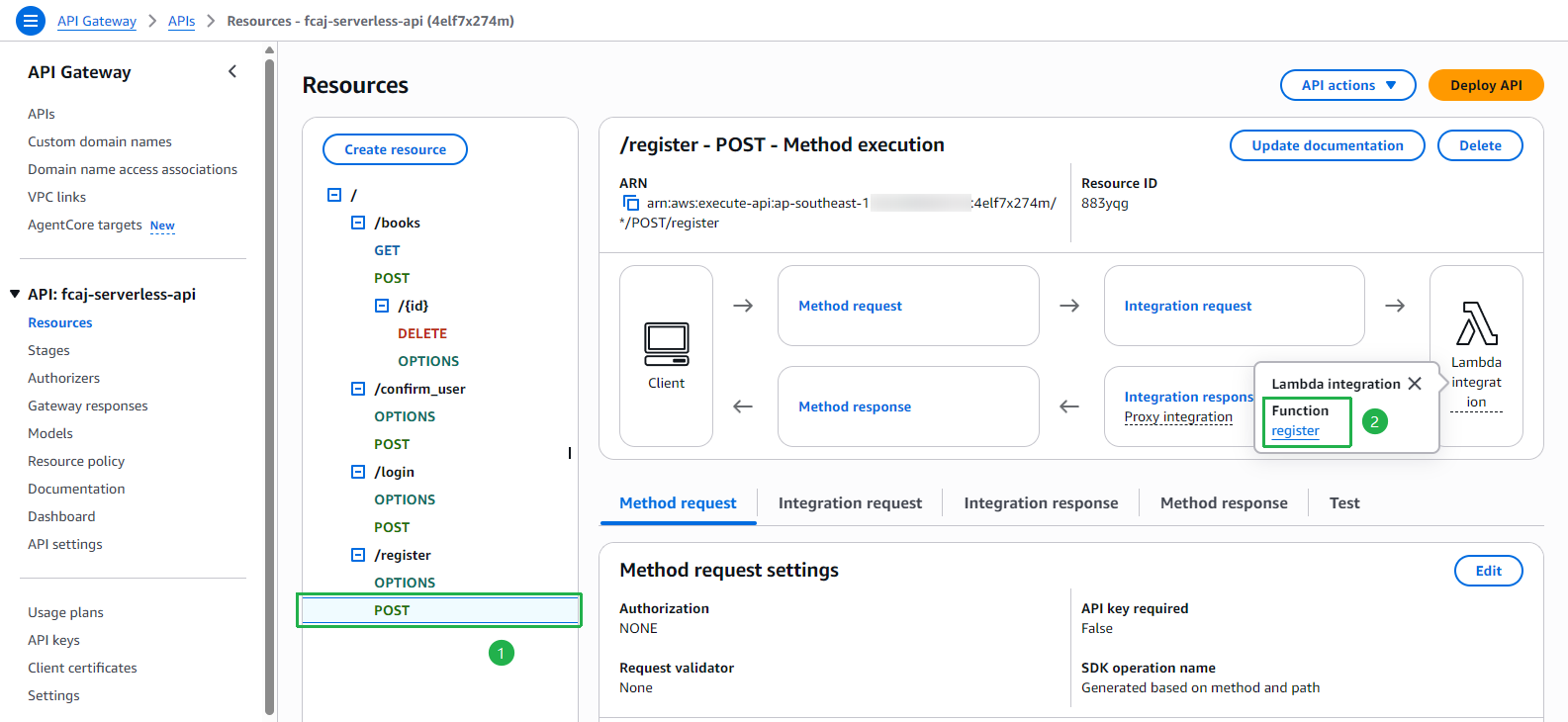
We have successfully implemented all three Lambda functions and exposed them through API Gateway. In the next section, we will update the front-end to connect to these endpoints and test the full authentication flow.