Clean up
To avoid incurring ongoing AWS charges after completing the workshop, follow the steps below to delete all resources created during this workshop.
These steps are irreversible. Once deleted, all user accounts in the Cognito User Pool and all files in the S3 bucket will be permanently lost. Make sure you no longer need the resources before proceeding.
Step 1 — Delete the Cognito User Pool
- Open Amazon Cognito console.
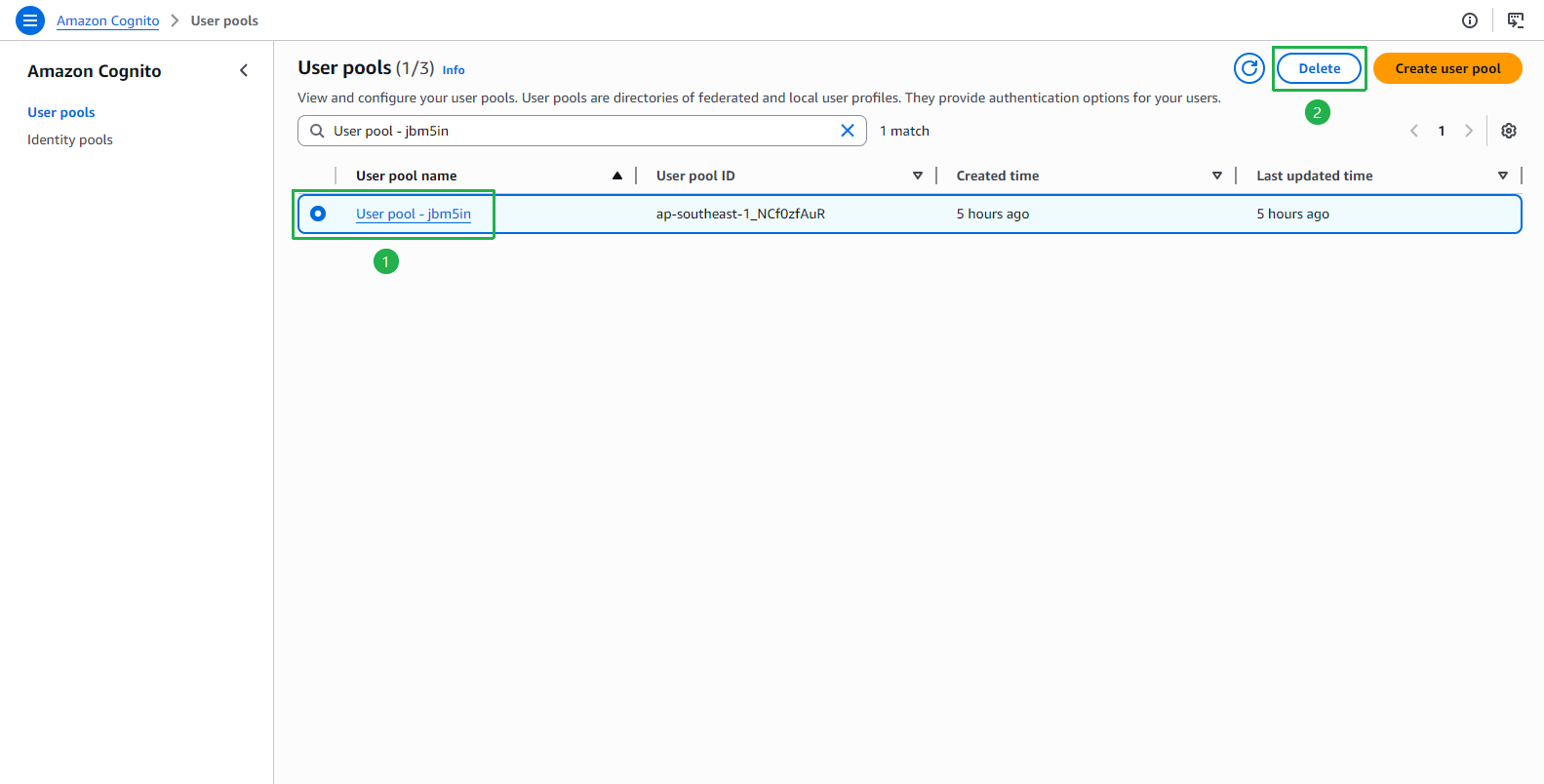
Select User pools on the left menu.
Select the radio button next to User pool - jbm5in (your User Pool).
Click the Delete button.
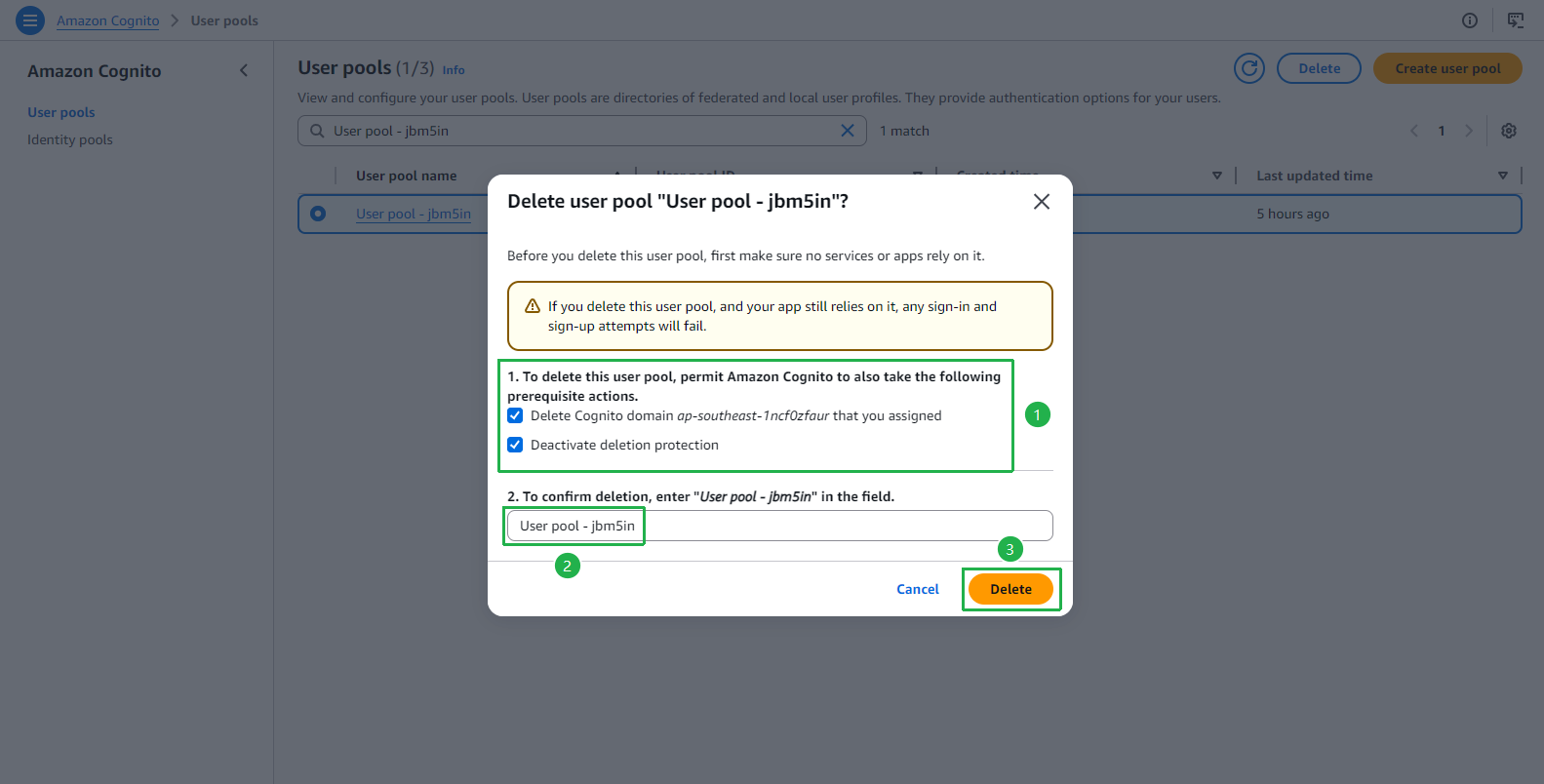
In the Delete user pool dialog:
- Check both prerequisite checkboxes:
- Delete Cognito domain …
- Deactivate deletion protection
- Enter the User Pool name (e.g.,
User pool - jbm5in) in the confirmation field. - Click Delete.
- Check both prerequisite checkboxes:
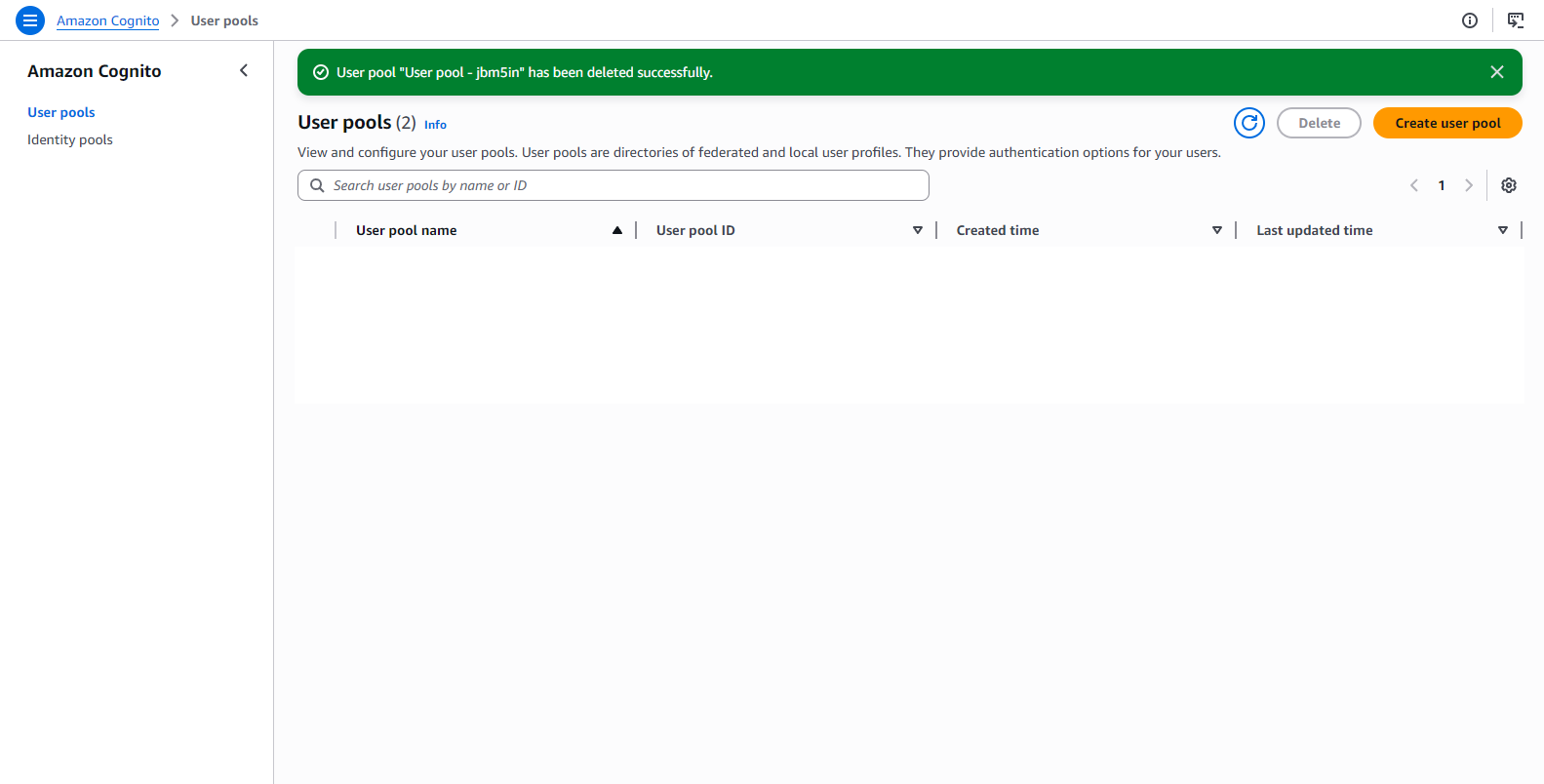
Confirm the banner shows “User pool has been deleted successfully”.
Step 2 — Delete the SAM Application (CloudFormation Stack)
Run the following commands to delete the SAM stacks.
sam delete --stack-name fcaj-book-shop
sam delete --stack-name aws-sam-cli-managed-default
sam deletewill prompt you to confirm before deleting. Enteryfor each prompt. This command deletes the CloudFormation stack along with all Lambda functions, API Gateway, DynamoDB table, and IAM roles created by SAM.
Step 3 — Delete the S3 Bucket
Empty the S3 bucket first, then delete it.
aws s3 rm s3://fcaj-book-shop-by-tranvix --recursive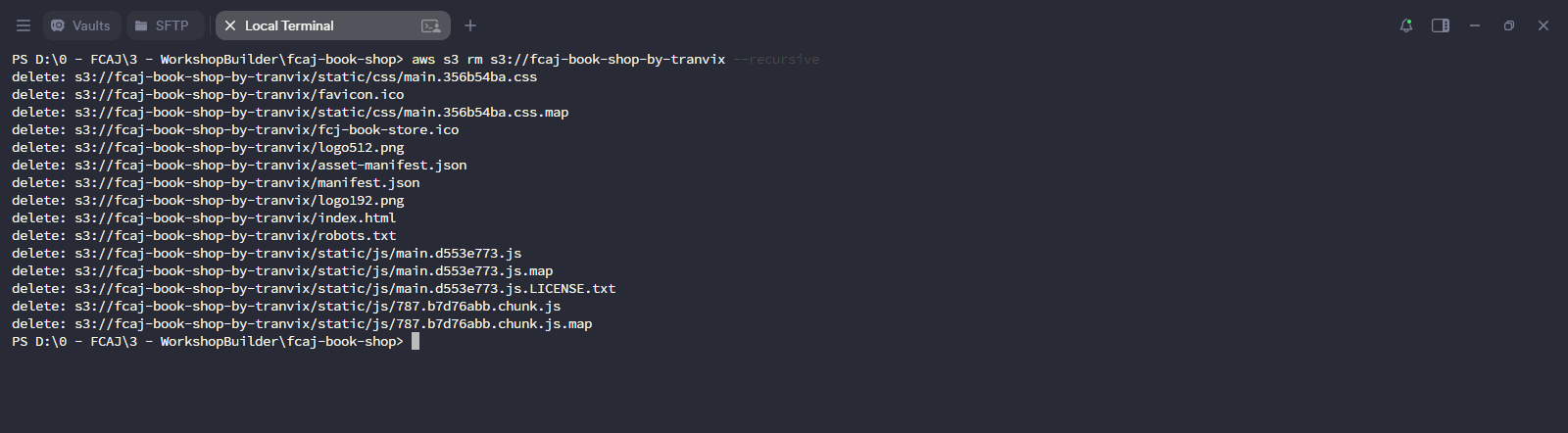
Open Amazon S3 Console.
Select the radio button next to fcaj-book-shop-by-tranvix.
Click the Delete button.

On the Delete bucket page:
- Type the bucket name
fcaj-book-shop-by-tranvixin the confirmation field. - Click Delete bucket.

- Type the bucket name
Confirm the banner shows “Successfully deleted bucket”.

You have successfully completed the cleanup. All AWS resources created during this workshop have been removed, and you will not be charged for them going forward.
If you also want to delete the aws-sam-cli-managed-default S3 bucket (created automatically by SAM CLI), follow the same steps in Step 3 for that bucket as well.