Tạo API và hàm Lambda
Trong phần này, chúng ta sẽ thêm ba Lambda function (Register, Confirm, Login) vào project SAM hiện tại và expose chúng qua API Gateway.
Tổng quan những gì chúng ta sẽ xây dựng:
- Register — gọi
cognito_idp.sign_up()để tạo người dùng mới trong Cognito. - Confirm — gọi
cognito_idp.confirm_sign_up()để xác minh mã xác nhận email. - Login — gọi
cognito_idp.initiate_auth()để xác thực người dùng và trả về JWT token.
Cả ba function đều được kết nối với các tài nguyên API Gateway và sử dụng Client ID và Client secret của Cognito mà bạn đã ghi lại ở Phần 2.
Bước 1 — Thêm tham số Cognito vào template.yaml
Mở file template.yaml trong thư mục gốc của project SAM (fcaj-book-shop/).
Phần Parameters nằm ở đầu file template.yaml, ngay bên dưới dòng AWSTemplateFormatVersion và Transform. Thêm hai tham số mới sau các tham số hiện có (ví dụ: sau tham số stage).
Thêm hai tham số sau vào phần
Parameters.cognitoClientID: Type: String Default: APP_CLIENT_ID cognitoClientSecret: Type: String Default: APP_CLIENT_SECRETThay
APP_CLIENT_IDvàAPP_CLIENT_SECRETbằng giá trị thực tế Client ID và Client secret mà bạn đã ghi lại từ Cognito App Client ở Phần 2.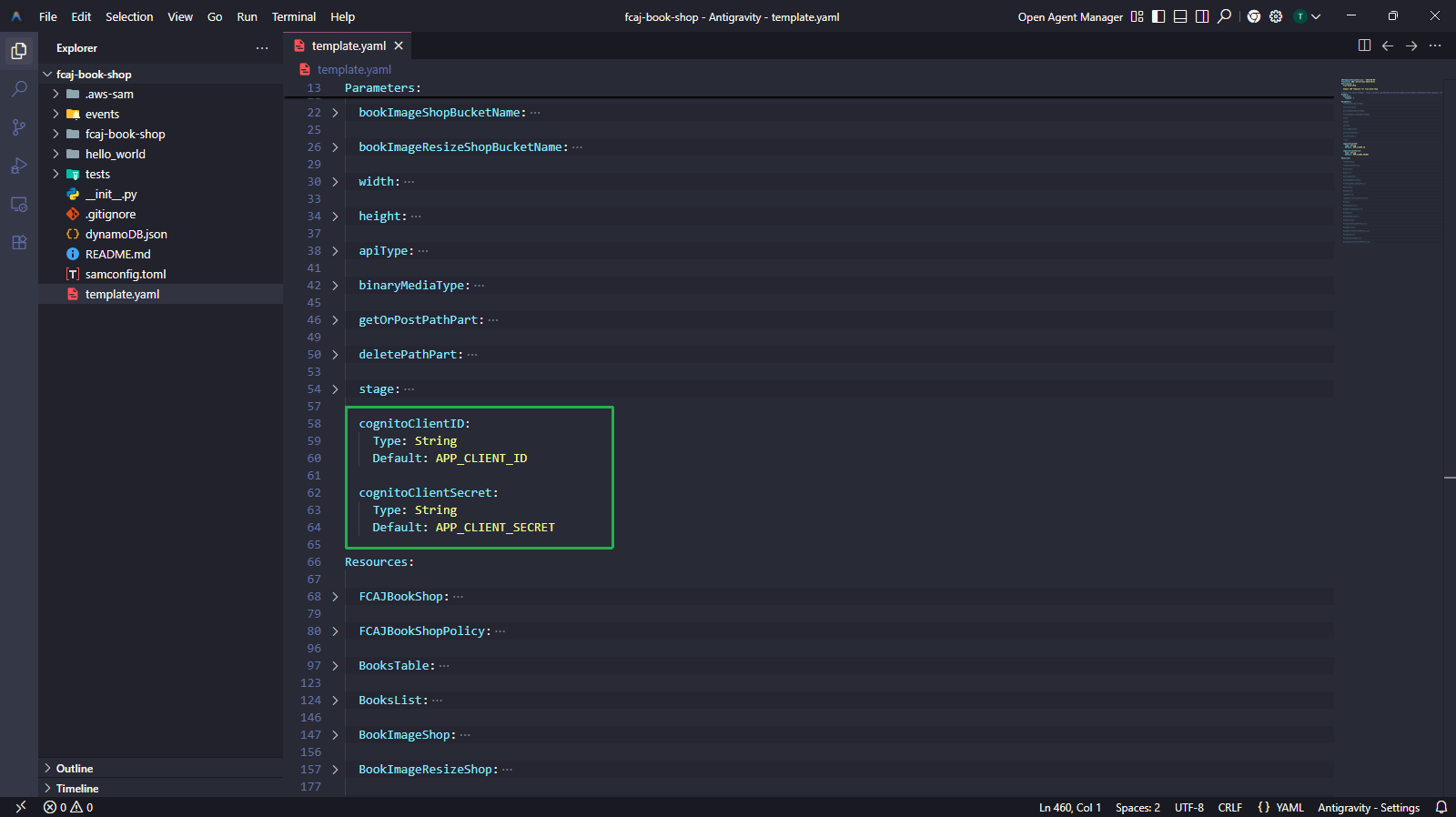
Bước 2 — Comment BookApiDeployment và BookApiStage (Deploy lần đầu)
Trước khi thêm các tài nguyên API mới, chúng ta cần thực hiện một lần deploy ban đầu với BookApiDeployment và BookApiStage đang được comment out. Điều này do SAM/CloudFormation yêu cầu tất cả các method được liệt kê trong DependsOn phải tồn tại trước khi tạo tài nguyên Deployment.
Tại sao phải comment out trước?
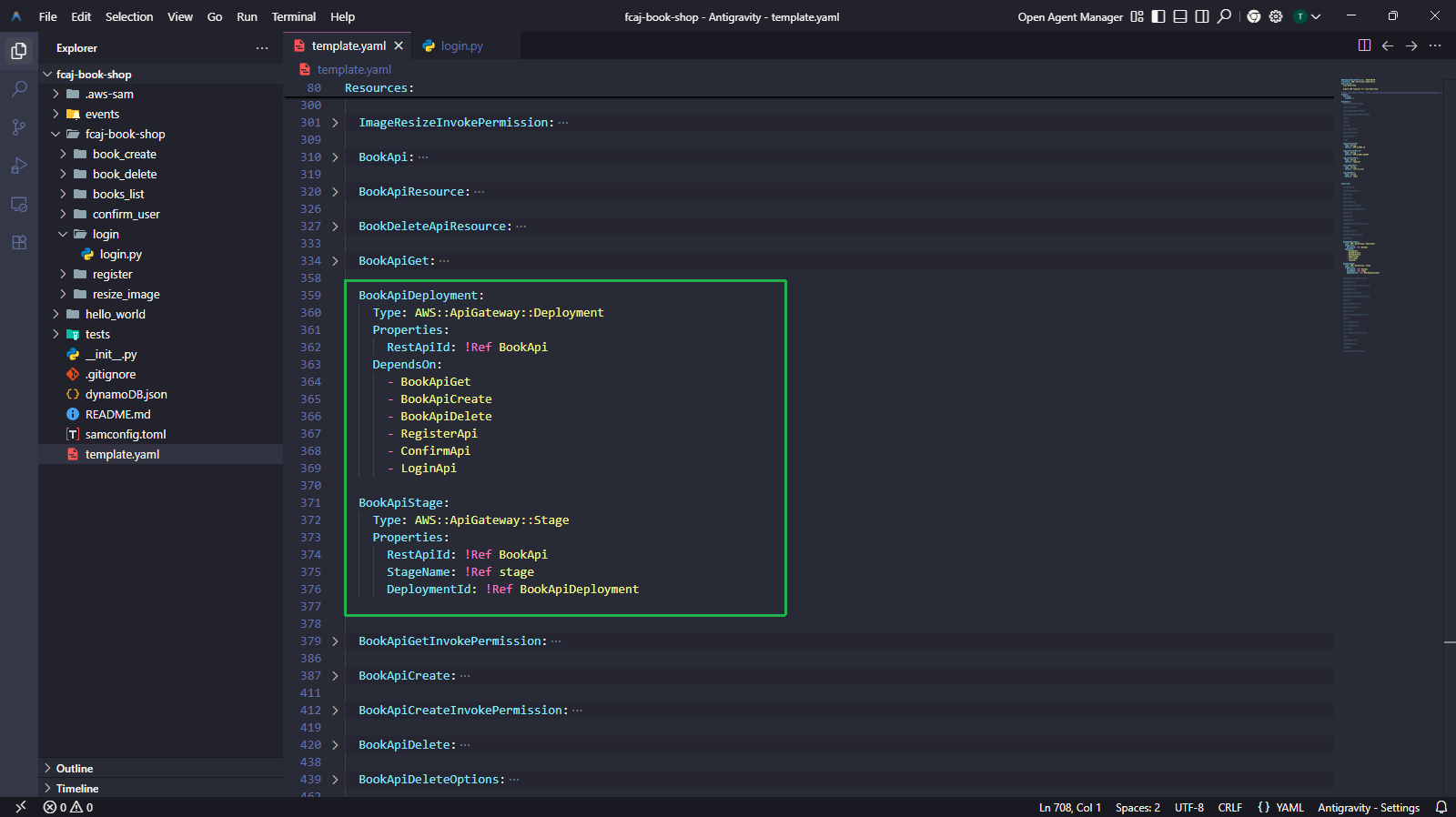
Tài nguyên BookApiDeployment có DependsOn liệt kê RegisterApi, ConfirmApi và LoginApi. Các tài nguyên này chưa tồn tại ở bước này. Nếu không comment out, sam deploy sẽ thất bại với lỗi dependency.
Comment out các block tài nguyên
BookApiDeploymentvàBookApiStagetrongtemplate.yamlnhư hình dưới.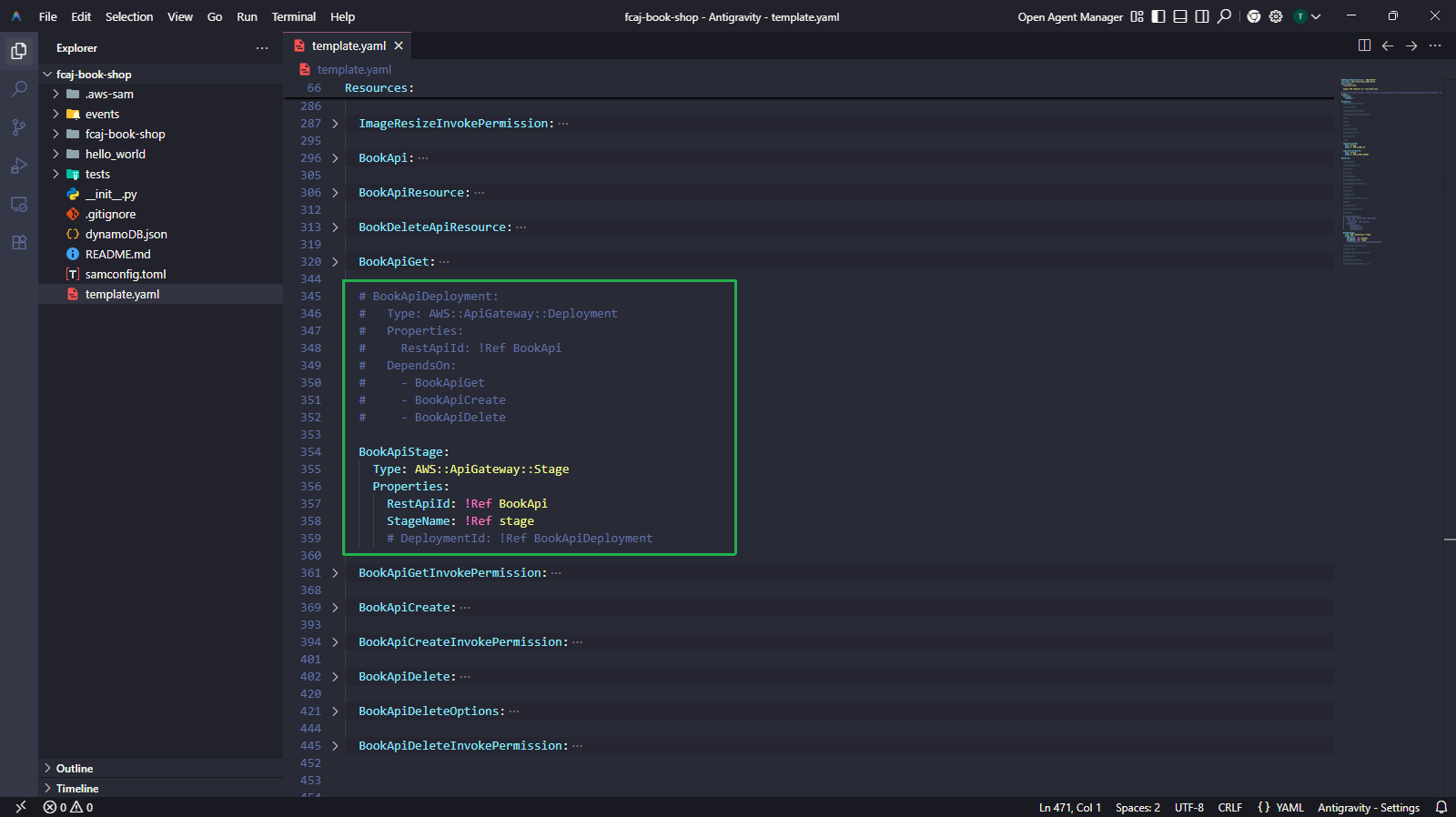
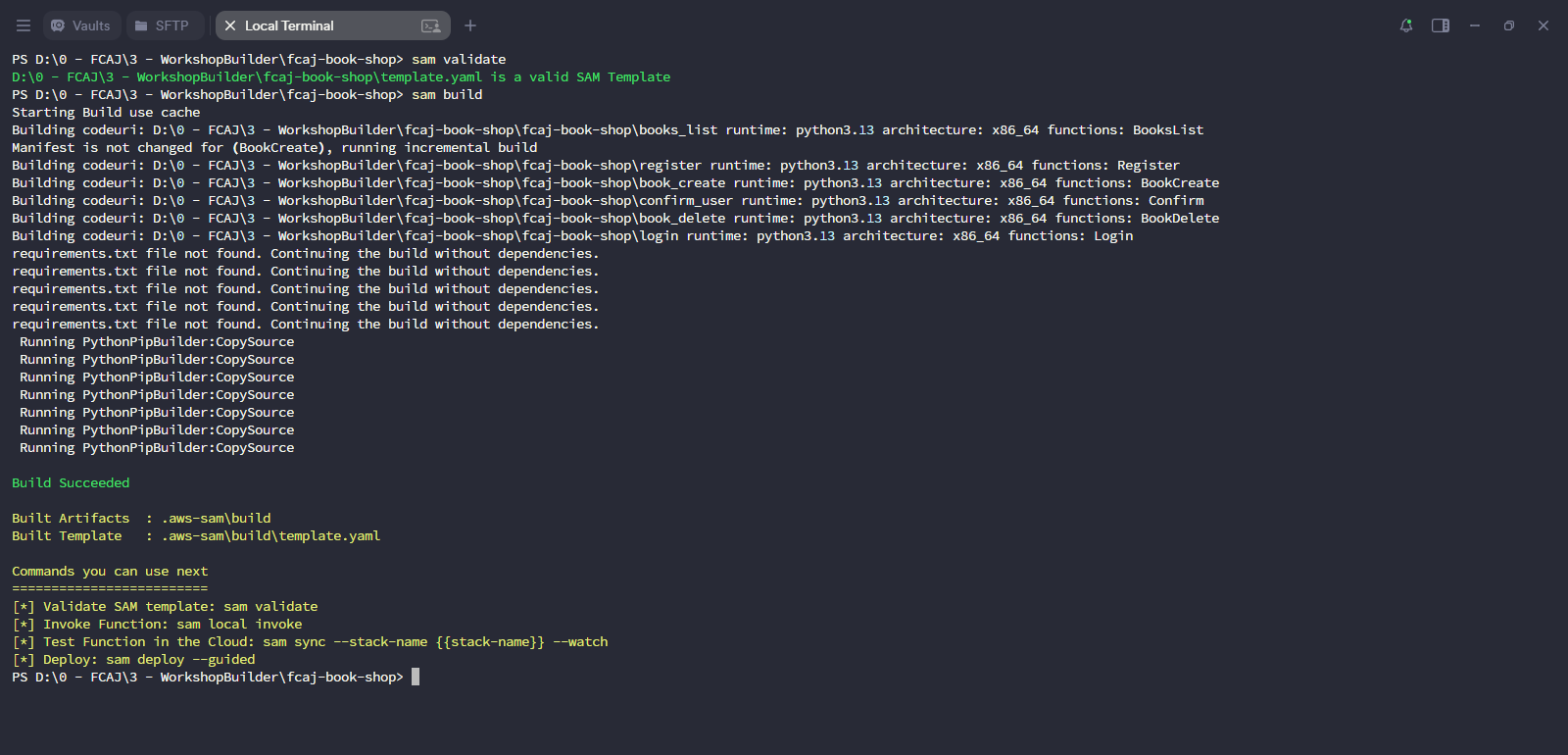
Chạy các lệnh sau để validate, build và deploy.
sam validate
sam build
sam deploy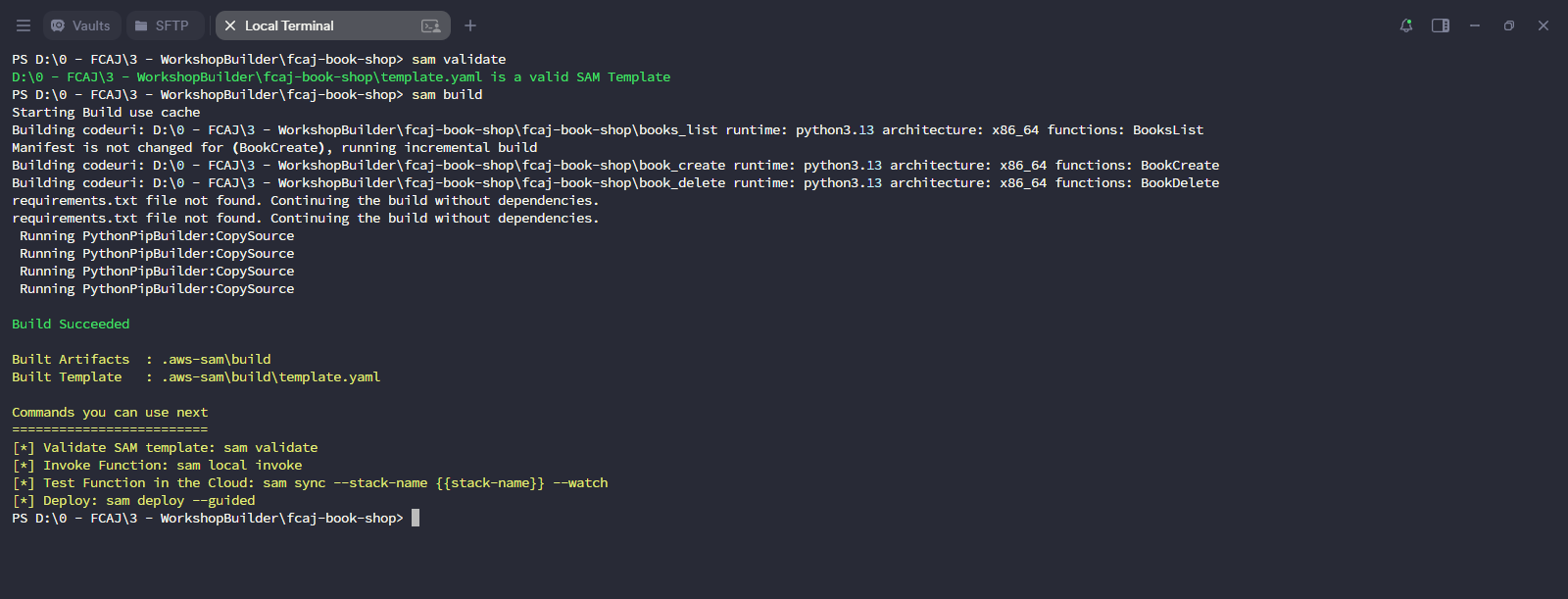
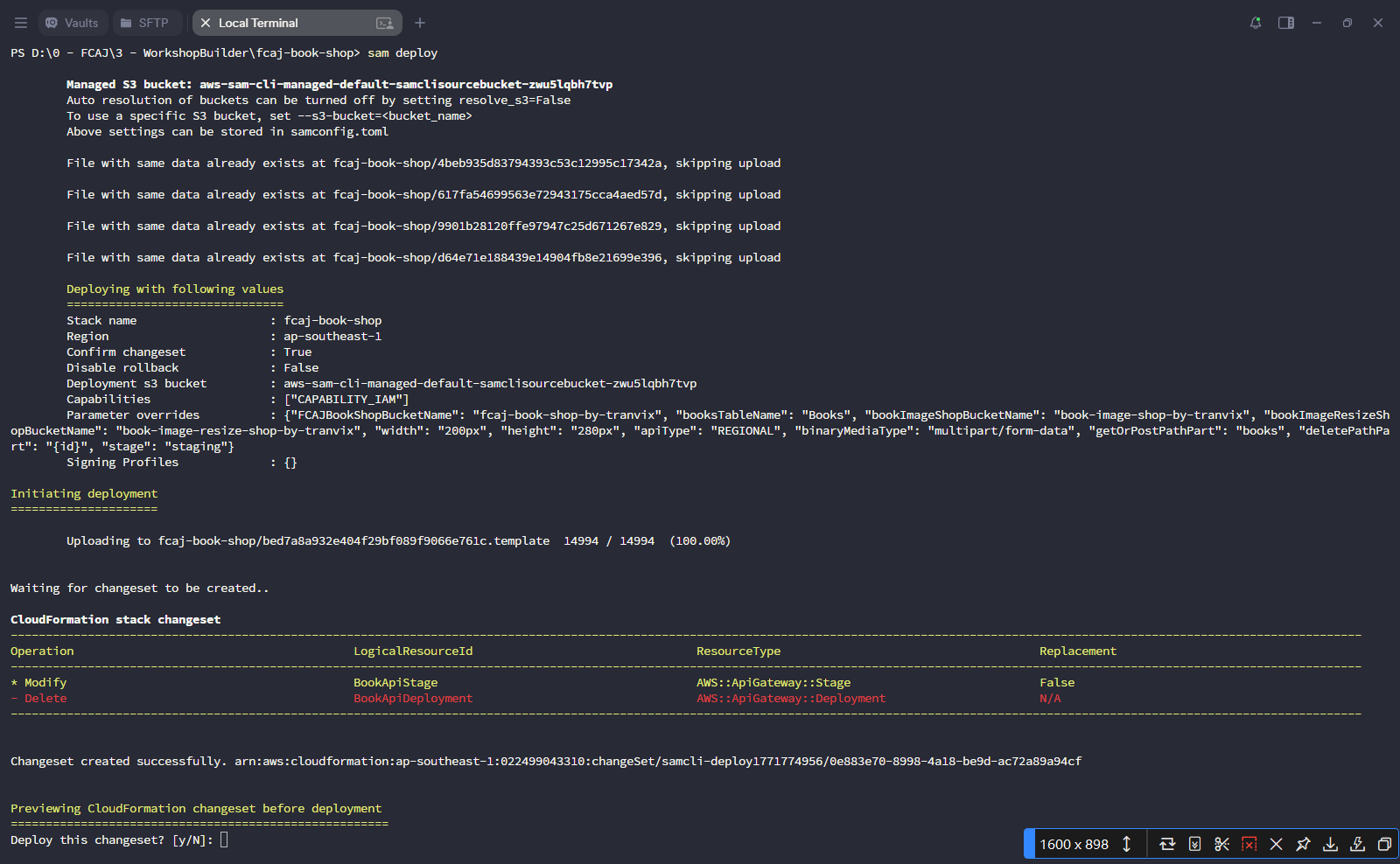
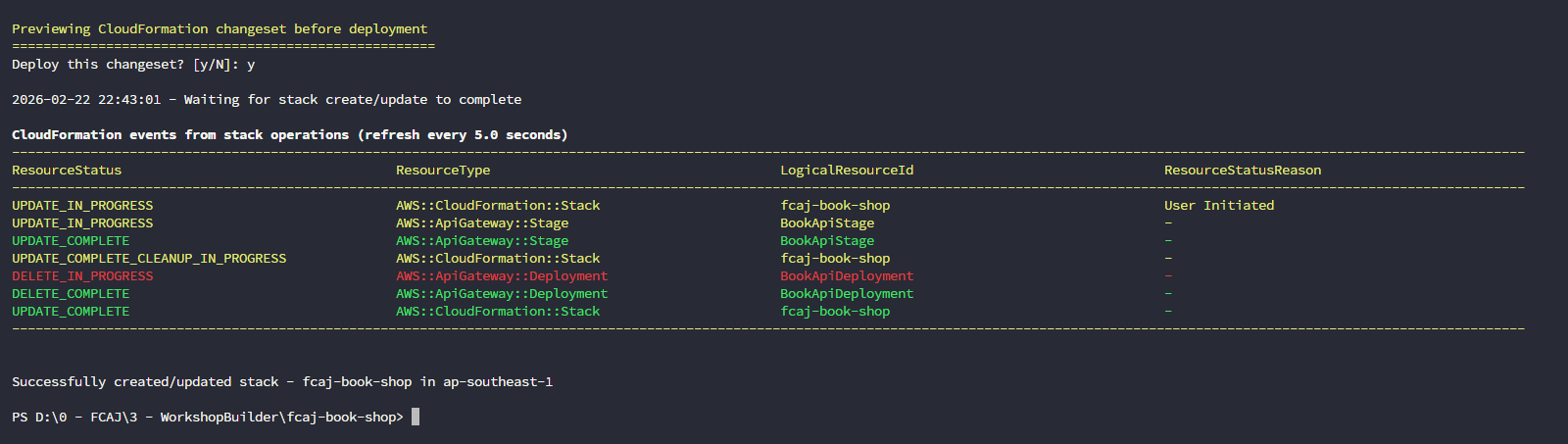
Vì đây không phải lần deploy đầu tiên, SAM sẽ dùng file
samconfig.tomlhiện có và không yêu cầu--guided. Chỉ cần nhấn Enter để chấp nhận mặc định, sau đó nhậpyđể xác nhận changeset.
Bước 3 — Tạo hàm Register
Tất cả thay đổi trong bước này được thực hiện trên template.yaml và một file Python mới.
3.1 — Thêm tham số registerPathPart
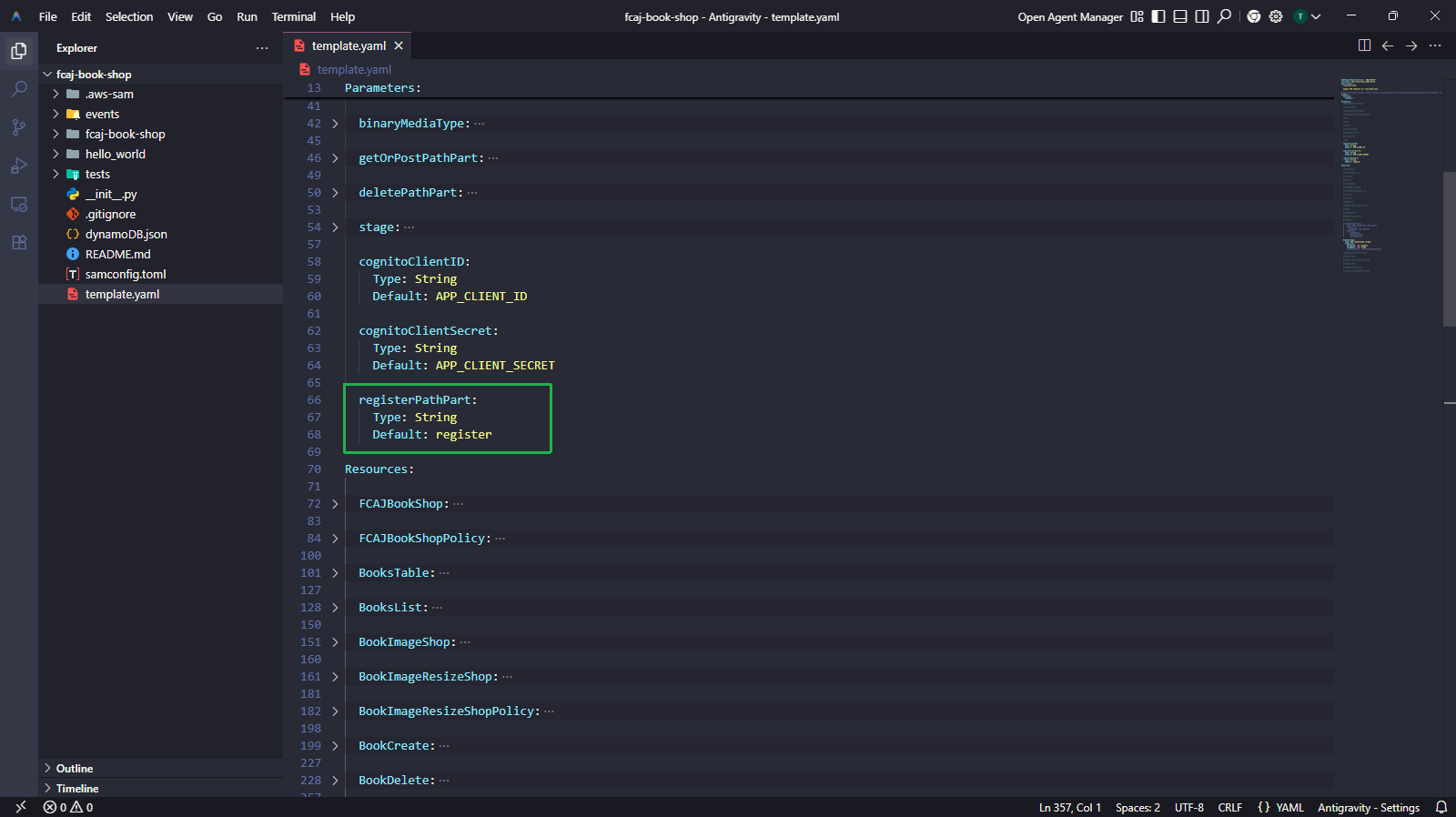
Thêm tham số sau vào phần Parameters (cạnh các tham số path khác).
registerPathPart:
  Type: String
  Default: register
3.2 — Thêm tài nguyên Register vào template.yaml
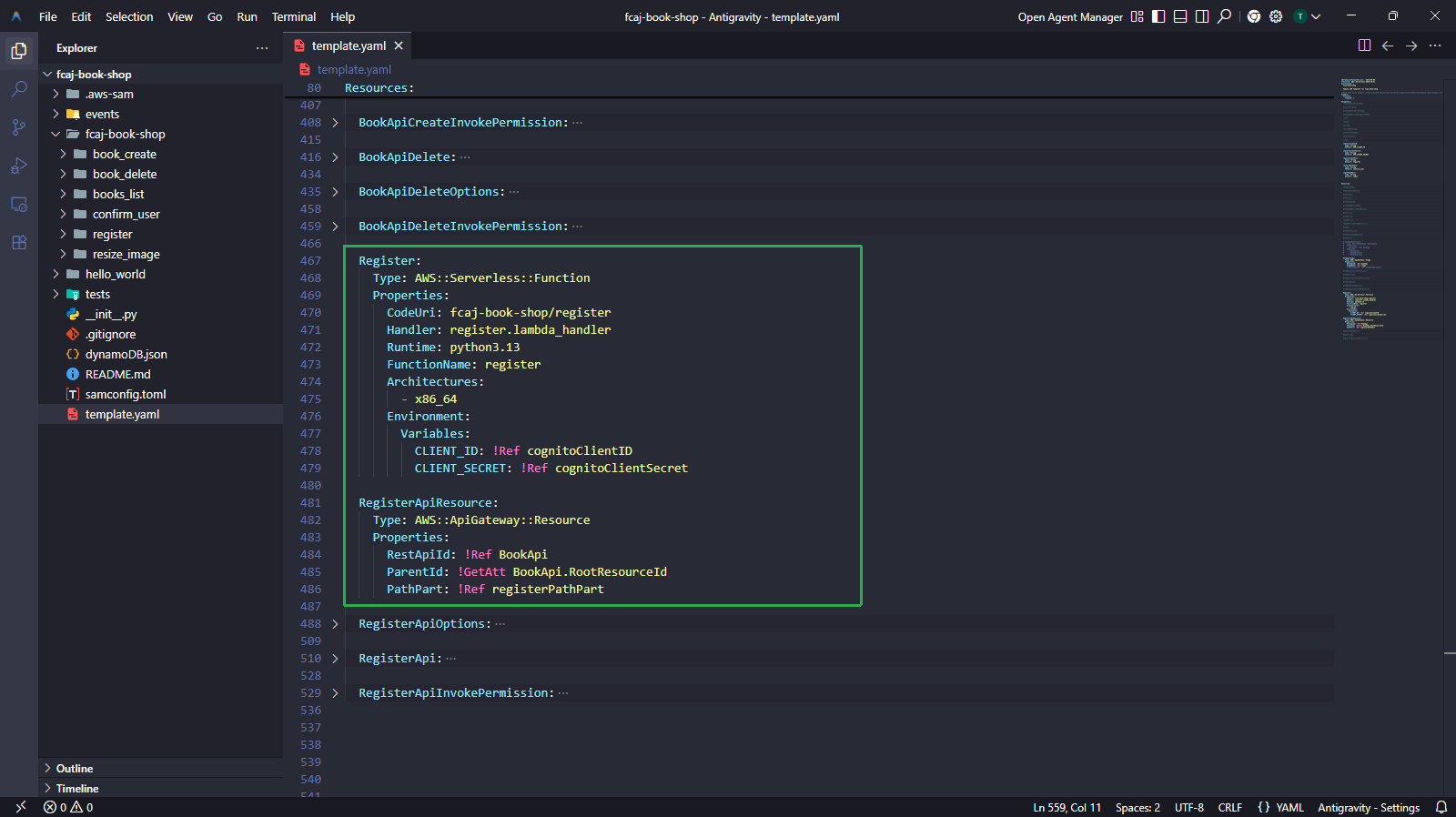
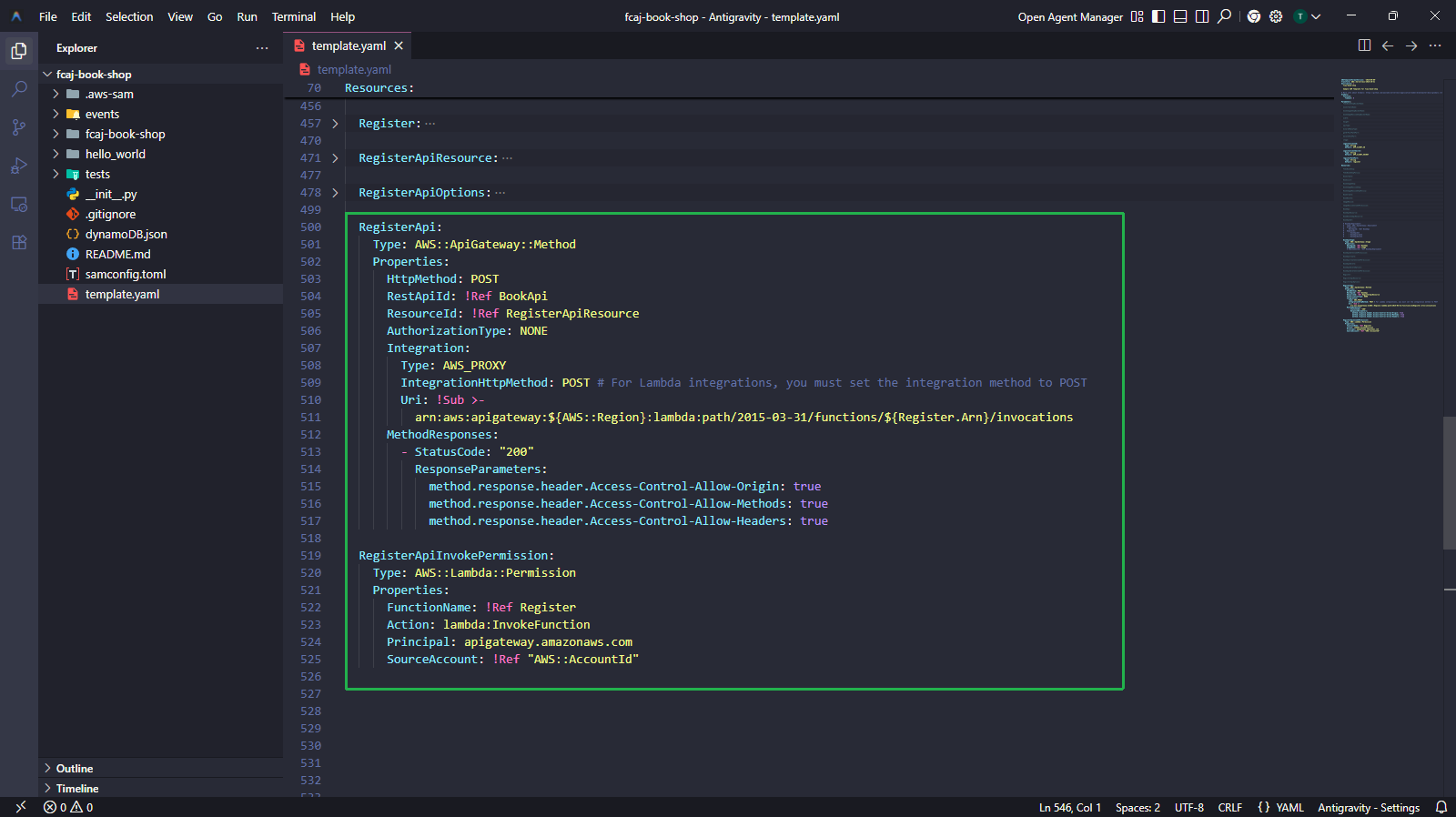
Thêm các block tài nguyên sau vào phần Resources ở cuối file (trước BookApiDeployment đang được comment out).
Register:
  Type: AWS::Serverless::Function
  Properties:
    CodeUri: fcaj-book-shop/register
    Handler: register.lambda_handler
    Runtime: python3.13
    FunctionName: register
    Architectures:
      - x86_64
    Environment:
      Variables:
        CLIENT_ID: !Ref cognitoClientID
        CLIENT_SECRET: !Ref cognitoClientSecret

RegisterApiResource:
  Type: AWS::ApiGateway::Resource
  Properties:
    RestApiId: !Ref BookApi
    ParentId: !GetAtt BookApi.RootResourceId
    PathPart: !Ref registerPathPart

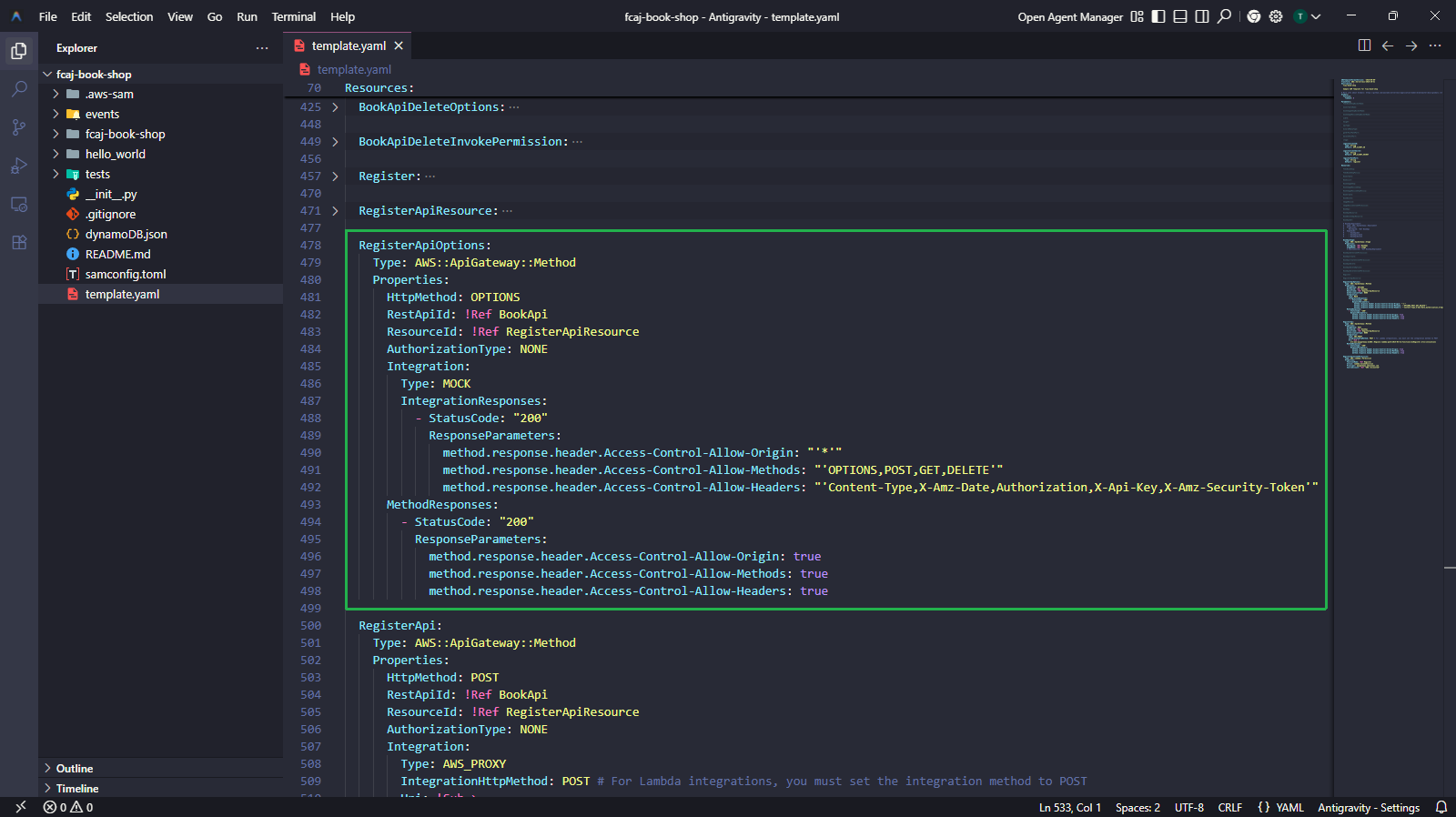
RegisterApiOptions:
  Type: AWS::ApiGateway::Method
  Properties:
    HttpMethod: OPTIONS
    RestApiId: !Ref BookApi
    ResourceId: !Ref RegisterApiResource
    AuthorizationType: NONE
    Integration:
      Type: MOCK
      IntegrationResponses:
        - StatusCode: "200"
          ResponseParameters:
            method.response.header.Access-Control-Allow-Origin: "'*'"
            method.response.header.Access-Control-Allow-Methods: "'OPTIONS,POST,GET,DELETE'"
            method.response.header.Access-Control-Allow-Headers: "'Content-Type,X-Amz-Date,Authorization,X-Api-Key,X-Amz-Security-Token'"
    MethodResponses:
      - StatusCode: "200"
        ResponseParameters:
          method.response.header.Access-Control-Allow-Origin: true
          method.response.header.Access-Control-Allow-Methods: true
          method.response.header.Access-Control-Allow-Headers: true

RegisterApi:
  Type: AWS::ApiGateway::Method
  Properties:
    HttpMethod: POST
    RestApiId: !Ref BookApi
    ResourceId: !Ref RegisterApiResource
    AuthorizationType: NONE
    Integration:
      Type: AWS_PROXY
      IntegrationHttpMethod: POST
      Uri: !Sub >-
        arn:aws:apigateway:${AWS::Region}:lambda:path/2015-03-31/functions/${Register.Arn}/invocations
    MethodResponses:
      - StatusCode: "200"
        ResponseParameters:
          method.response.header.Access-Control-Allow-Origin: true
          method.response.header.Access-Control-Allow-Methods: true
          method.response.header.Access-Control-Allow-Headers: true

RegisterApiInvokePermission:
  Type: AWS::Lambda::Permission
  Properties:
    FunctionName: !Ref Register
    Action: lambda:InvokeFunction
    Principal: apigateway.amazonaws.com
    SourceAccount: !Ref "AWS::AccountId"
RegisterApiOptionsxử lý các CORS preflight request (HTTP OPTIONS). Trình duyệt gửi OPTIONS request trước POST/GET/DELETE để kiểm tra xem CORS có được cho phép không.RegisterApiInvokePermissioncấp cho API Gateway quyền invoke Lambda function.IntegrationHttpMethod: POSTphải luôn làPOSTđối với Lambda proxy integration, bất kểHttpMethodcủa API là gì.
3.3 — Tạo file nguồn Lambda register
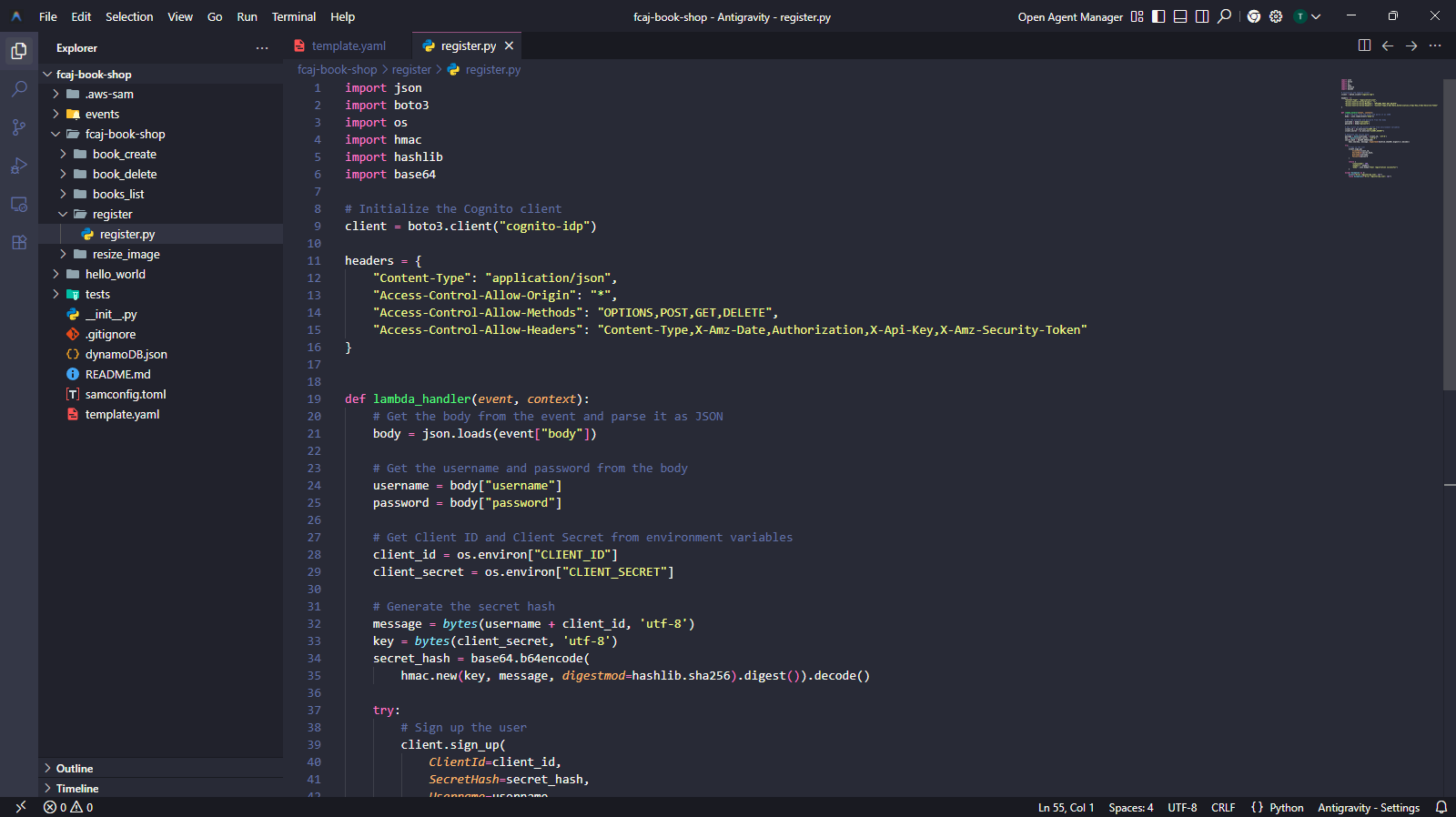
Cấu trúc thư mục phải trông như sau:
fcaj-book-shop/
├── fcaj-book-shop/
│   ├── register/
│   │   └── register.py
│   ├── books_list/
│   ├── book_create/
│   └── book_delete/
└── template.yaml
- Tạo thư mục
register/trongfcaj-book-shop/fcaj-book-shop/. - Tạo file
register.pyvới nội dung sau.
import json
import boto3
import os
import hmac
import hashlib
import base64

# Khởi tạo Cognito client
client = boto3.client("cognito-idp")

headers = {
    "Content-Type": "application/json",
    "Access-Control-Allow-Origin": "*",
    "Access-Control-Allow-Methods": "OPTIONS,POST,GET,DELETE",
    "Access-Control-Allow-Headers": "Content-Type,X-Amz-Date,Authorization,X-Api-Key,X-Amz-Security-Token"
}


def lambda_handler(event, context):
    # Parse JSON body từ API Gateway event
    body = json.loads(event["body"])

    username = body["username"]
    password = body["password"]

    # Đọc thông tin Cognito từ biến môi trường
    client_id = os.environ["CLIENT_ID"]
    client_secret = os.environ["CLIENT_SECRET"]

    # Tính SECRET_HASH bắt buộc khi App Client có Client Secret
    message = bytes(username + client_id, "utf-8")
    key = bytes(client_secret, "utf-8")
    secret_hash = base64.b64encode(
        hmac.new(key, message, digestmod=hashlib.sha256).digest()
    ).decode()

    try:
        client.sign_up(
            ClientId=client_id,
            SecretHash=secret_hash,
            Username=username,
            Password=password
        )

        return {
            "statusCode": 200,
            "headers": headers,
            "body": json.dumps("User registration successful")
        }

    except Exception as e:
        print(f"Error registering user: {e}")
        raise Exception(f"Error registering user: {e}")
SECRET_HASH là bắt buộc của Cognito khi App Client có cấu hình Client Secret. Đây là giá trị HMAC-SHA256 của username + client_id, được ký bằng client_secret. Cognito dùng hash này để xác minh request đến từ một server đáng tin cậy.
Bước 4 — Tạo hàm Confirm
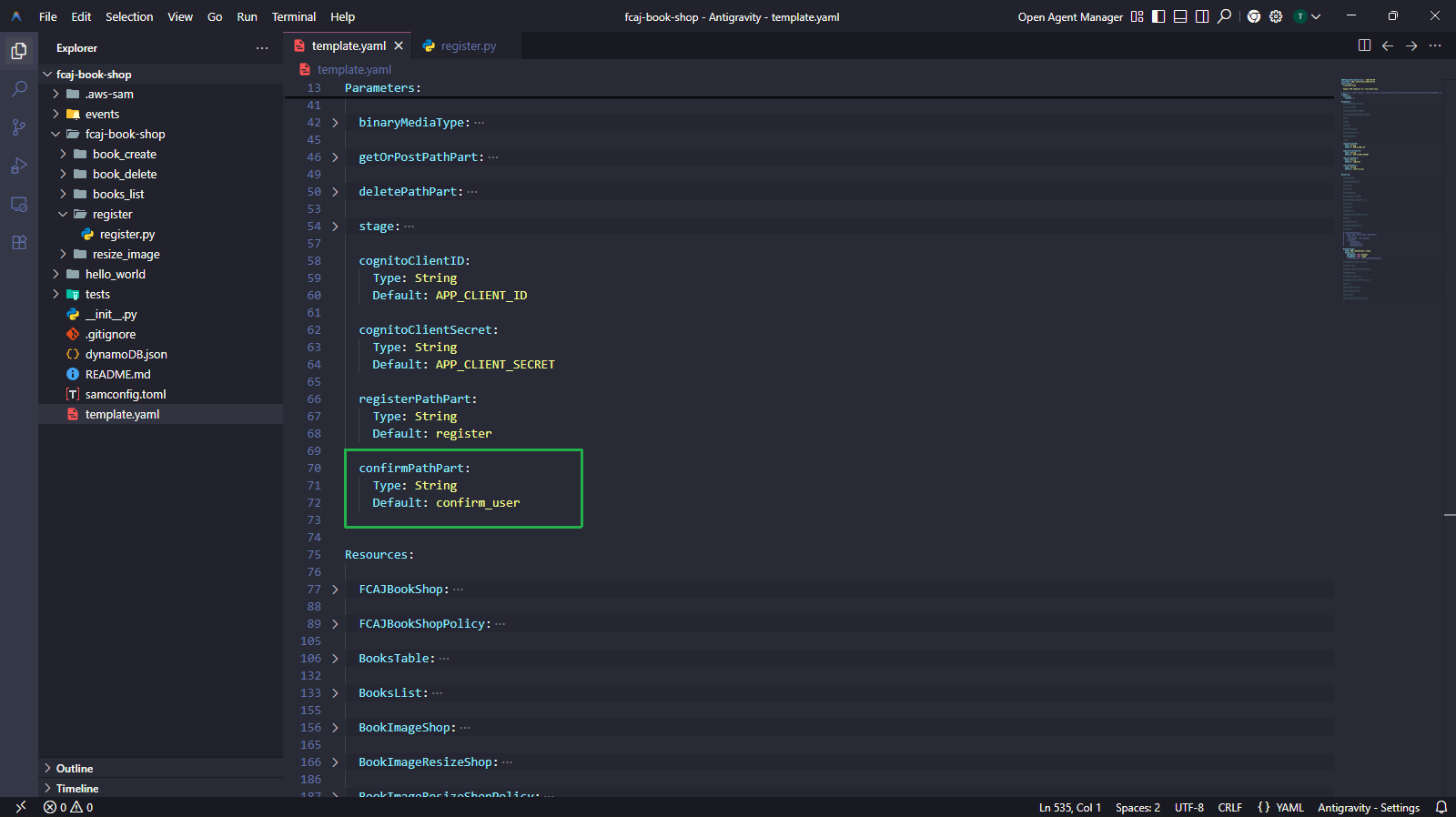
4.1 — Thêm tham số confirmPathPart
confirmPathPart:
  Type: String
  Default: confirm_user
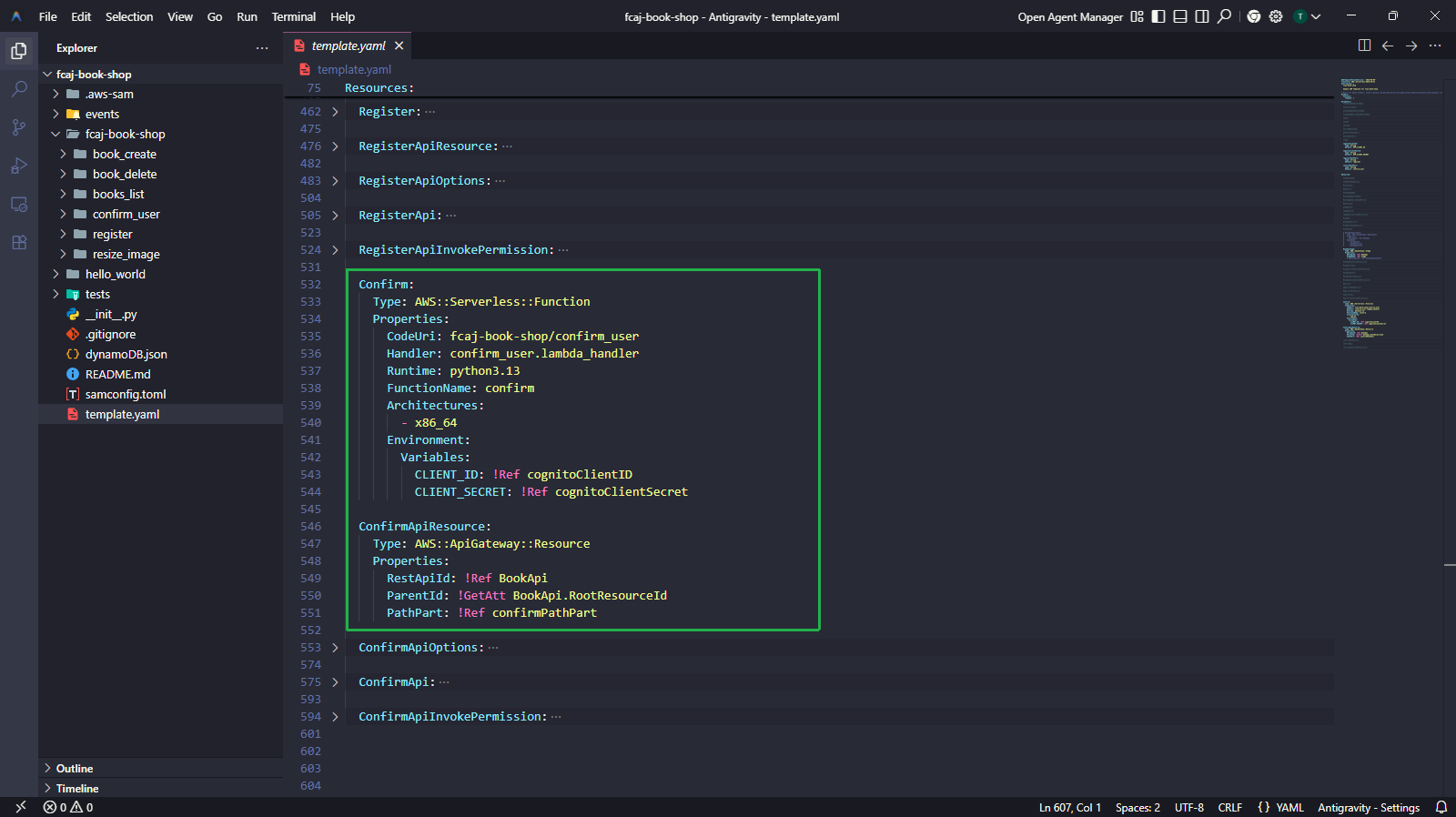
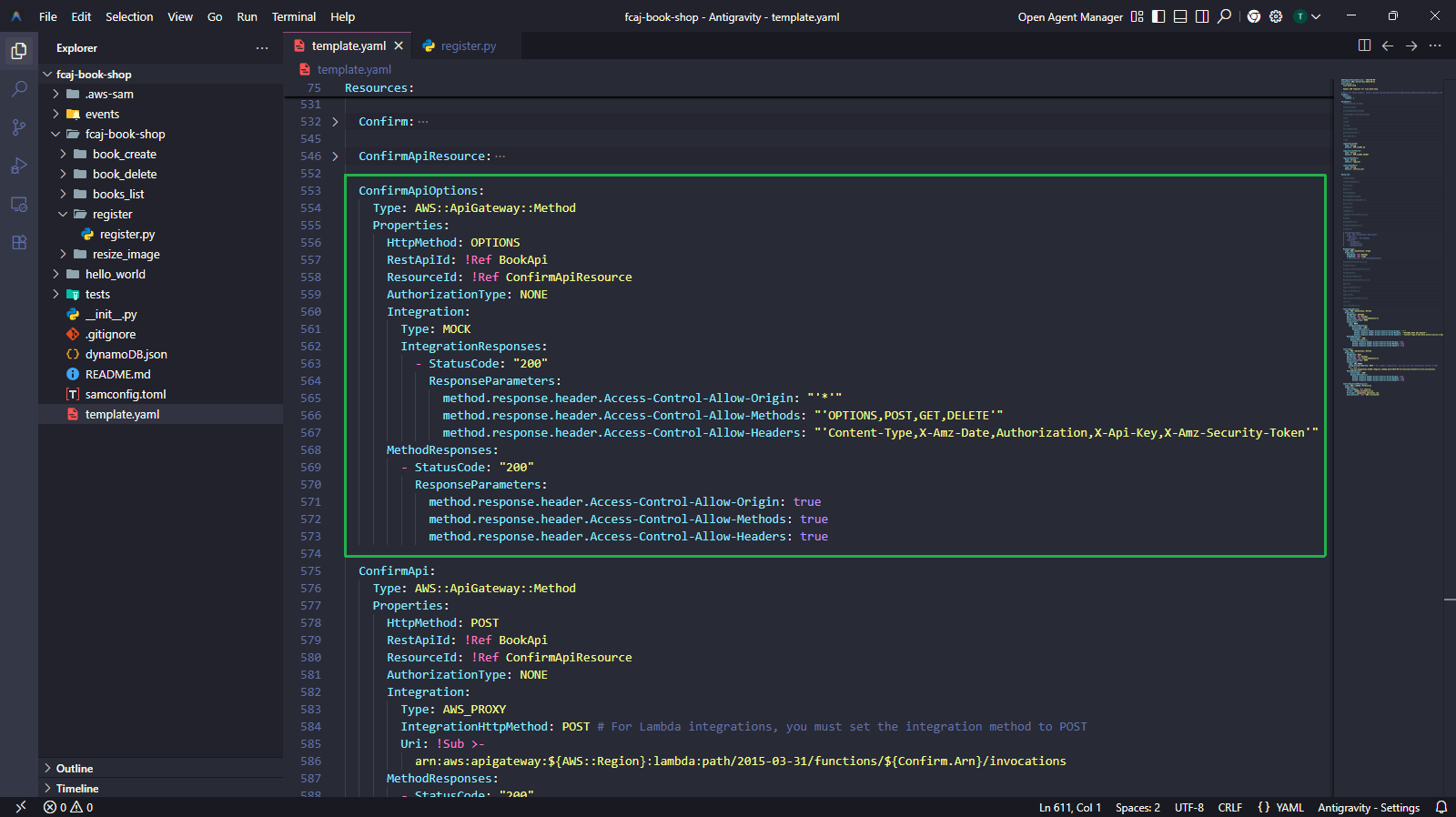
4.2 — Thêm tài nguyên Confirm vào template.yaml
Confirm:
  Type: AWS::Serverless::Function
  Properties:
    CodeUri: fcaj-book-shop/confirm_user
    Handler: confirm_user.lambda_handler
    Runtime: python3.13
    FunctionName: confirm
    Architectures:
      - x86_64
    Environment:
      Variables:
        CLIENT_ID: !Ref cognitoClientID
        CLIENT_SECRET: !Ref cognitoClientSecret

ConfirmApiResource:
  Type: AWS::ApiGateway::Resource
  Properties:
    RestApiId: !Ref BookApi
    ParentId: !GetAtt BookApi.RootResourceId
    PathPart: !Ref confirmPathPart

ConfirmApiOptions:
  Type: AWS::ApiGateway::Method
  Properties:
    HttpMethod: OPTIONS
    RestApiId: !Ref BookApi
    ResourceId: !Ref ConfirmApiResource
    AuthorizationType: NONE
    Integration:
      Type: MOCK
      IntegrationResponses:
        - StatusCode: "200"
          ResponseParameters:
            method.response.header.Access-Control-Allow-Origin: "'*'"
            method.response.header.Access-Control-Allow-Methods: "'OPTIONS,POST,GET,DELETE'"
            method.response.header.Access-Control-Allow-Headers: "'Content-Type,X-Amz-Date,Authorization,X-Api-Key,X-Amz-Security-Token'"
    MethodResponses:
      - StatusCode: "200"
        ResponseParameters:
          method.response.header.Access-Control-Allow-Origin: true
          method.response.header.Access-Control-Allow-Methods: true
          method.response.header.Access-Control-Allow-Headers: true

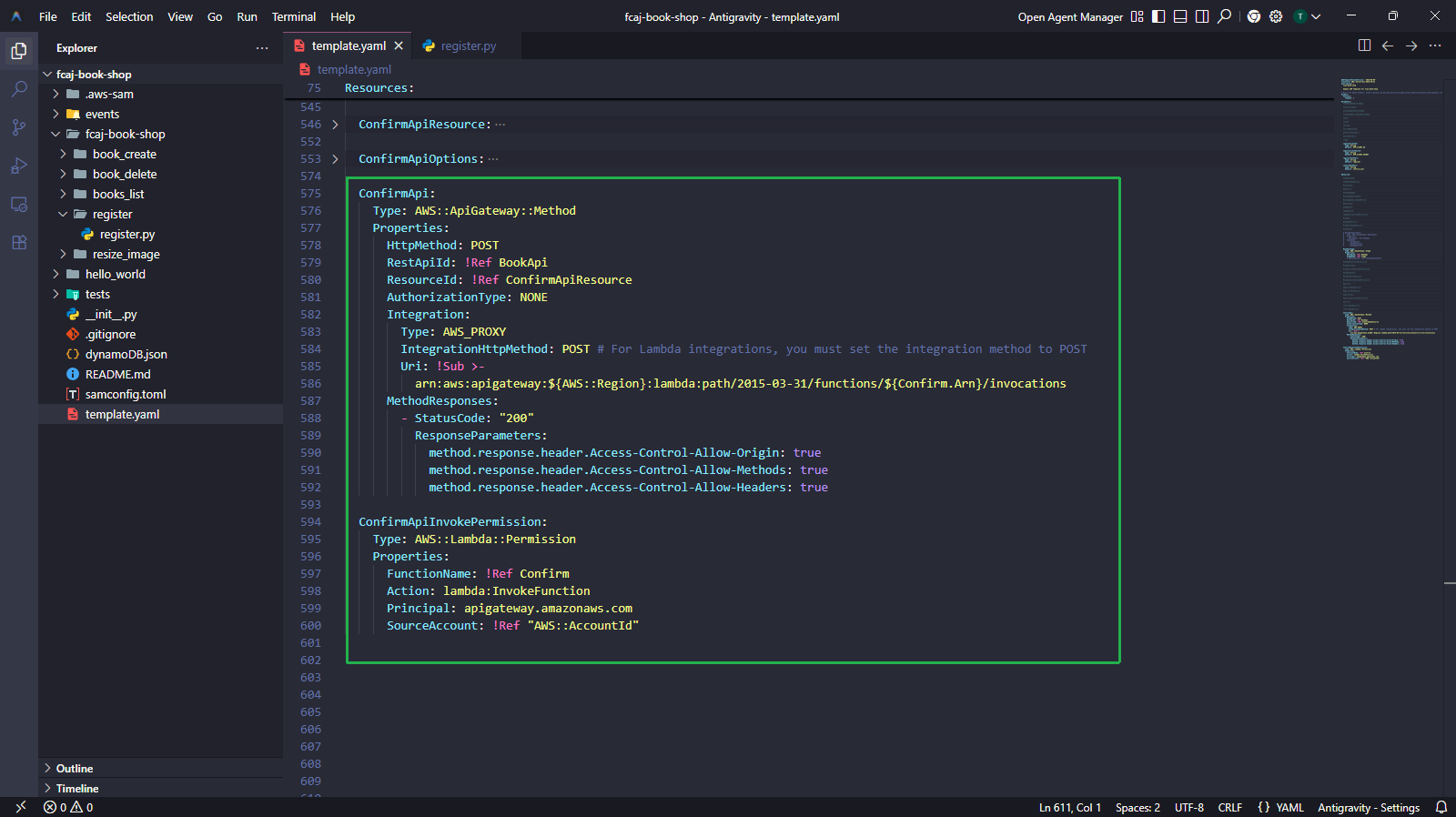
ConfirmApi:
  Type: AWS::ApiGateway::Method
  Properties:
    HttpMethod: POST
    RestApiId: !Ref BookApi
    ResourceId: !Ref ConfirmApiResource
    AuthorizationType: NONE
    Integration:
      Type: AWS_PROXY
      IntegrationHttpMethod: POST
      Uri: !Sub >-
        arn:aws:apigateway:${AWS::Region}:lambda:path/2015-03-31/functions/${Confirm.Arn}/invocations
    MethodResponses:
      - StatusCode: "200"
        ResponseParameters:
          method.response.header.Access-Control-Allow-Origin: true
          method.response.header.Access-Control-Allow-Methods: true
          method.response.header.Access-Control-Allow-Headers: true

ConfirmApiInvokePermission:
  Type: AWS::Lambda::Permission
  Properties:
    FunctionName: !Ref Confirm
    Action: lambda:InvokeFunction
    Principal: apigateway.amazonaws.com
    SourceAccount: !Ref "AWS::AccountId"
4.3 — Tạo file nguồn Lambda confirm_user
fcaj-book-shop/
├── fcaj-book-shop/
│   ├── register/
│   ├── confirm_user/
│   │   └── confirm_user.py
│   └── ...
└── template.yaml
- Tạo thư mục
confirm_user/trongfcaj-book-shop/fcj-book-shop/. - Tạo file
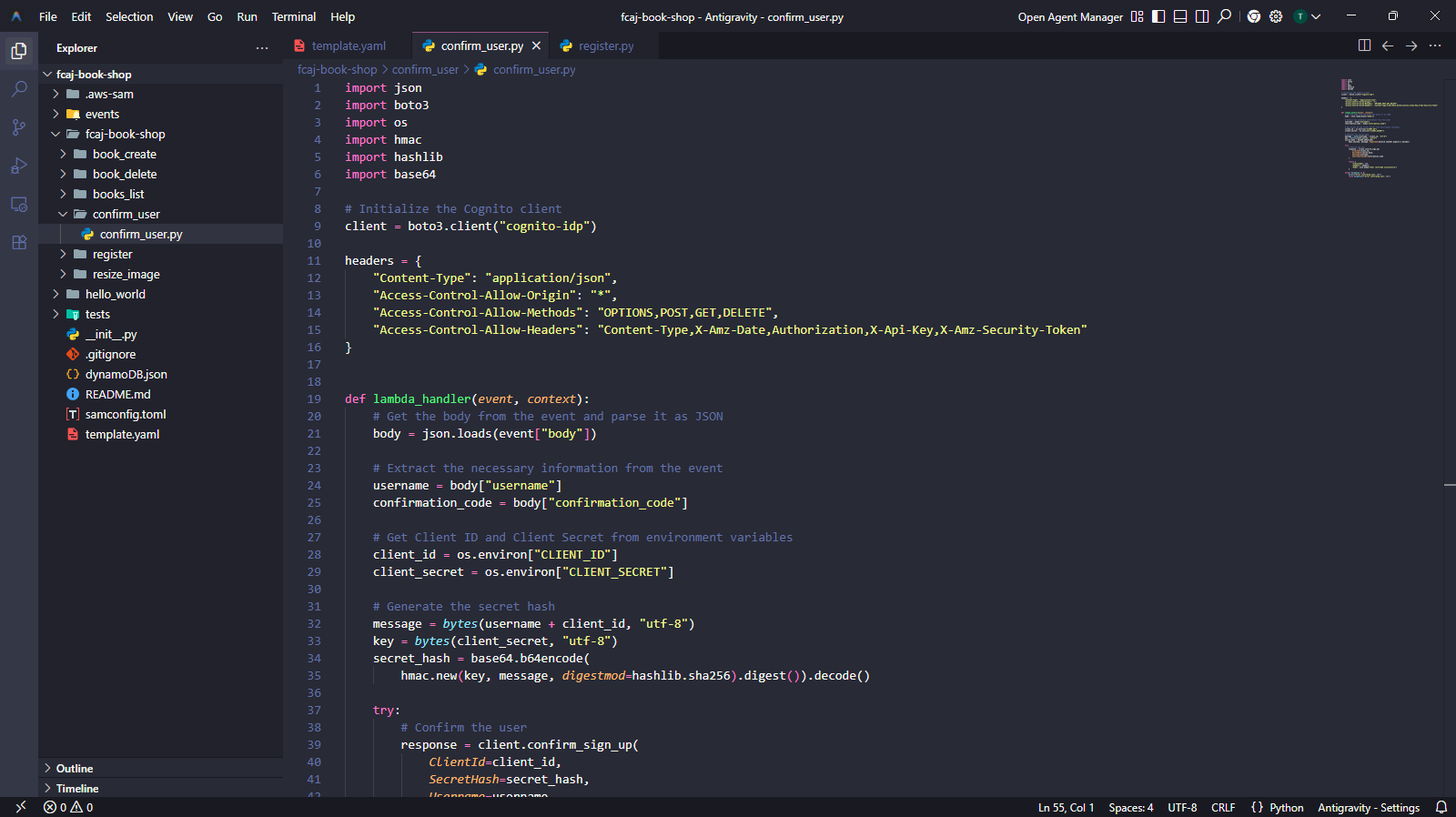
confirm_user.pyvới nội dung sau.
import json
import boto3
import os
import hmac
import hashlib
import base64

# Khởi tạo Cognito client
client = boto3.client("cognito-idp")

headers = {
    "Content-Type": "application/json",
    "Access-Control-Allow-Origin": "*",
    "Access-Control-Allow-Methods": "OPTIONS,POST,GET,DELETE",
    "Access-Control-Allow-Headers": "Content-Type,X-Amz-Date,Authorization,X-Api-Key,X-Amz-Security-Token"
}


def lambda_handler(event, context):
    body = json.loads(event["body"])

    username = body["username"]
    confirmation_code = body["confirmation_code"]

    client_id = os.environ["CLIENT_ID"]
    client_secret = os.environ["CLIENT_SECRET"]

    message = bytes(username + client_id, "utf-8")
    key = bytes(client_secret, "utf-8")
    secret_hash = base64.b64encode(
        hmac.new(key, message, digestmod=hashlib.sha256).digest()
    ).decode()

    try:
        client.confirm_sign_up(
            ClientId=client_id,
            SecretHash=secret_hash,
            Username=username,
            ConfirmationCode=confirmation_code
        )

        return {
            "statusCode": 200,
            "headers": headers,
            "body": json.dumps("User confirmed successfully")
        }

    except Exception as e:
        print(f"Error confirming user: {e}")
        raise Exception(f"Error confirming user: {e}")
Sau khi đăng ký thành công, Cognito tự động gửi một mã xác nhận đến địa chỉ email của người dùng. Người dùng phải cung cấp mã này cho endpoint /confirm_user để kích hoạt tài khoản.
Bước 5 — Tạo hàm Login
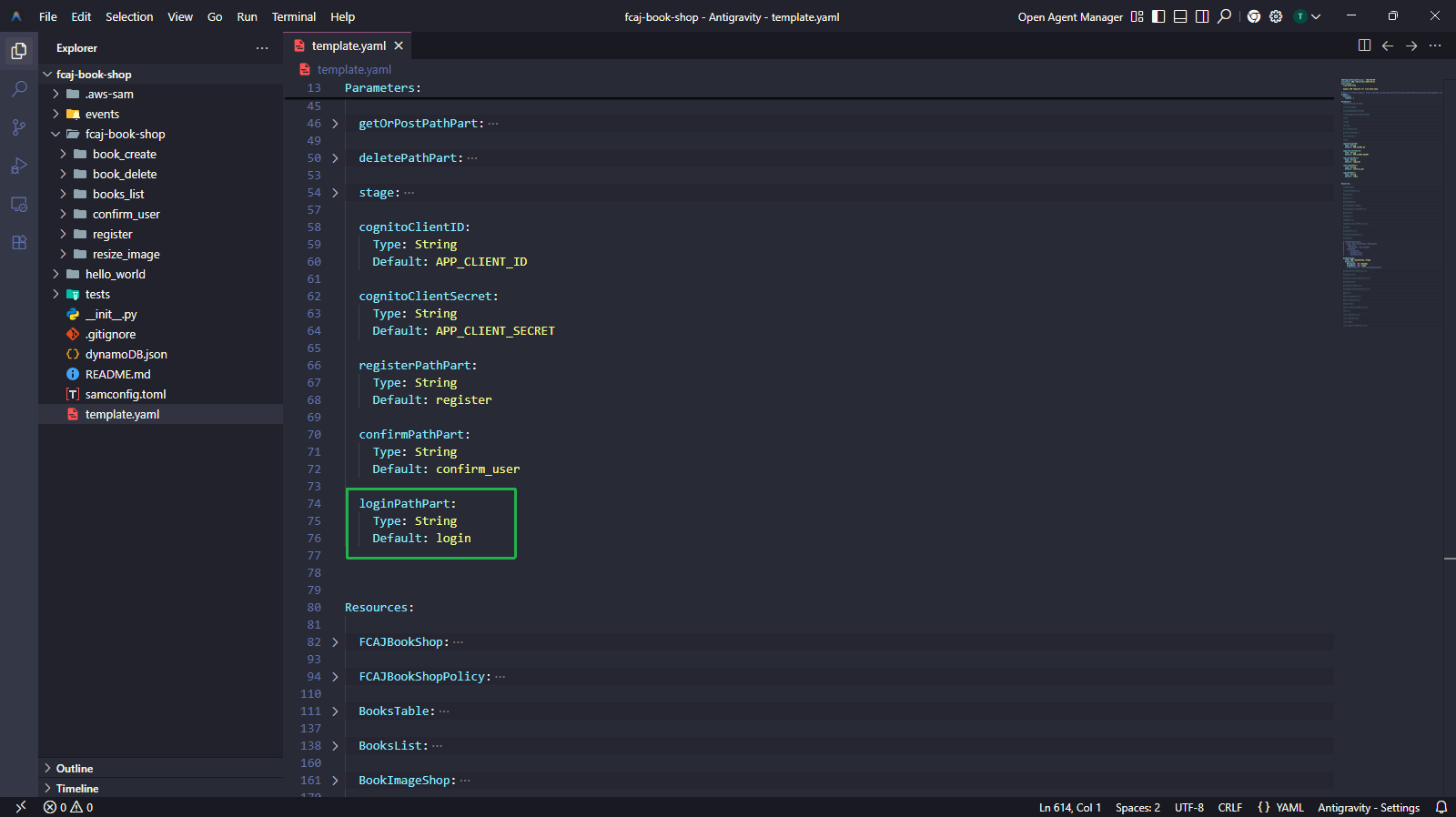
5.1 — Thêm tham số loginPathPart
loginPathPart:
  Type: String
  Default: login
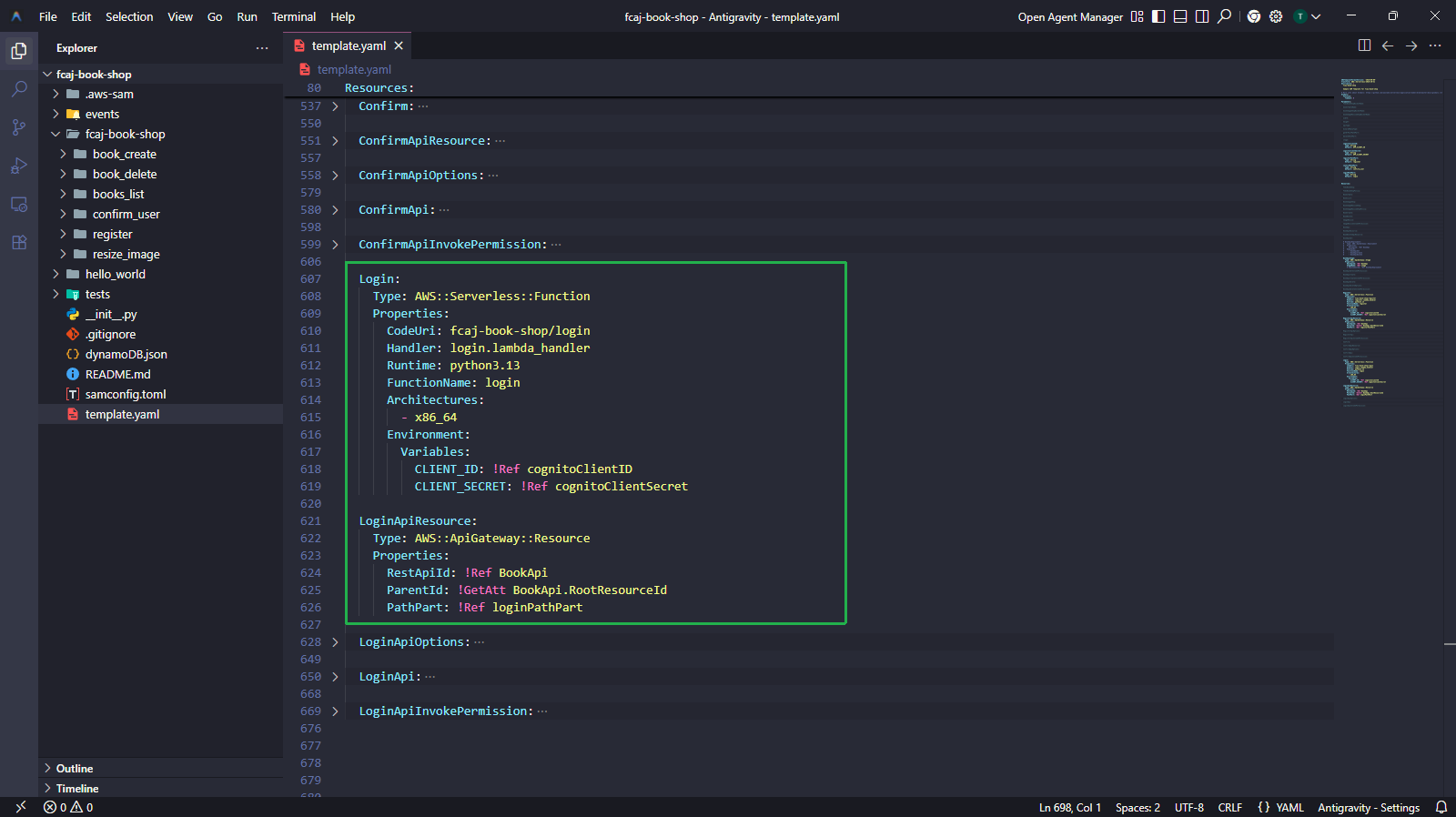
5.2 — Thêm tài nguyên Login vào template.yaml
Login:
  Type: AWS::Serverless::Function
  Properties:
    CodeUri: fcaj-book-shop/login
    Handler: login.lambda_handler
    Runtime: python3.13
    FunctionName: login
    Architectures:
      - x86_64
    Environment:
      Variables:
        CLIENT_ID: !Ref cognitoClientID
        CLIENT_SECRET: !Ref cognitoClientSecret

LoginApiResource:
  Type: AWS::ApiGateway::Resource
  Properties:
    RestApiId: !Ref BookApi
    ParentId: !GetAtt BookApi.RootResourceId
    PathPart: !Ref loginPathPart

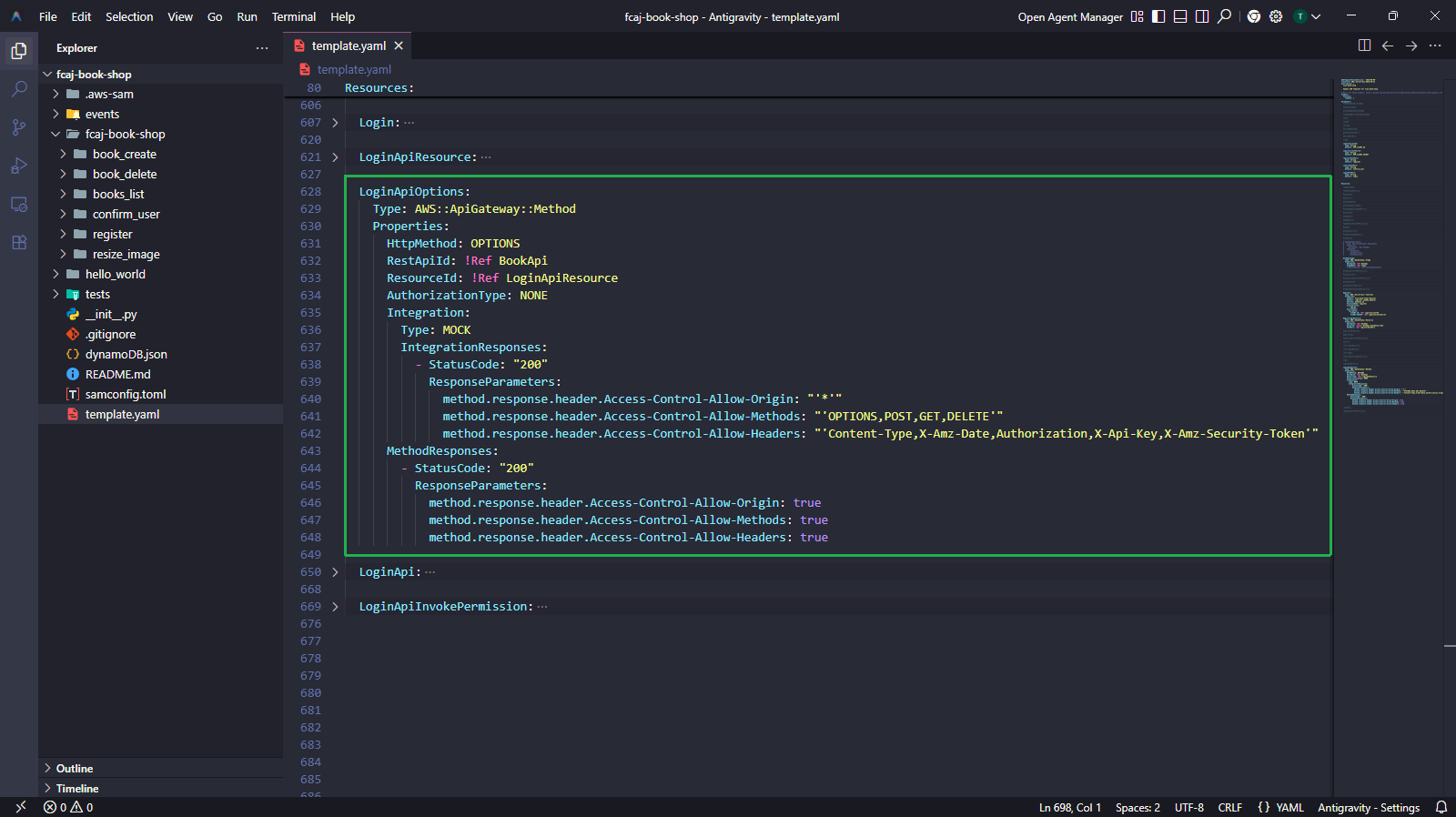
LoginApiOptions:
  Type: AWS::ApiGateway::Method
  Properties:
    HttpMethod: OPTIONS
    RestApiId: !Ref BookApi
    ResourceId: !Ref LoginApiResource
    AuthorizationType: NONE
    Integration:
      Type: MOCK
      IntegrationResponses:
        - StatusCode: "200"
          ResponseParameters:
            method.response.header.Access-Control-Allow-Origin: "'*'"
            method.response.header.Access-Control-Allow-Methods: "'OPTIONS,POST,GET,DELETE'"
            method.response.header.Access-Control-Allow-Headers: "'Content-Type,X-Amz-Date,Authorization,X-Api-Key,X-Amz-Security-Token'"
    MethodResponses:
      - StatusCode: "200"
        ResponseParameters:
          method.response.header.Access-Control-Allow-Origin: true
          method.response.header.Access-Control-Allow-Methods: true
          method.response.header.Access-Control-Allow-Headers: true

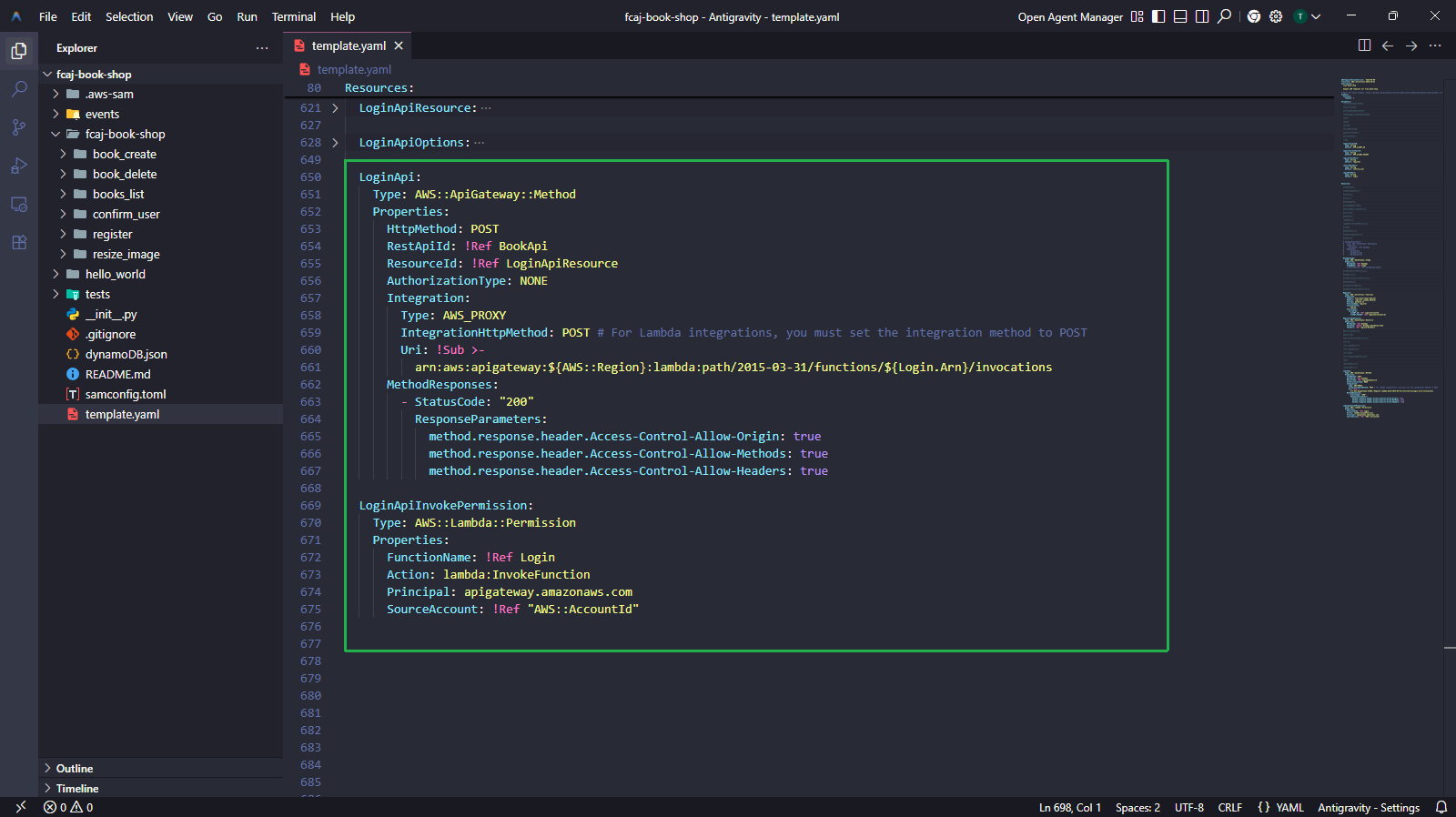
LoginApi:
  Type: AWS::ApiGateway::Method
  Properties:
    HttpMethod: POST
    RestApiId: !Ref BookApi
    ResourceId: !Ref LoginApiResource
    AuthorizationType: NONE
    Integration:
      Type: AWS_PROXY
      IntegrationHttpMethod: POST
      Uri: !Sub >-
        arn:aws:apigateway:${AWS::Region}:lambda:path/2015-03-31/functions/${Login.Arn}/invocations
    MethodResponses:
      - StatusCode: "200"
        ResponseParameters:
          method.response.header.Access-Control-Allow-Origin: true
          method.response.header.Access-Control-Allow-Methods: true
          method.response.header.Access-Control-Allow-Headers: true

LoginApiInvokePermission:
  Type: AWS::Lambda::Permission
  Properties:
    FunctionName: !Ref Login
    Action: lambda:InvokeFunction
    Principal: apigateway.amazonaws.com
    SourceAccount: !Ref "AWS::AccountId"
5.3 — Tạo file nguồn Lambda login
fcaj-book-shop/
├── fcaj-book-shop/
│   ├── register/
│   ├── confirm_user/
│   ├── login/
│   │   └── login.py
│   └── ...
└── template.yaml
- Tạo thư mục
login/trongfcaj-book-shop/fcaj-book-shop/. - Tạo file
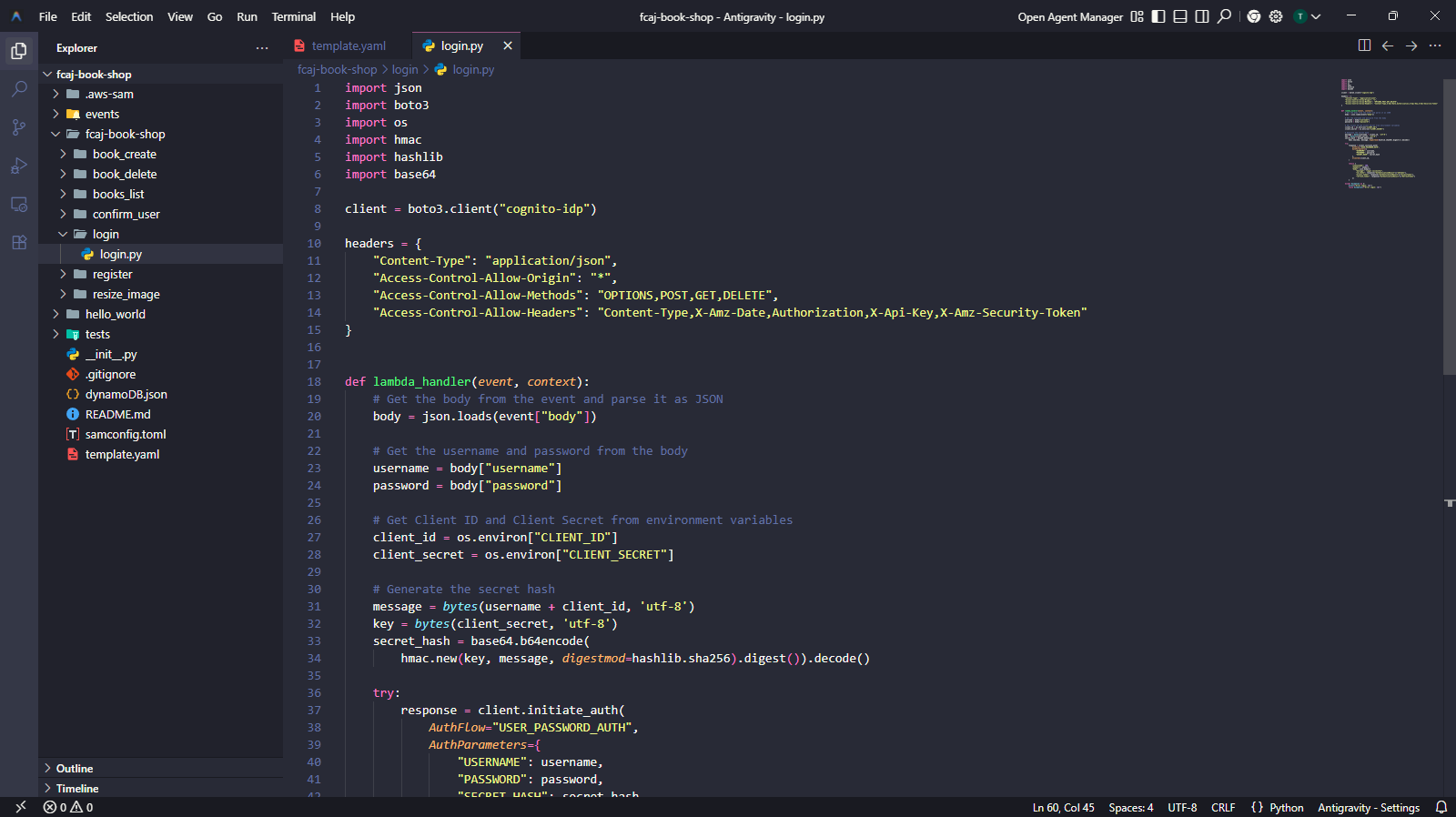
login.pyvới nội dung sau.
import json
import boto3
import os
import hmac
import hashlib
import base64

client = boto3.client("cognito-idp")

headers = {
    "Content-Type": "application/json",
    "Access-Control-Allow-Origin": "*",
    "Access-Control-Allow-Methods": "OPTIONS,POST,GET,DELETE",
    "Access-Control-Allow-Headers": "Content-Type,X-Amz-Date,Authorization,X-Api-Key,X-Amz-Security-Token"
}


def lambda_handler(event, context):
    body = json.loads(event["body"])

    username = body["username"]
    password = body["password"]

    client_id = os.environ["CLIENT_ID"]
    client_secret = os.environ["CLIENT_SECRET"]

    message = bytes(username + client_id, "utf-8")
    key = bytes(client_secret, "utf-8")
    secret_hash = base64.b64encode(
        hmac.new(key, message, digestmod=hashlib.sha256).digest()
    ).decode()

    try:
        response = client.initiate_auth(
            AuthFlow="USER_PASSWORD_AUTH",
            AuthParameters={
                "USERNAME": username,
                "PASSWORD": password,
                "SECRET_HASH": secret_hash
            },
            ClientId=client_id,
        )

        return {
            "statusCode": 200,
            "headers": headers,
            "body": json.dumps({
                "message": "Login successful",
                "id_token": response["AuthenticationResult"]["IdToken"],
                "access_token": response["AuthenticationResult"]["AccessToken"],
                "refresh_token": response["AuthenticationResult"]["RefreshToken"]
            })
        }

    except Exception as e:
        print(f"Error login: {e}")
        raise Exception(f"Error login: {e}")
Khi đăng nhập thành công, Cognito trả về ba JWT token:
- IdToken — chứa thông tin định danh người dùng (tên, email, v.v.). Front-end dùng token này để xác định người dùng đang đăng nhập.
- AccessToken — dùng để gọi các API được bảo vệ.
- RefreshToken — dùng để lấy IdToken/AccessToken mới khi hết hạn (mặc định: 1 giờ).
Bước 6 — Bỏ comment BookApiDeployment và BookApiStage, sau đó Deploy
Bây giờ tất cả ba API method (RegisterApi, ConfirmApi, LoginApi) đã được định nghĩa, chúng ta có thể bỏ comment và cập nhật tài nguyên BookApiDeployment và BookApiStage một cách an toàn.
6.1 — Bỏ comment và cập nhật tài nguyên Deployment
Cập nhật các block BookApiDeployment và BookApiStage trong template.yaml như sau.
BookApiDeployment:
  Type: AWS::ApiGateway::Deployment
  Properties:
    RestApiId: !Ref BookApi
  DependsOn:
    - BookApiGet
    - BookApiCreate
    - BookApiDelete
    - RegisterApi
    - ConfirmApi
    - LoginApi

BookApiStage:
  Type: AWS::ApiGateway::Stage
  Properties:
    RestApiId: !Ref BookApi
    StageName: !Ref stage
    DeploymentId: !Ref BookApiDeployment
Danh sách DependsOn phải bao gồm đủ sáu API method: BookApiGet, BookApiCreate, BookApiDelete, RegisterApi, ConfirmApi và LoginApi. Nếu thiếu bất kỳ method nào, việc deploy có thể thất bại hoặc stage có thể không route đúng đến các method.
6.2 — Chạy lệnh deploy cuối cùng
sam validate
sam build
sam deploy
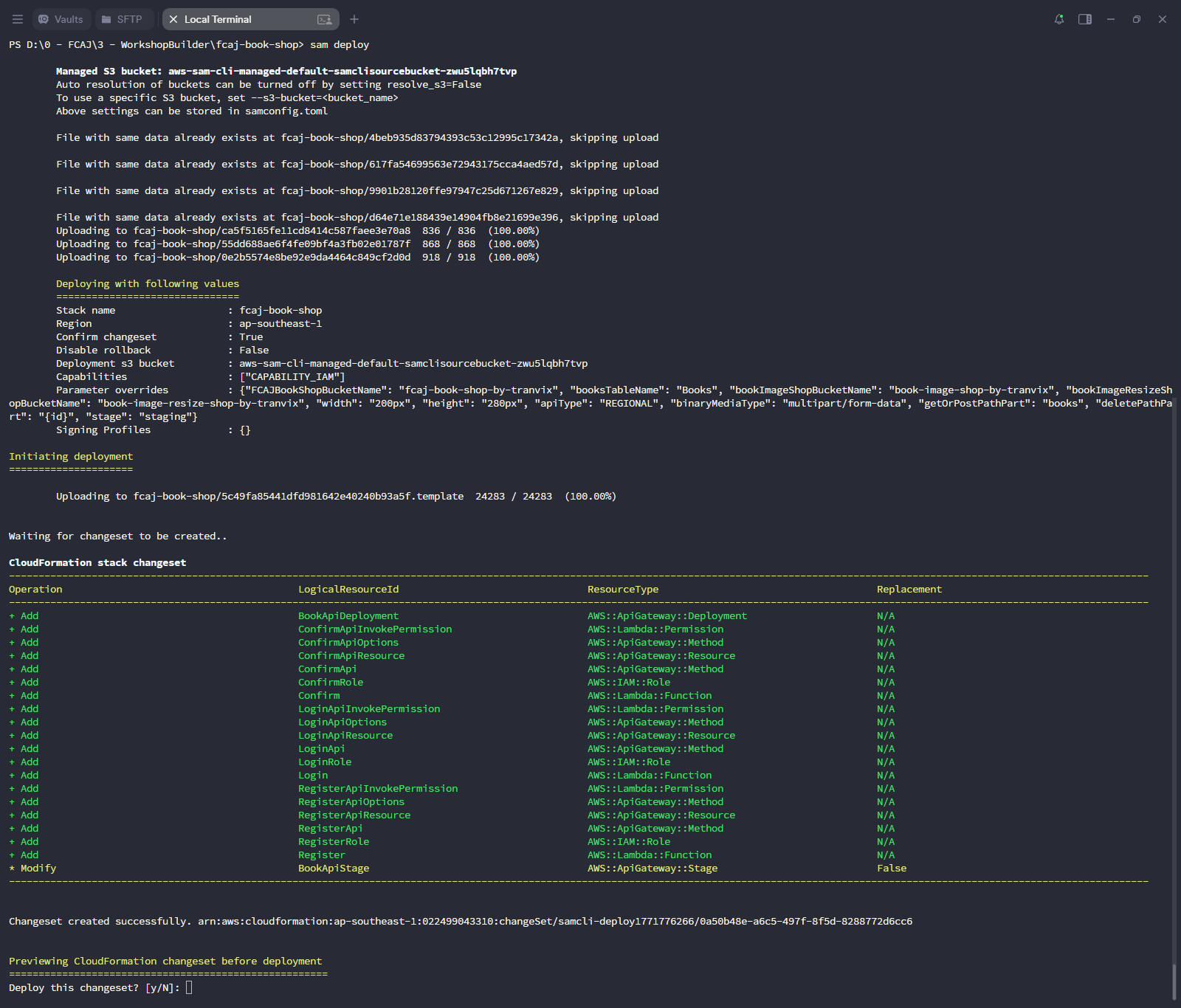
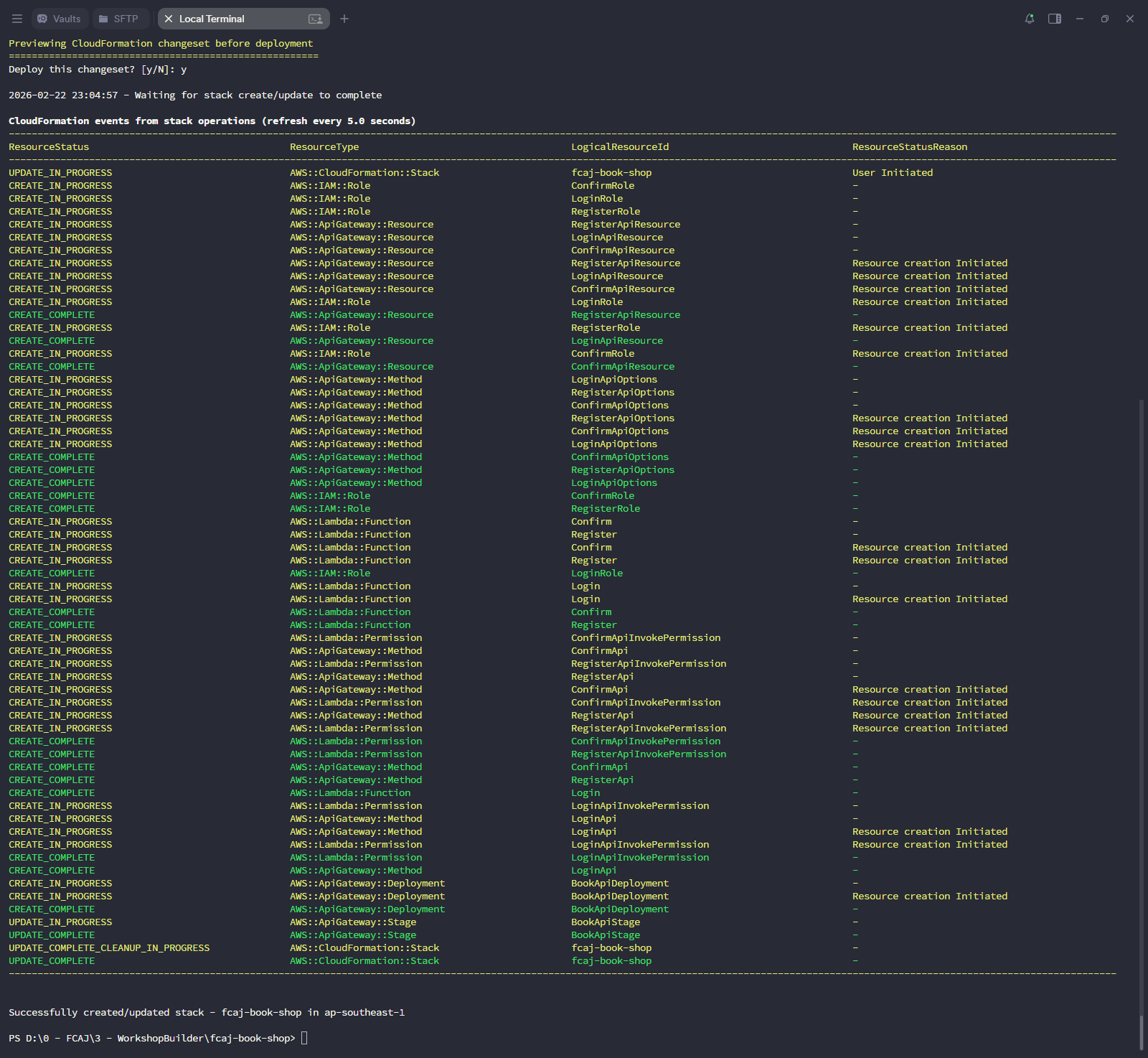
Changeset phải hiển thị các hành động CREATE cho các Lambda function và tài nguyên API Gateway mới (Register, Confirm, Login), và UPDATE cho stack hiện có. Nếu bạn thấy bất kỳ trạng thái FAILED nào, hãy kiểm tra CloudFormation Events trong AWS Console để xem thông báo lỗi chi tiết.
Bước 7 — Xác nhận trên AWS Console
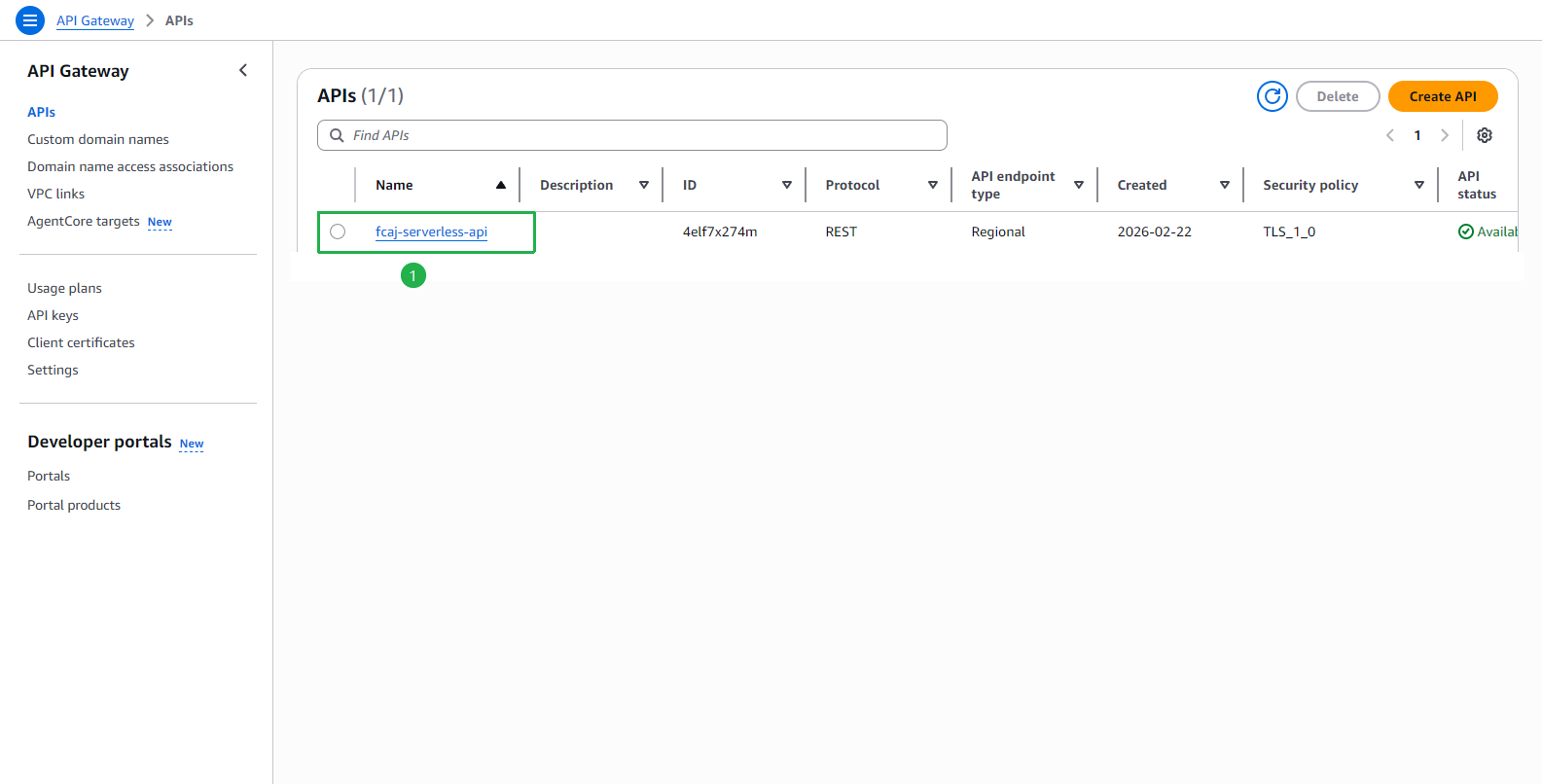
Xác nhận API Gateway fcaj-serverless-api đã được tạo.
Xác nhận ba tài nguyên mới (
/confirm_user,/login,/register) xuất hiện trong Resources.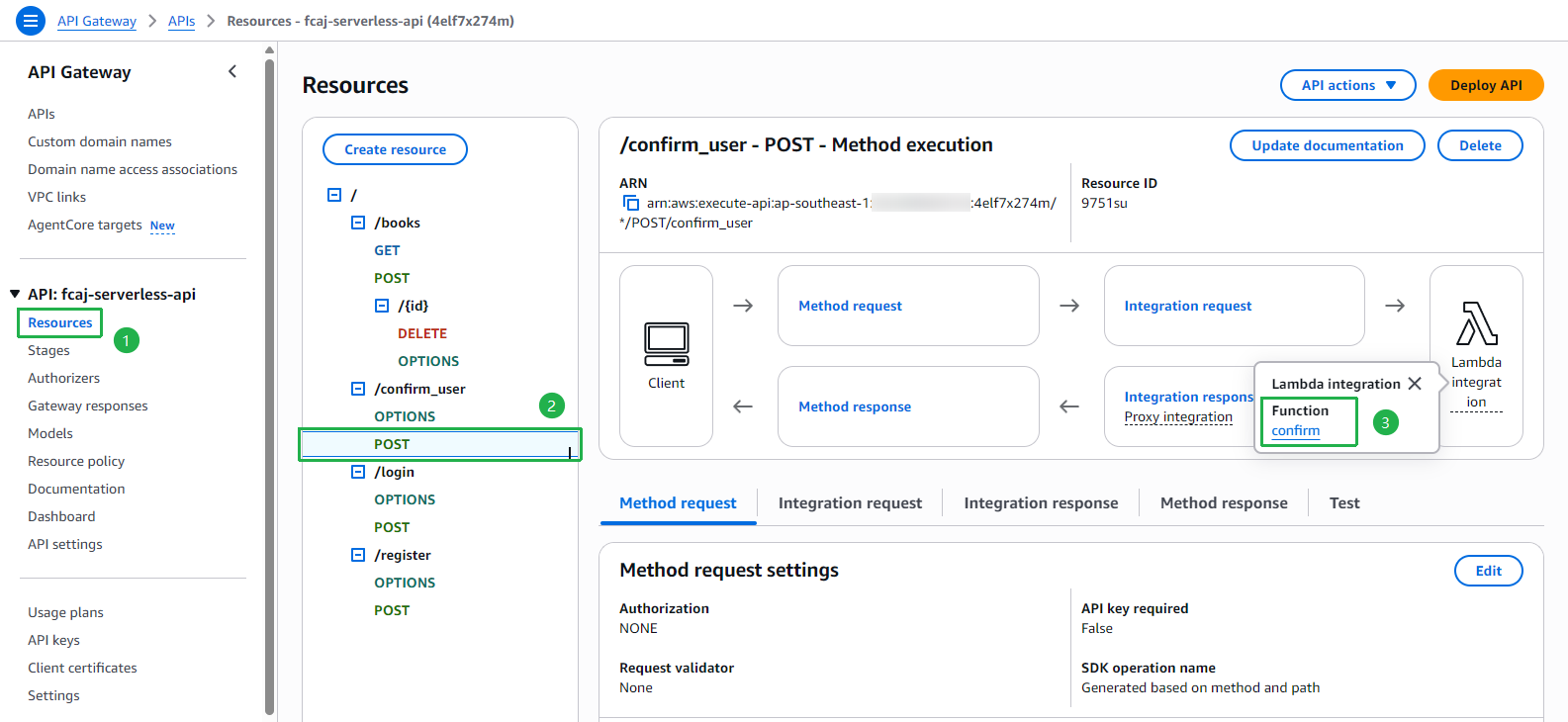
Nhấp vào
/login → POSTvà xác nhận nó được tích hợp với Lambda function login.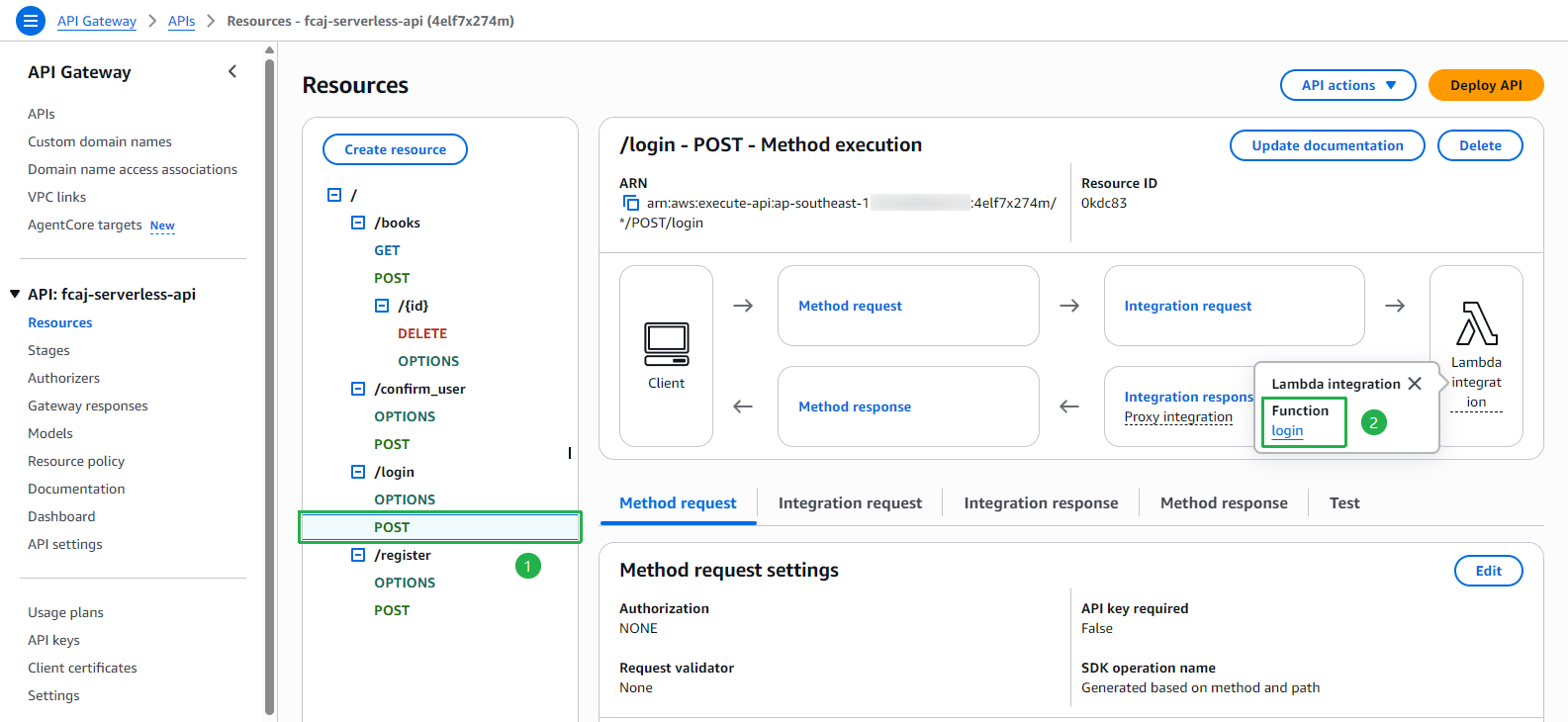
Nhấp vào
/register → POSTvà xác nhận nó được tích hợp với Lambda function register.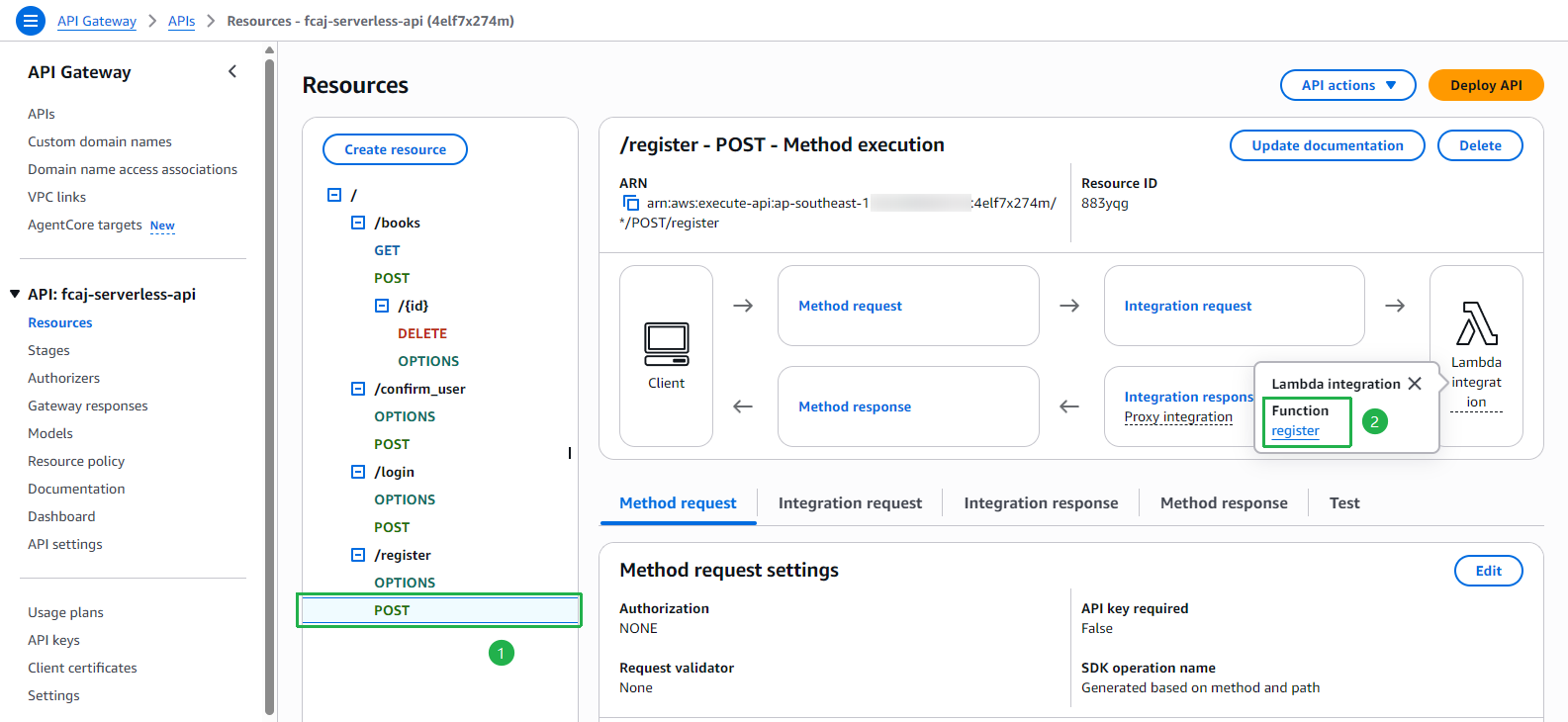
Chúng ta đã triển khai thành công ba Lambda function và expose chúng qua API Gateway. Ở phần tiếp theo, chúng ta sẽ cập nhật front-end để kết nối với các endpoint này và kiểm tra toàn bộ luồng xác thực.